You’ve turned a single flagship store into a roaring success. The next step? Scaling that magic into a profitable, high-volume franchise network. But this is where most retail programs stumble. It’s rarely a failure of design vision. Instead, it’s a breakdown in production—a scaling crisis that happens when every new location is treated like a brand-new, one-off project.
Scaling retail isn’t about redesigning faster. It's about building BIM systems that replicate clarity and protect margins across every location.
The Scaling Crisis In High-Volume Retail Rollouts
The road from a beloved flagship to a sprawling network of stores is littered with production bottlenecks. We’ve seen retail programs accelerate dramatically once teams treated BIM as a rollout system, not a one-off project tool. Without that shift, firms get stuck in a painful cycle of reinventing the wheel for every single site.
This is the production crisis: the inefficiency and risk baked into the process by redrawing plans, generating inconsistent documents, and wrestling with vendor coordination from one location to the next.
The Pain of Inconsistent Production
When every store is redrawn from scratch, chaos becomes the default. The pain points ripple across the entire project, chipping away at margins and blowing up timelines. This ad-hoc approach directly undermines the core outcomes of a successful rollout: margin protection, predictability, and operational consistency.
The symptoms of a broken workflow are easy to spot:
- Endless Redrawing: Teams burn hours recreating core layouts that should be locked down, introducing new chances for error every single time.
- Inconsistent Documentation: Permit sets and construction drawings vary wildly, confusing contractors and leading to costly delays and RFIs.
- Fixture and MEP Misalignment: Fixture schedules drift, and MEP layouts don’t align with the architectural model, resulting in on-site clashes.
- Brand Dilution: Small variations in design and execution weaken the customer experience and water down the brand’s identity.
Success in high-volume retail rollouts hinges on building a BIM engine designed for replication, not reinvention. Scaling isn’t about designing faster—it’s about building systems that replicate clarity.
Let’s contrast the two approaches.
One-Off Projects vs Systemized Rollouts: A Comparison
The difference between treating each store as a unique project versus a component in a larger system is stark. One path leads to constant firefighting, while the other creates a predictable machine for growth.
| Challenge Area | Traditional One-Off Approach | Systemized BIM Rollout Approach |
|---|---|---|
| Design Workflow | Redraw core elements for each new site. | Adapt a master prototype model to site conditions. |
| Documentation | Inconsistent CD sets; high potential for errors. | Standardized, template-driven documents for every store. |
| Coordination | Ad-hoc coordination; frequent on-site clashes. | Centralized coordination; clashes resolved in the model. |
| Brand Consistency | Varies from store to store, weakening brand identity. | Enforced brand standards ensure a uniform customer experience. |
| Scalability | Linear growth; adding stores adds proportional overhead. | Exponential growth; systems allow for rapid, efficient scaling. |
| Predictability | Unpredictable timelines and budgets. | Consistent schedules and costs from store to store. |
The systemized approach directly addresses the root causes of the scaling crisis, turning chaos into a controlled, repeatable process.
Shifting from Projects to a Production System
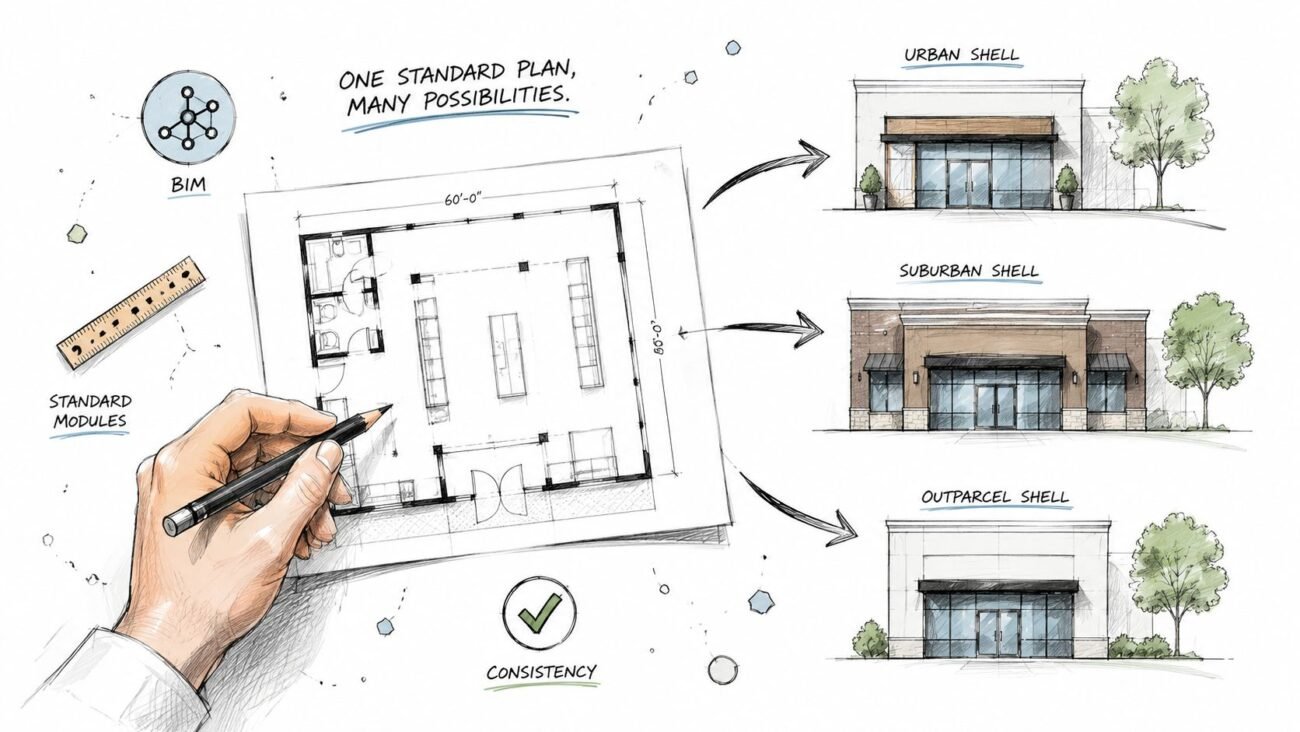
The alternative is a disciplined approach built around mature BIM workflows for retail. You stop thinking in terms of one-off projects and start building a repeatable production engine. The focus shifts from design creativity per site toward standardized models, disciplined templates, and controlled variation logic.
This is the heart of a modern retail rollout BIM strategy. By investing upfront in robust architecture production systems, firms create a single source of truth. A master prototype model holds the brand’s DNA—its non-negotiable layouts, fixture libraries, and MEP standards.
From there, the prototype is adapted to site-specific conditions, not redrawn. This systematic method ensures every location, from store #2 to store #200, is a faithful and efficient execution of the brand vision, protecting profits and guaranteeing predictable delivery.
Building The Master BIM Prototype For Repeatability
The jump from a flagship to a nationwide rollout hinges on one thing: a rock-solid master BIM prototype. This isn't just a 3D model of your first success. It's an intelligent, data-rich system built from the ground up for adaptation and reuse.
Pouring effort into a disciplined prototype is the single best way to sidestep endless rework, prevent a flood of RFIs, and protect your margins. We’ve seen retail programs accelerate dramatically once teams treated BIM as a rollout system, not a one-off project tool. The point is to front-load decisions, embedding brand standards and operational logic directly into the model so they get replicated flawlessly.
Defining Your Non-Negotiables
Before drawing a single line, you must codify the brand’s DNA. These are the non-negotiables—the core elements that define the customer experience and must be consistent in every store. Figuring these out on the fly is a recipe for chaos.
Get design, operations, and construction teams in a room to lock down the essentials:
- Core Layouts: Define the primary customer journey, point-of-sale locations, and back-of-house flow.
- Key Fixtures: Create an approved library of fixtures, with all necessary data embedded for scheduling.
- MEP Standards: Standardize mechanical, electrical, and plumbing systems to ensure operational consistency and simplify maintenance.
- Material Palettes: Lock in the approved finishes, colors, and materials that define the brand’s aesthetic.
These decisions are the foundation of your prototype.
From Static Model to Intelligent Template
With non-negotiables defined, the work shifts from building a static model to creating a flexible template. This is where mature BIM workflows for retail pay dividends. The model isn't just a picture; it’s built with parameters and rules that allow for controlled changes without breaking the core design intent.
This requires a disciplined approach where every element is built for reuse—a world away from simply converting CAD drawings.
The prototype isn't a drawing; it's a product. It contains the logic for its own replication, ensuring that store #100 is built with the same precision and brand integrity as store #2. This mindset shift is central to any successful multi-site retail BIM strategy.
Systemized thinking is non-negotiable as brands race to grab market share. The global retail industry is projected to jump from USD 27.26 trillion in 2025 to USD 36.91 trillion by 2030, driven by high-volume retail rollouts. You can discover more insights on retail market growth projections and see why a systems-based approach is no longer a "nice-to-have."
Engineering for Controlled Variation
No two sites are identical. A smart prototype anticipates this and provides a framework for handling variation without starting over. This is achieved through specific technical strategies within the BIM environment.
Consider a coffee shop chain preparing for a national rollout. The prototype must handle different locations without a full redesign:
- Inline Stores: Wall lengths and depths are parametric, allowing the core layout to stretch or shrink to fit a tenant space.
- Corner Locations: The model has pre-configured options for corner entrances and extra window placements that can be turned on or off.
- Standalone Buildings: The prototype includes modular exterior elements and signage packages ready to be applied to a standalone structure.
By embedding this logic, the team isn't redrawing; they're configuring. This slashes site adaptation time and ensures the core brand experience remains intact. It turns the creation of franchise construction documentation from a manual headache into a semi-automated process, getting stores open faster.
Integrating Site Intelligence With Scan To BIM
A master prototype is powerful, but it's only half the story. Its true value is realized when it meets the reality of a physical site. This is where many retail rollouts stumble—they treat site surveys as a low-tech afterthought.
A perfect digital model is useless if it clashes with undocumented columns, misaligned utilities, or uneven floors discovered during construction. A Scan to BIM process must be standard operating procedure. Think of it as an insurance policy, not an extra cost. It’s about preventing expensive on-site surprises and ensuring your standardized model can be adapted efficiently and accurately.
From Inaccurate Plans to Point Cloud Certainty
For decades, teams have relied on old drawings, tape measures, and guesswork to understand existing conditions. In a multi-site retail BIM program, that approach is a recipe for disaster. Small inaccuracies multiply with every store, leading to a flood of RFIs and change orders that bleed margins dry.
Laser scanning replaces uncertainty with millimeter-accurate data. Capturing as-built conditions in a dense point cloud creates an exact digital replica of the space—a reliable foundation for adapting your prototype with confidence.
Setting Clear Standards for Site Data Capture
Just ordering a "scan" won't cut it. Without clear standards, you'll get inconsistent data that creates more problems than it solves. A mature production system defines the rules for data capture before a scanner arrives on-site.
Establish firm requirements for:
- Point Cloud Density: Define the resolution needed to capture essential details like MEP connections and structural elements without creating enormous files.
- Level of Development (LOD): Be specific about the LOD for the resulting as-built model. For most retail interiors, LOD 200 or 300 is ideal for mapping major constraints.
- Critical-to-Capture Elements: Create a checklist of items that must be accurately modeled, such as utility ingress points, structural columns, and precise slab elevations.
Setting these standards ensures every as-built model from scanning partners is consistent and ready for your production team. To build in-house expertise, exploring a dedicated point clouds library is a great place to start.
A disciplined Scan to BIM workflow is the critical bridge between your perfect prototype and the messy reality of a physical site. It transforms site adaptation from a reactive, problem-solving exercise into a predictable, data-driven process.
A QA Process for As-Built Models
The final piece is verifying the data. The goal of a Scan to BIM workflow isn't just to get a point cloud; it's to get an accurate as-built model. This demands a dedicated QA checkpoint where the finished model is overlaid against the raw point cloud to check for accuracy.
This QA review is a critical go/no-go moment to confirm that key constraints are correctly modeled. This step prevents downstream errors and gives your design team a solid baseline to work from, dramatically reducing the risk of on-site modifications.
We’ve seen rollout timelines accelerate once this verification became a mandatory decision checkpoint, ensuring your franchise construction documentation is based on fact, not assumption.
Powering The Rollout With A Production Engine
With a master prototype and precise as-built models, it's time to build the engine that drives your retail rollouts. This is where you shift from designing a one-off success to executing a scalable production line.
The goal is to run a process, not create individual assets. This means structuring delivery teams—often called "pods"—to adapt the prototype for each location. This is a controlled manufacturing process, fine-tuned to replicate the brand experience and protect margins.
Establishing The Rules Of Engagement
Before a production pod touches the prototype, you need to lock down the "rules of engagement." These rules define exactly what can and cannot be changed as the design is adapted to new sites.
Without them, you’ll face "template drift"—small, unapproved tweaks that compound over dozens of stores, diluting the brand and undoing the strategic work of the prototype.
These rules create a clear decision-making framework:
- Non-negotiable Elements: Locked-down brand signatures like core features, critical fixture placements, and standardized MEP systems.
- Adaptable Parameters: Elements designed for flexibility, like wall lengths or the number of fixtures, adjustable only within predefined limits.
- Site-Specific Modifications: A clear process for handling curveballs like local code requirements or unique structural issues.
This framework ensures every team member knows their boundaries, maintaining operational consistency.
Leveraging Parameters For Rapid Adaptation
This is where your investment in an intelligent BIM prototype pays off. Production pods don’t redraw; they configure. Using parameter-driven features built into the model, teams can rapidly adjust the layout to fit the as-built model. We’ve seen retail programs accelerate dramatically once teams started treating BIM as a rollout system, not a one-off project tool.
This systematic adaptation gives your retail rollout BIM workflow its speed and precision. A few parameter changes can trigger a cascade of updates, automatically adjusting schedules and ensuring every view and sheet reflects the new layout. This is how you generate localized franchise construction documentation with speed and accuracy.
The production engine isn't about working harder; it's about building a system where the model does the heavy lifting. The team's role shifts from drafting to validating.
Scaling a design depends on a compelling in-store experience. A deep understanding of the principles of visual merchandising in retail ensures that as layouts adapt, the product presentation remains powerful and consistent.
The Power Of Template Discipline
Consistency in retail rollouts goes beyond the 3D model. It's just as crucial in the final drawing package. Template discipline is the bedrock of predictable delivery. A mature production engine relies on standardized sheet sets, view templates, and annotation styles to ensure every drawing package looks identical, no matter which pod produced it.
This consistency is a massive win for everyone downstream. General contractors and vendors get predictable documents, which cuts down on RFIs and prevents costly mistakes. This disciplined approach is a core part of any mature multi-site retail BIM strategy.
This production engine turns the challenge of scaling into your greatest strength. By combining a locked-down prototype, clear rules, and disciplined templates, you create a system that delivers your brand vision with precision and predictability.
Implementing QA Checkpoints For A Predictable Rollout
In high-volume retail rollouts, speed is worthless without accuracy. A single, unchecked error in a master prototype doesn't create a one-off problem. It replicates across dozens of locations, burying you in rework and RFIs.
This is why a disciplined Quality Assurance (QA) process is the backbone of any predictable, profitable program.
Mature BIM workflows for retail don't treat QA as a final check. They bake it into the production process through structured, non-negotiable decision checkpoints. These reviews go beyond basic clash detection to protect your margins, timelines, and brand integrity.
Moving Beyond Basic Clash Detection
Automated clash detection catches geometric problems, but it won't tell you if a key fixture violates brand standards or if model data for procurement is wrong.
A robust QA process for a retail rollout BIM program is a multi-stage review to stop errors from multiplying. We’ve seen programs accelerate dramatically once teams made QA an integrated part of the system, catching issues before they ever leave the office.
Each handoff between prototype, site data, and production is a critical juncture where a QA checkpoint is essential.
Establishing Critical Go/No-Go Checkpoints
To create a predictable process, implement QA checkpoints at key milestones. Think of each as a go/no-go gate preventing flawed information from moving to the next stage. A rushed approval here will cause major headaches later.
Here are three essential checkpoints for any multi-site retail BIM program:
-
Prototype-to-Site Adaptation Review: Your first and most critical check. After adapting the prototype to an as-built model, a formal review validates that the adaptation followed the established "rules of engagement."
-
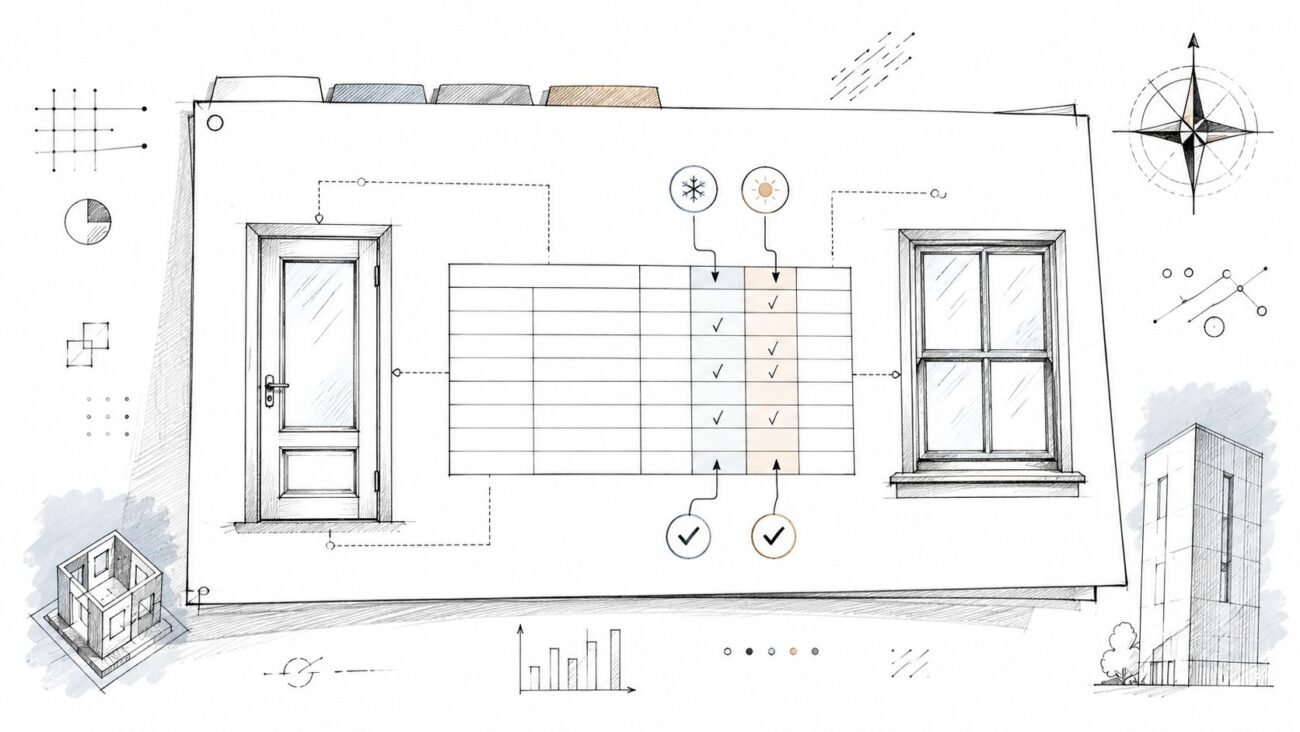
Data Integrity and Schedule Audit: Before issuing schedules, a data audit verifies that all BIM families contain correct data—from fixture model numbers to finish codes. Inaccurate data leads directly to procurement errors.
-
Pre-Permit Document Review: This final checkpoint happens before generating permit-ready franchise construction documentation. The focus is on completeness and consistency, ensuring all sheets and views adhere to program templates.
A disciplined QA process is more than operational rigor. It’s a strategic advantage that turns consistency into a true brand differentiator. It ensures speed never comes at the expense of quality.
From Manual Checking to Automated Validation
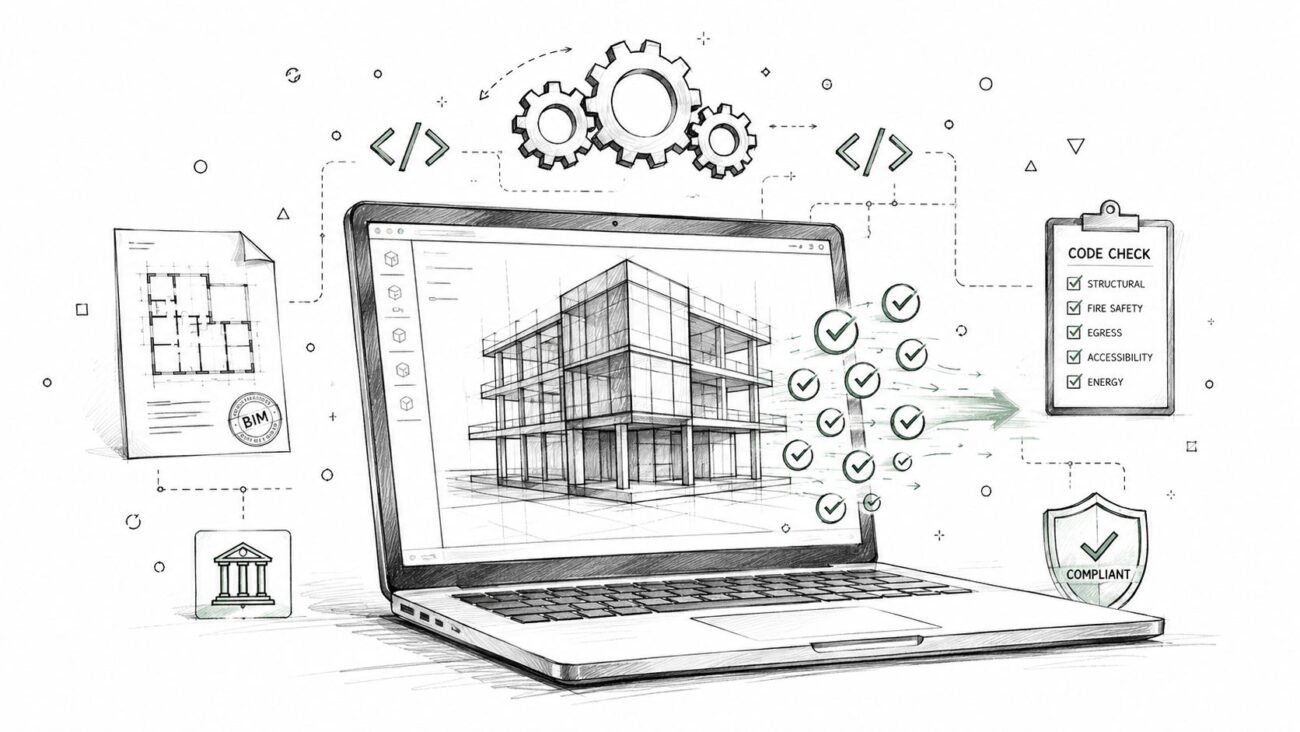
As your rollout scales, manual redlining becomes a bottleneck. Mature teams automate parts of their QA process, using software or custom scripts for routine model health checks.
These automated checks can validate:
- Model Health: Flagging excessive file sizes, incorrect workset usage, or an abundance of in-place families.
- Brand Standard Adherence: Automatically checking if unapproved families or materials have been introduced.
- Naming Convention Consistency: Ensuring all views, sheets, and families follow strict naming conventions.
These tools don’t replace human oversight, but they free up senior teams to focus on complex coordination issues. You can learn more about building a comprehensive system by exploring our in-depth guide to performing a BIM model quality check.
By embedding these checkpoints, you transform your rollout from a series of reactive fire drills into a predictable, reliable delivery system.
Common Questions About BIM For Retail Rollouts
Moving to a systems-based approach for high-volume retail rollouts is a significant change. It's natural for architects, brand managers, and developers to have questions when shifting from a traditional project mindset to a disciplined production engine.
Here are a few common questions, with answers learned from years in the trenches.
How Much More Time Does It Take To Build A BIM Prototype Versus A Regular Project Model?
The upfront investment in a proper BIM prototype is higher, perhaps 25-40% more time at the beginning compared to a one-off project model. But framing it as "more time" misses the point. You're not just creating a 3D model; you're engineering a reusable asset built for mass replication.
That concentrated effort pays off massively across the rollout. It saves hundreds of hours downstream by eliminating redundant modeling, standardizing franchise construction documentation, and slashing coordination errors. For a 50-store rollout, a prototype-first approach can easily cut total program documentation time by more than half.
Can This BIM Workflow Be Used For Renovating Existing Stores, Not Just New Builds?
Absolutely. This BIM workflow for retail is arguably more critical for renovations. Existing stores have undocumented changes, structural quirks, and hidden MEP systems.
The Scan to BIM process is the only reliable way to capture true as-built conditions. You can then overlay the brand’s prototype onto an accurate model of the existing store to instantly see every clash and challenge.
This process turns renovation from reactive problem-solving into proactive adaptation. You know where conflicts are before demolition starts, minimizing surprises and protecting the project from expensive change orders.
It’s the most effective way to de-risk a large-scale renovation program and ensure brand standards are implemented precisely.
What Is The Single Biggest Mistake Companies Make In High-Volume Retail Rollouts?
The most common—and expensive—mistake is failing to create a hard separation between the 'prototype' and 'rollout' phases. Teams get excited after a successful flagship and rush to adapt the design for the next location without ever pausing to formalize it into a true, reusable prototype.
This leads to "template drift." Each new store becomes a slightly different version of the last. Inconsistencies multiply, efficiency evaporates, and by store number ten, you’re back to running ten separate projects.
Disciplined firms enforce a hard stop after the flagship design is locked in. They take the time to perfect the prototype—finalizing families, embedding data, defining parameters—before it touches a live rollout. That discipline is the key to achieving scale and consistency.
At BIM Heroes, we help firms build these exact kinds of production systems. We don’t sell hours; we sell clarity, systems, and reliable delivery. If you're ready to move from one-off projects to a predictable, scalable delivery engine, we can help build the framework for your success.
Download our Retail Rollout BIM Checklist to see how your current process stacks up, or explore our Architecture Production Systems to learn more.