


When it comes to designing log and timber homes, the usual Revit vs ArchiCAD debate misses the point. It’s not about which software is universally better; it’s about which platform was built to handle the unique challenges of timber construction. The choice is more nuanced than for conventional stick-frame housing because log home design has specific requirements that standard BIM tools weren't made for.
We've worked with log home designers using both platforms—the right choice depends less on which is 'better' and more on which aligns with how you approach timber design and what documentation your fabricators or builders need. The goal is to find a platform that reduces modeling workarounds and protects your margins through predictable, repeatable workflows.
What Makes Log Home Design Different?
Standard residential BIM workflows often break when applied to log and timber homes. The organic nature of the materials and the specialized construction methods create problems that generic software struggles with. This makes the Revit vs ArchiCAD decision far more critical than for a typical home.
Log construction introduces unique BIM challenges:
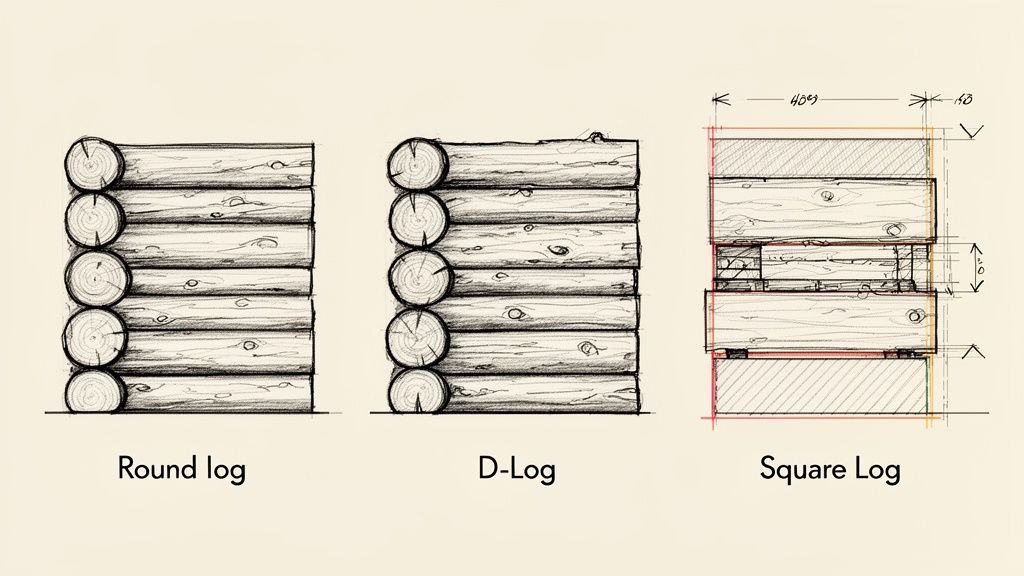
- Non-Standard Wall Assemblies: You're modeling curved log profiles, D-logs, and squared timbers, not simple flat walls. This requires tools that can handle complex, organic shapes with precision.
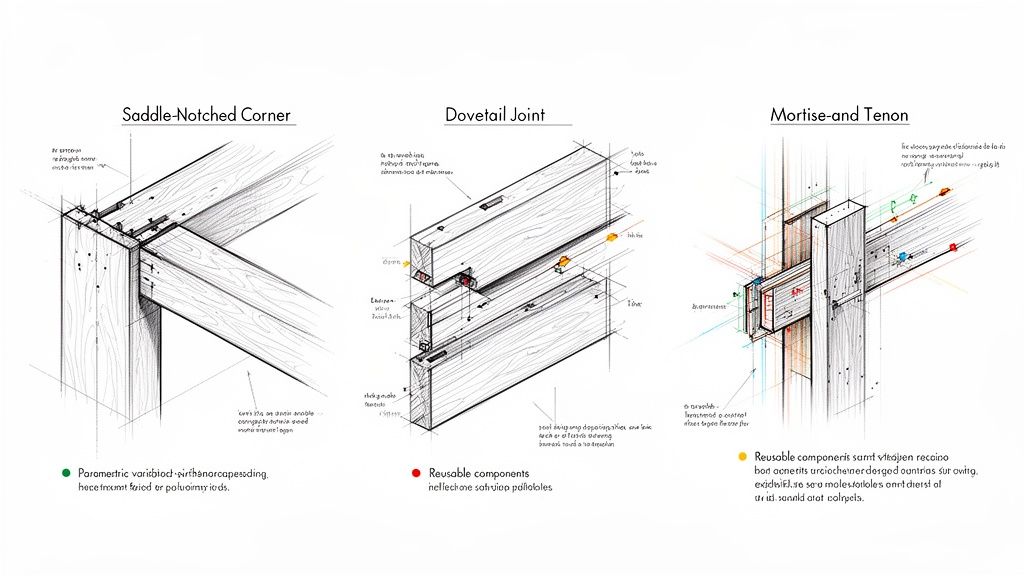
- Custom Joinery and Notching: The structural integrity and aesthetic of a log home live in its joinery—saddle notches, dovetails, and mortise-and-tenon connections. Accurately modeling these details is non-negotiable and prevents costly RFIs.
- Settling Allowances: Logs settle. This natural process requires documenting specific settling spaces and buck frames around every window and door, a detail generic components almost always miss. This is a critical checkpoint for permitting and QA processes.
- Timber Member Documentation: Your model must generate accurate material takeoffs for logs by diameter, length, profile, and species. This data is essential for procurement and maintaining operational consistency.
The right log home design software choice allows you to transform custom components into reusable assets, maturing your production workflow and ensuring your drawings clearly communicate installation requirements to builders.
Modeling Log Walls and Assemblies
The first real test for any timber home BIM software is how it handles the walls. Log walls are complex assemblies of interlocking profiles, not simple extrusions. This is where the core philosophies of Revit and ArchiCAD create very different user experiences.
Let's be clear: neither platform was designed specifically for log construction. Both require disciplined workarounds and a thoughtful approach to achieve predictable results.
How Revit Handles Log Profiles
Revit is a data-first platform, and its structured approach can feel rigid when modeling organic log shapes. Designers using Revit for log homes typically rely on a few methods:
- Custom Wall Families with Swept Profiles: This is the most common workflow for milled logs. You create a log profile and "sweep" it along the wall path. It provides consistency but struggles to represent the natural taper of handcrafted logs.
- Stacked Generic Models: For full-scribe homes where each log is unique, designers often model logs individually and stack them manually. This offers complete geometric freedom but is incredibly time-consuming and complicates scheduling and opening creation.
- In-Place Families: Useful for unique corner conditions, but overusing them can bloat file sizes and cripple project updates. It's a tool for exceptions, not systems, and undermines the goal of scalable delivery.
Revit forces you to build a system. This means a significant upfront investment in developing robust log wall families. Once that library is built, however, it delivers exceptional consistency and predictability across projects.
How ArchiCAD Handles Log Profiles
Archicad often feels more intuitive for architects, and its tools can feel more like digital sculpting than data entry, making it a natural fit for log home modeling.
- Complex Profiles: ArchiCAD’s Profile Manager is a powerful tool for creating detailed cross-sections for walls. It’s excellent for milled log profiles and can easily handle complex interlocking shapes.
- Custom GDL Objects: For parametric components like a flared root corner post, ArchiCAD’s Geometric Description Language (GDL) allows for scripting custom objects. This has a steeper learning curve but offers immense control.
- The Log Wall "Tool": Many ArchiCAD for timber users adapt tools like the Beam or Column tool to create flexible log wall workflows. This feels less like a workaround and more like a clever use of the software’s inherent flexibility.
The difference in philosophy is clear. Revit pushes for a disciplined, template-driven approach, while ArchiCAD provides more direct, flexible modeling tools that feel more natural for organic timber work.
While Revit holds a larger market share globally, Archicad is often praised for its usability, especially in design-centric residential firms. You can find more insights on these BIM software trends on archilabs.ai.
Timber Joinery and Connection Details
The soul of a timber frame home is its joinery. Saddle notches, dovetails, and mortise-and-tenon joints are the structural heart of the building. How each platform handles these details directly impacts your production maturity and ability to prevent RFIs. A beautiful model is useless if it can’t tell a builder exactly how to cut the timber.
The challenge is creating reusable, intelligent components. You need a system to model a complex corner notch once and reuse it across projects, not reinvent it every time.
Component Creation: Revit Families vs. ArchiCAD Objects
In Revit for log homes, custom connections are built as Families. The Family Editor is a powerful environment for creating parametric components. You can build one saddle-notch family with parameters for log diameter, notch depth, and overhang. This is where Revit’s template discipline shines: building a data-rich library of reusable parts that supports your QA processes. The learning curve is steep, but the payoff is operational consistency. For guidance, see our guide on creating Revit Families.
In contrast, ArchiCAD for timber uses GDL Objects. While simple joinery can be modeled with basic tools, true parametric control is achieved through scripting with Geometric Description Language (GDL). For those comfortable with light scripting, it offers incredible flexibility. More commonly, designers use ArchiCAD’s Solid Element Operations to intuitively "carve" notches and joints from solid forms—a workflow that feels much like digital woodworking.
Workflow Scenario 1: Modeling a Corner Notch
- In Revit: You would create an adaptive or face-based "void" family representing the notch cut. This family is then placed at each log intersection and used to cut the geometry of the log wall. It’s a systematic approach that ensures every notch is identical.
- In ArchiCAD: You would model two intersecting logs as solid forms. Using Solid Element Operations, you designate one log as the "Operator" and the other as the "Target," then perform a "Subtraction" operation to carve the notch. It's a direct, visual process that’s very fast for custom conditions.
Workflow Scenario 2: Documenting Settling Spaces
A non-negotiable detail is the settling space above windows and doors. This gap allows log walls to settle without crushing the frames—a detail standard components don't account for.
- In Revit: The best practice is creating a custom window or door family that includes a parametric "settling gap" parameter. The opening is modeled larger than the unit, and nested detail components represent the buck frame in drawings. It requires upfront library development but embeds the intelligence for reuse.
- In ArchiCAD: The approach is often more direct. You can customize the window object to include the gap, or more commonly, you model the buck frame and opening manually and place a standard window within it. ArchiCAD’s flexible 2D detailing tools make it easy to add annotations directly on section views.
Revit pushes you to embed intelligence in the component, which is excellent for standardization. ArchiCAD provides more on-the-fly flexibility, which is faster for one-off custom homes. Your choice defines whether you prioritize system-level discipline or project-level speed.
Documentation for Log Construction
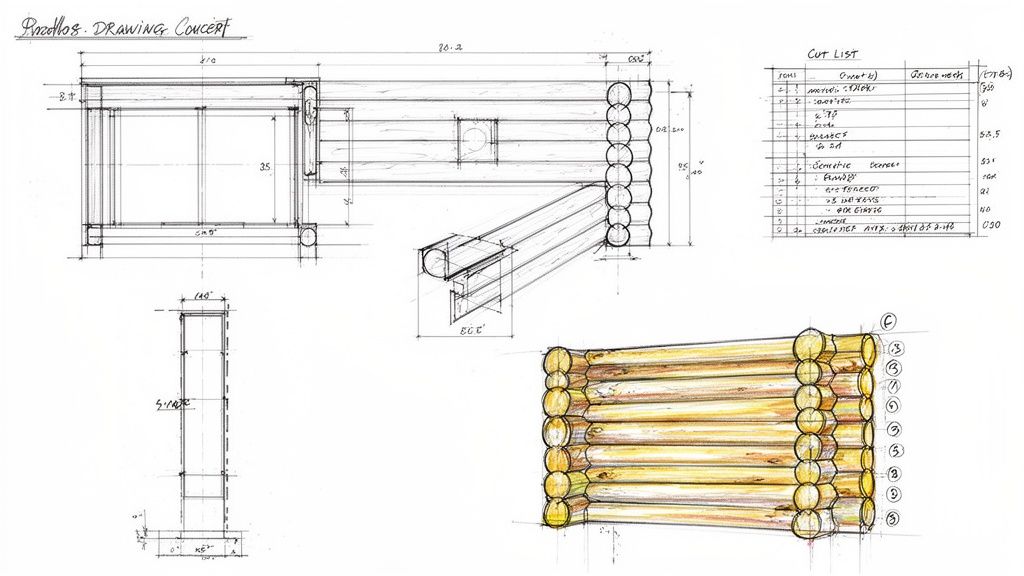
A BIM model's value is realized in the drawings it produces. For log home builders and kit manufacturers, clear shop drawings are non-negotiable. This is where the model meets the job site, and it’s a critical decision checkpoint in the Revit vs ArchiCAD showdown.
Your output must communicate unique timber details with absolute clarity—from log profiles and joinery to settling allowances. The right software produces documentation that prevents RFIs and protects project margins.
Documentation Control in Revit
Revit's documentation engine is powerful but highly structured. It excels at enforcing consistency across large drawing sets, a huge asset for firms aiming to standardize their delivery pods.
- View Templates: This is the core of Revit's workflow. Templates control visibility, graphics, and annotations across all views, guaranteeing every drawing adheres to a consistent standard.
- Tagging and Annotation: For Revit for log homes, custom tags can pull parametric data directly from log wall families, automating the labeling of log numbers, species, and diameters.
- Detailing Tools: Revit offers a robust suite of 2D detailing tools. You can create a library of standard detail components for connections and settling gaps, building value over time.
The trade-off is rigidity. If a detail isn't already built into your family or view template, making a quick, one-off annotation can feel cumbersome.
Drawing Production in ArchiCAD
ArchiCAD is known for its fluid documentation process. Many architects find it produces more graphically refined drawings out of the box with less manual tweaking.
- Layout Book: ArchiCAD’s Layout Book is a dedicated, efficient environment for composing drawing sheets. The live link between the 3D model and 2D layouts ensures automatic coordination.
- Flexible Annotations: When it comes to ArchiCAD for timber, its annotation tools are simply more flexible. It’s easier to add custom text, leaders, and 2D details directly onto a view without wrestling with a complex family.
- Graphic Overrides: This powerful feature gives you rule-based control over how elements appear. You can instantly highlight all logs of a certain species or visually separate handcrafted elements from milled ones.
Firms prioritizing strict, system-wide documentation standards gravitate toward Revit. Those focused on custom designs requiring graphic finesse and faster 2D detailing often prefer ArchiCAD’s flexibility. The right choice depends on your firm's operational philosophy.
Scheduling and Takeoffs for Timber Elements
In log home construction, profit margins are won or lost on material accuracy. An precise schedule is the backbone of your budget and procurement. This is where the "I" in BIM proves its worth and a key differentiator in the Revit vs Archicad comparison.
Getting an accurate count of every log—sorted by diameter, length, and species—is non-negotiable. A miscalculation leads to costly over-ordering or project-halting material shortages.
Scheduling Custom Data in Revit
Revit’s core strength is its data-first scheduling engine. Since every log is a Family with custom parameters, you can embed any data imaginable—grade, moisture content, fabrication status—and pull it into a report. This makes Revit for log homes an incredibly robust tool for production-focused firms. The schedules are live; change a log in the model, and the schedule updates instantly, creating a single source of truth. The data is only as good as the Families you build, so template discipline is essential.
Takeoffs and Reporting in ArchiCAD
Archicad takes a more graphical and interactive route. Its Interactive Schedules tool lets you build highly customized reports that are easier to format visually. For ArchiCAD for timber, you can use Properties to assign custom data to log elements and then report on them. This approach often feels more intuitive for designers who want to generate a takeoff without getting bogged down in a separate family editor. For anyone creating a bill of materials for wood framing construction, this direct control is a huge advantage.
The core difference is this: Revit forces data discipline at the component level, making schedules an automated output of a well-structured model. Archicad provides more flexible, on-the-fly control over how data is organized and presented.
Quick Decision Guide: Which Platform for Which Scenario?
Choosing between Revit and Archicad for residential timber design isn't about a simple pro/con list. The "better" software is the one that fits your firm’s project types and production maturity.
Aligning Software with Your Project Focus
- For Custom Handcrafted & Full-Scribe Homes: These projects demand geometric freedom. ArchiCAD usually feels more natural here. Its flexible modeling and Solid Element Operations allow for a sculptural approach to modeling organic shapes and custom joinery.
- For Milled Log Kit Homes: Predictability and standardization are key. Revit is a powerhouse in this scenario. Its structured Family system lets you build a robust, reusable "kit-of-parts" that streamlines documentation and eliminates errors.
- For Hybrid Timber Frame Homes: These designs blend timber with conventional construction. Revit’s multi-disciplinary roots offer an edge in coordinating complex assemblies, but ArchiCAD’s architectural focus can make the design and visualization process feel smoother.
When investing in a BIM platform, it helps to use a structured approach. For an overview, check out these 10 Essential Decision Making Frameworks.
Side-by-Side Comparison for Log Home Design
This table breaks down how each platform handles critical timber construction tasks.
| Capability | Revit's Approach | ArchiCAD's Approach | Best Fit For… |
|---|---|---|---|
| Log Wall Modeling | Custom Wall Families with Swept Profiles. Best for uniform milled logs. | Complex Profiles and Custom Objects. More intuitive for organic, varied logs. | Firms specializing in highly custom, handcrafted log homes. |
| Custom Timber Joinery | Parametric Families. Requires significant upfront setup but ensures consistency. | GDL Objects and Solid Element Operations. More flexible for one-off details. | Designers needing to model unique, non-standard connections quickly. |
| Settling Details | Built into custom window/door families. A system-level, reusable solution. | Manual modeling and 2D detailing. Faster for a single project. | Solo practitioners or small firms focused on bespoke residential design. |
| Material Takeoffs | Powerful, data-driven scheduling engine tied directly to Family parameters. | Interactive Schedules with flexible formatting and visual customization. | Firms needing dead-on accuracy for estimating and procurement. |
| Learning Curve | Steeper. Requires mastering the Family Editor and a disciplined workflow. | More intuitive. Modeling tools often feel more direct and familiar. | Teams needing to get productive quickly without a dedicated BIM manager. |
| Integration | Strong multi-disciplinary coordination with structural/MEP on Revit platform. | Excellent file exchange via IFC (OpenBIM), strong on Mac platform. | Firms collaborating with engineers primarily using Autodesk products. |
| Visualization | Solid rendering via Enscape/V-Ray plugins. Requires more setup. | High-quality rendering out-of-the-box with Cineware; seamless Twinmotion link. | Architects who prioritize client presentations and real-time visualization. |
This visual guide breaks down the selection process based on your project's reliance on custom versus standardized components.
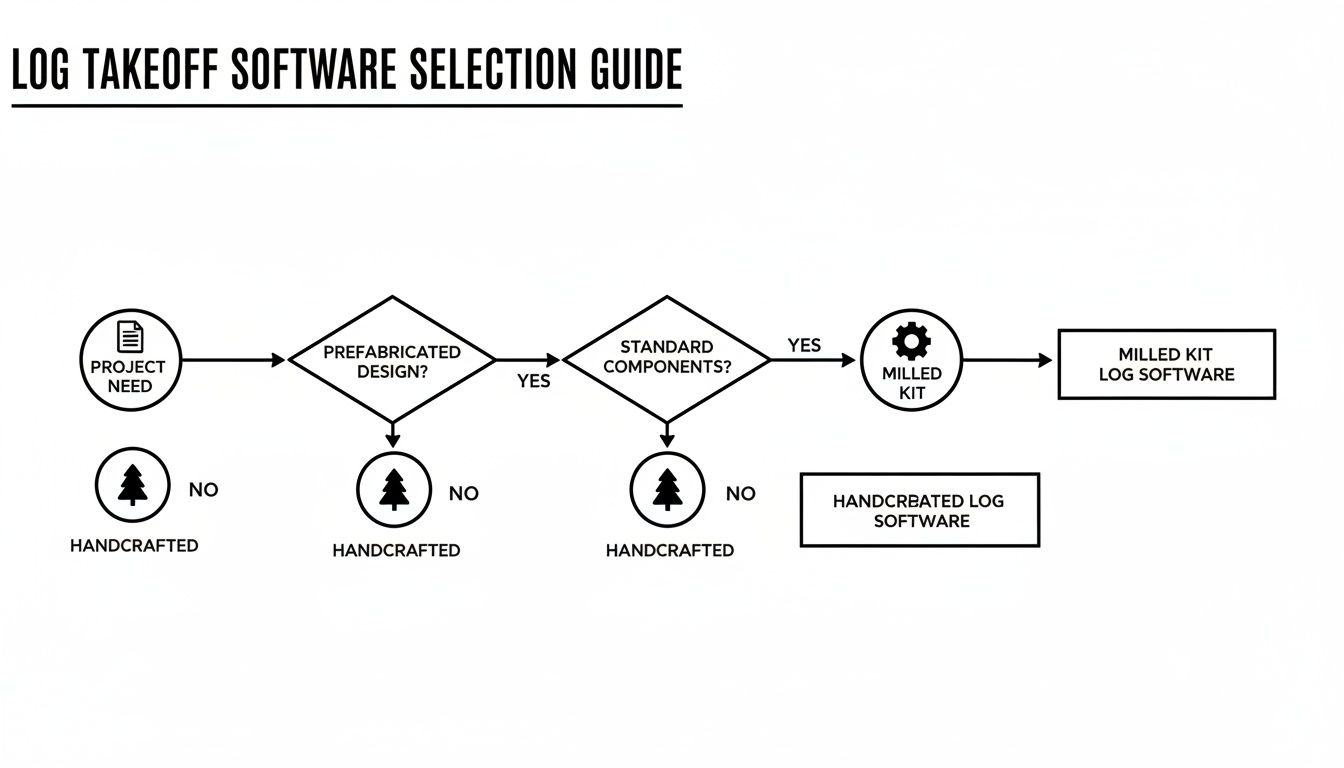
The more your work relies on repeatable systems and prefabricated parts, the stronger the case for a data-centric platform like Revit becomes. According to a European market study, Autodesk Revit holds a 45% market share among architects, while Archicad is used by about 33%, a factor to consider for collaboration and staffing. You can learn more at usp-research.com.
Final Thoughts: System vs. Flexibility
The choice between Revit and ArchiCAD for log and timber home design isn't about features—it's about fit. Neither was built specifically for this niche, but each has strengths that align with different design and production philosophies.
- Choose Revit if your goal is to build a scalable production system with a disciplined library of reusable components for milled log or kit homes. It excels at standardization, data management, and operational consistency.
- Choose ArchiCAD if your focus is on custom, handcrafted homes where design flexibility, intuitive modeling, and high-quality visualization are paramount. It thrives in a design-centric workflow where speed and creative freedom matter most.
The firms that succeed are those that choose a tool that amplifies their existing strengths and then commit to building a solid production system around it. The answer isn't which software is better—it's which one fits how you design and document log homes.
Choosing the right BIM platform is a critical step in building a predictable, profitable production system. If you're ready to align your software with a robust workflow, our Log Home BIM Comparison Checklist can help you make an informed decision.