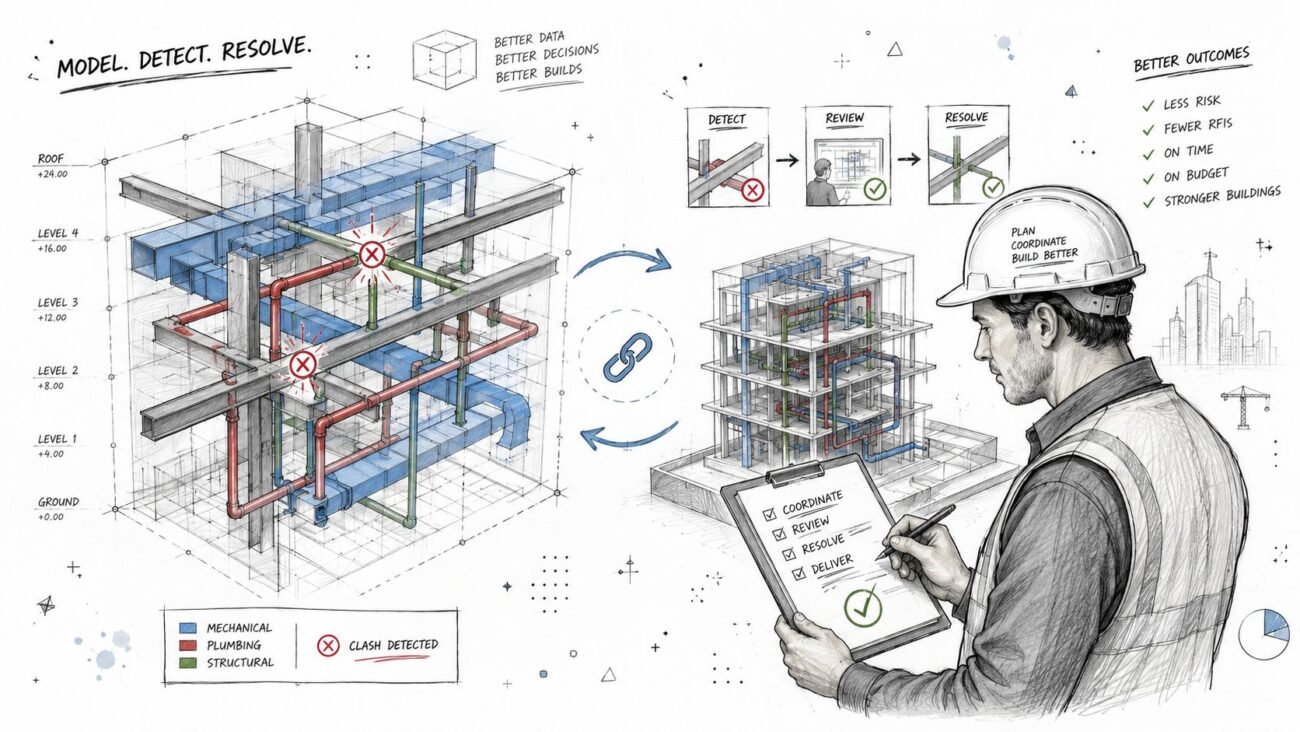
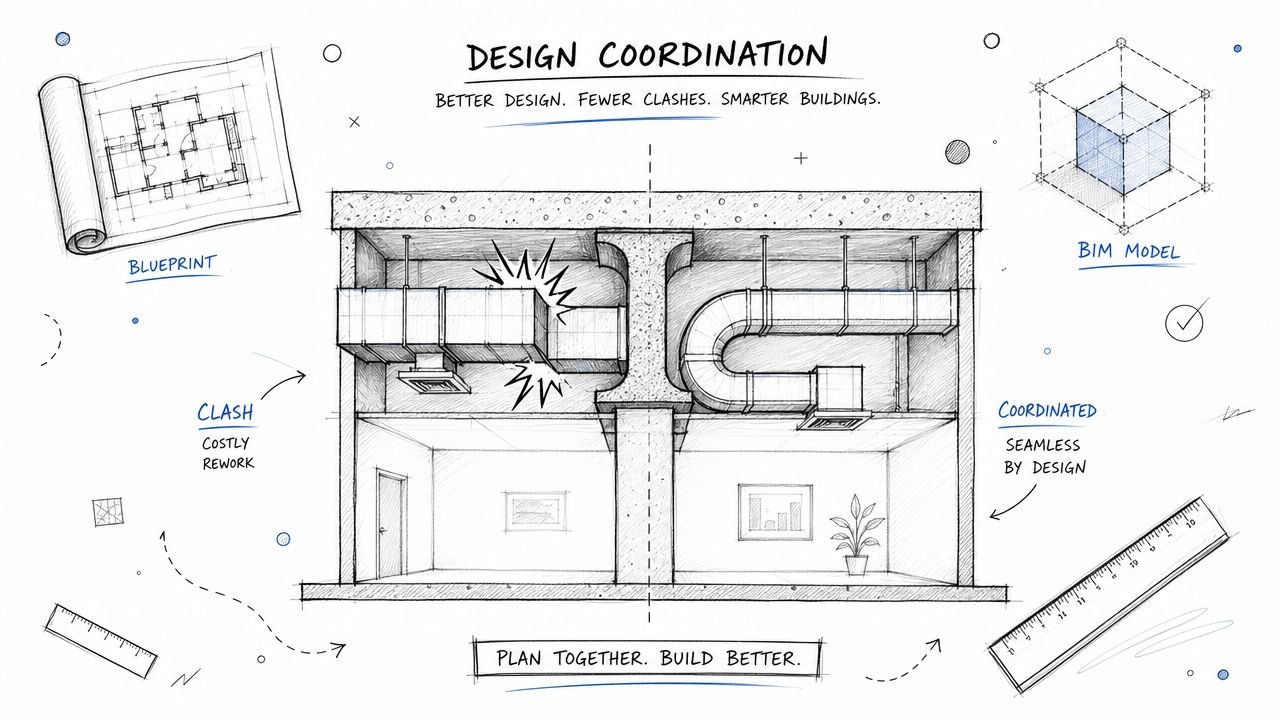
For many BIM coordinators and VDC managers, the promise of Navisworks clash detection has soured. We were sold a vision of perfectly coordinated models, but the reality is often a mountain of low-value reports and coordination fatigue. Effective clash detection isn't about finding every intersection; it’s a risk-filtering process designed to protect project margins and deliver operational consistency.
The goal isn't the longest report. It's isolating critical constructibility issues before they become RFIs, change orders, and on-site rework.
Moving Beyond High-Volume Clash Counting
If you're a BIM coordinator, VDC manager, or lead architect, you know the feeling. You run a clash test and it spits back thousands of items. That’s not a failing tool—it's a broken workflow. When a report is that overwhelming, the process has devolved into a clash-counting exercise instead of a smart risk-filtering system that adds value.

This high-volume approach creates noise. It erodes trust with trade partners, turns coordination meetings into a slog through trivial geometry, and—worst of all—lets major constructibility problems slip through, only to be discovered during permitting prep or on-site.
The Real Cost of a Noisy Process
The financial hit is massive. The construction industry shoulders a staggering $65 billion annually in preventable rework costs. That's a direct blow to the profitability of every AEC firm. For architectural firms, surveyors, and MEP teams, that statistic is a wake-up call about the importance of a disciplined Navisworks coordination workflow. Integrated digital workflows are tackling this head-on, as detailed by industry leaders like Autodesk.
The core issue isn't the software; it's the workflow. Most coordination failures happen not because clashes exist, but because teams detect the wrong clashes, at the wrong time, with no ownership or decision logic.
Shifting from Quantity to Quality
An effective Navisworks workflow is a different beast. It’s a deliberate, systematic process built on production maturity. Instead of running a lazy "all vs. all" test, experienced teams use Navisworks to surgically target high-risk interfaces based on the project phase and construction sequence.
This refined approach brings clarity back to the process and protects margins by focusing on what matters:
- Preventing RFIs: Catching significant issues early sidesteps the delays of formal requests for information.
- Supporting Permitting Prep: A well-coordinated model gives authorities confidence that the design is buildable.
- Establishing Decision Checkpoints: Phased clash tests act as quality gates, forcing problems to be solved before the project moves on.
Navisworks doesn’t fail at coordination. Projects fail when clash detection is treated as an exercise in volume instead of a precision tool for risk management. The following sections outline a production-tested approach that prioritizes decision quality over raw clash quantity, helping you build a more reliable, scalable delivery process.
The Foundation: Disciplined Model Aggregation
A successful Navisworks clash detection workflow is built on a non-negotiable principle: clean data in, clear results out. Trying to run tests on a messy jumble of models is the single biggest cause of coordination fatigue. It guarantees you’ll spend hours analyzing noise instead of filtering for risk.
Most clash reports with thousands of issues are symptoms of a poor setup, not a bad design. The best teams know that discipline starts long before they open the Clash Detective tool. It begins with a methodical approach to model aggregation, ensuring every RVT, IFC, or NWC file is prepared, aligned, and ready for a structured QA process.

This foundational work isn’t glamorous, but it’s what separates reliable delivery pods from teams stuck in a cycle of endless, low-value coordination meetings.
Isolate Systems with Selection and Search Sets
Running a global, "all-versus-all" clash test is a rookie mistake. The real power of a Navisworks coordination workflow comes from surgical precision using selection sets and search sets.
Instead of clashing the entire structural model against the entire mechanical model, a mature workflow isolates specific systems. For example, create a search set for primary structural steel and test it against only main HVAC duct runs. This targeted approach immediately filters out thousands of minor clashes between things like miscellaneous metals and small-bore piping, which can be dealt with later.
This discipline requires a deep understanding of your model data—querying elements by category, family, or custom parameters to build clean, repeatable search sets. For teams dealing with as-built conditions, knowing how to clean point cloud data for accurate models is another crucial part of this data-prep phase.
Common Aggregation Pitfalls to Avoid
Many teams inadvertently sabotage their own efforts with common technical mistakes during model aggregation. These errors introduce chaos and make meaningful analysis impossible.
- Mixing Levels of Development (LOD): Never run a clash test that mixes LOD 200 schematic elements with LOD 400 fabrication-level models. This will produce thousands of false positives and mask the genuine, high-risk issues.
- Ignoring Project Origins: Inconsistent coordinate systems are a primary source of aggregation errors. A small misalignment can create the illusion of widespread clashes, wasting hours.
- Failing to Purge Unnecessary Geometry: Models often contain extra baggage like linked files or design options. Failing to purge this data before exporting to NWC creates clutter in your federated model.
The goal of aggregation is not just to combine files; it's to create a single source of truth that is clean, lightweight, and structured for coordination. Every minute spent on setup saves an hour in cleanup.
To ensure the quality of your aggregated data for clash detection, specialized solutions such as Exayard construction takeoff software provide precise measurement and quantity extraction from construction models. This kind of data integrity is essential for a reliable process.
Ultimately, building this clean foundation is about delivering predictability. A well-aggregated model allows you to run precise, phase-appropriate tests that identify real constructibility problems, driving a more effective BIM clash detection process.
Designing a Clash Matrix That Filters for Risk
Once your models are clean, it’s time for strategy. This is where most Navisworks clash detection workflows fall apart. The default "run everything against everything" approach is a direct path to coordination fatigue.
It’s time to stop counting clashes and start filtering for genuine project risk.
A mature BIM clash detection process is built on a rule-based clash matrix. This isn’t just a checklist; it's a strategic plan that aligns coordination efforts with project phases and construction priorities. It's the difference between blindly searching for problems and surgically targeting them before they can wreck your schedule.

Phased Testing for Maximum Impact
An effective clash matrix is phased. You don't test for minor finish clashes during design development, and you don’t wait until fabrication to check if the main duct bank fits through the primary steel. A phased strategy tests high-impact systems first, ensuring the project's "bones" are solid before moving to granular coordination.
Here’s how a phased approach looks in practice:
- Phase 1 (Design Development): Focus exclusively on major system interfaces. Run specific tests like Primary Structure vs. Main HVAC Runs or Above-Ceiling MEP Mains vs. Fire Protection Mains. These are the big-ticket items.
- Phase 2 (Construction Documents): Widen the scope to secondary systems. Test branch ductwork against cable trays or architectural ceilings against all MEP services to resolve major system-to-system coordination.
- Phase 3 (Pre-Fabrication): This is the final, granular check. Now you're testing specific trade-on-trade interfaces, like hanger locations or final connections to equipment.
This tiered approach, often defined in a project’s BIM Execution Plan, systematically de-risks the design and keeps teams focused on the most critical issues for that project stage.
Set Tolerances That Reflect Reality
Another classic failure is misusing tolerances. Applying a generic, one-size-fits-all tolerance floods the report with false positives. Your clash matrix must define meaningful tolerances for different conflict types.
A clash isn't just a clash. A steel beam intersecting a concrete column is a zero-tolerance 'hard' clash. A duct bank running near that beam requires a 'clearance' clash to account for insulation and installation access. Treating them the same is a recipe for chaos.
Your matrix should specify these rules clearly. To truly protect the project, your clash detection workflow should be part of a broader strategy for risk management in the construction industry, aligning technical rules with the project's overall risk profile.
Establish a Clash Responsibility Matrix
Before running a test, everyone needs to know who owns what. A Clash Responsibility Matrix is a powerful governance tool that pre-assigns ownership for resolving conflicts between disciplines.
When a clash between structural steel and mechanical ductwork appears, there should be zero ambiguity about which party is responsible for proposing a solution. This eliminates finger-pointing and transforms Navisworks coordination from a reactive exercise into a proactive, solutions-focused process.
Example Phased Clash Matrix
This table outlines a structured approach to clash detection, prioritizing high-risk system interfaces in early project phases.
| Phase | Test Name | Selection Set A | Selection Set B | Tolerance | Type | Priority |
|---|---|---|---|---|---|---|
| DD | STR-MEP-MAINS | Primary Structural | Main MEP Runs | 0.01 ft | Hard | High |
| DD | STR-FP-MAINS | Primary Structural | FP Main Lines | 0.01 ft | Hard | High |
| CD | MEP-FP-BRANCH | All MEP Systems | FP Branch Lines | 0.01 ft | Hard | Medium |
| CD | MEP-CEILINGS | All MEP Systems | Architectural Ceilings | 2.0 in | Clearance | Medium |
| FAB | MEP-EQUIP-MAINT | All MEP Systems | Equipment Access Zones | 0.00 ft | Clearance | High |
| FAB | HANGER-REVIEW | All Hangers | All Hangers | 0.25 in | Hard | Low |
A well-defined matrix like this turns raw data into actionable intelligence, ensuring your team is always working on the problems that matter most.
Turning Raw Clash Data into Actionable Results
With clean models and a solid clash matrix, you can run the tests. But this isn't about clicking a button in the Navisworks Clash Detective tool. The real work is about discipline—transforming a raw dump of geometric intersections into logical, solvable work packages.
This is where a sharp VDC manager earns their keep. The goal isn't to export a report with thousands of clashes. It's to analyze, group, and give context to the results. Skipping this step is how you end up in endless coordination meetings, bogged down by a list of issues so long nobody knows where to start.
Group Clashes into Logical Work Packages
The "Group" function in Clash Detective is one of its most powerful yet overlooked features. A single duct bank at the wrong elevation can generate hundreds of individual clashes. Treating each as a separate issue creates busywork.
A mature clash detection workflow looks for the root cause. It groups related issues into a single, solvable problem. That overwhelming list of 500 clashes might actually be just 20 core problems.
Smart ways to group clashes:
- By System: Group everything related to a specific duct run, pipe rack, or cable tray.
- By Location: Bundle all coordination issues in one area, like "Level 2 Mech Room Clashes."
- By Root Cause: Find the one element causing all the trouble and group every conflict associated with it.
This simple shift changes the conversation from "We have 1,200 clashes" to "We have 15 key coordination issues to resolve this week."
Maintain Status Discipline for a Clear Audit Trail
Sloppy status management is where coordination efforts fall apart. The statuses in Navisworks—New, Active, Reviewed, Approved, and Resolved—are the backbone of your audit trail. When teams get lazy, "resolved" clashes reappear in the next model update, eroding trust in the process.
A clash isn't 'Resolved' until you've verified the fix in an updated model. Marking something as resolved based on a verbal promise is a recipe for on-site surprises.
Disciplined status tracking creates a transparent record of every decision. When a clash moves from "New" to "Reviewed," then to "Approved" (solution agreed), and finally to "Resolved" (verified in the model), you build a system that prevents rework and protects your project’s bottom line.
Filter Noise, Focus on Real Risk
No clash test is perfect. You'll always get false positives—flags on issues that aren't real constructibility problems. A huge part of the Navisworks coordination process is intelligently filtering this noise.
This is where human experience is non-negotiable. Before any report goes out, a seasoned coordinator sifts through the raw results, marking irrelevant clashes as "Approved" or moving them to a dedicated "False Positives" group. This ensures the final report contains only genuine, high-priority issues that demand the team's attention.
The clash detection landscape is evolving, with AI and machine learning improving false positive detection. Newer platforms are getting much better at minimizing this noise from the start. You can find more insights on how AI is shaping the future of clash detection and coordination.
By bringing together disciplined grouping, strict status management, and smart filtering, you produce concise, high-value reports that fuel productive coordination meetings where decisions get made and accountability is clear.
Driving Accountability and Closing the Coordination Loop
A clash report is just data. It has zero value until someone resolves the issue in the authoring model and a coordinator verifies it. Even the most sophisticated Navisworks clash detection strategy will fail without a bulletproof process for accountability. This is where the human element—ownership, communication, and clear governance—turns problems into resolutions.
The goal is to shift from a reactive cycle of finding problems to a proactive system for solving them. This means establishing clear trade ownership and creating a closed-loop workflow that ensures issues get fixed, verified, and stay fixed. Anything less creates a revolving door of recurring clashes that erodes trust in the entire BIM process.
Assign Ownership with Absolute Clarity
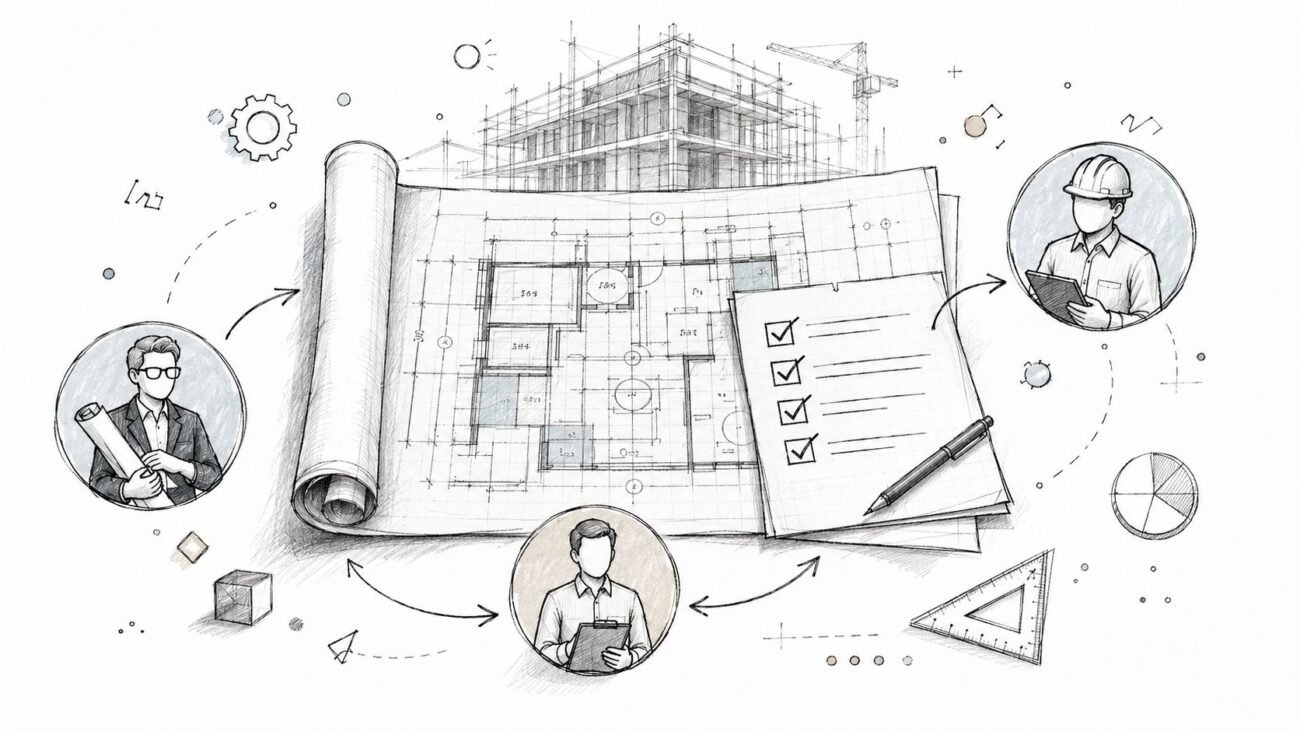
An unassigned clash is an unresolved clash. Period. Once you’ve grouped and filtered results, the next step is assigning each issue to the correct trade partner. A well-run Navisworks coordination meeting isn’t a free-for-all; it's a checkpoint where pre-assigned issues are reviewed and solutions are confirmed.
Navisworks' reporting and viewpoint features are your best friends here. A good assignment isn't just a name and a clash number; it's a saved viewpoint communicating the problem with zero ambiguity. When the recipient opens it, they should instantly understand the location, conflicting elements, and context.
This simple workflow is the core of effective coordination: group the noise, review the root cause, and drive it to resolution.

Following this sequence ensures you’re assigning a root problem, not just a symptom, which prevents wasted effort down the line.
Closing the Loop with Authoring Tools
Finding a clash in Navisworks is half the battle. The fix happens back in the authoring tool, whether that’s Revit, Tekla, or another platform. Tracking these changes manually with spreadsheets is a recipe for disaster. This is where a formal BCF (BIM Collaboration Format) workflow becomes essential for maintaining a clean audit trail.
BCF packages up clash information—the viewpoint, comments, status—from Navisworks and imports it directly into Revit or other design software. The designer sees the exact issue in their native environment, makes the change, and marks it as resolved. This creates a seamless, trackable loop between coordination and design models.
For larger teams, plugging this process into a cloud platform can be a game-changer. You can learn more in our guide on how to set up BIM 360 so your team doesn't hate it.
The most effective coordination meetings aren't for discovering problems—they're for ratifying pre-vetted solutions. The heavy lifting of analysis and assignment should happen before the meeting, so team time is spent on decision-making, not scrolling through clash lists.
By establishing clear ownership and a closed-loop workflow, you transform your clash detection workflow from a technical exercise into a powerful QA process that drives predictability and keeps the project moving.
Navisworks Workflow FAQs
Even with a solid game plan, questions arise in the trenches of a Navisworks clash detection workflow. Here are common challenges teams face, with advice that circles back to our core message: filter for risk and make good decisions, don't just count clashes.
How Often Should We Run Navisworks Clash Tests?
This depends on your project's phase and model delivery schedule. It’s not about constant testing; it’s about finding a predictable rhythm that gives your team time to resolve issues.
Early in design, a weekly test cycle aligned with model submissions is usually best. These first tests should be laser-focused on the big stuff—primary structure versus main MEP distribution. This is your chance to catch problems that cause the biggest headaches.
As you move into detailed design, you can increase the frequency for more specific, trade-vs-trade tests. The key is that every test needs a clear goal. Kicking off a new test before you’ve dealt with the last batch just creates noise and coordination fatigue. Discipline over frequency drives progress.
What Is the Biggest Mistake Teams Make with Clash Tolerances?
The most damaging mistake is slapping a single, generic tolerance on every test. This ignores the reality of construction and floods your reports with useless information. Different systems need different rules.
Think in real-world terms:
- Hard Clash: A steel beam running through a concrete column is impossible. That demands a zero tolerance rule.
- Clearance Clash: A duct passing near that beam needs space for insulation and access. A 2-inch clearance tolerance might be needed to ensure it's constructible.
Setting tolerances too tight creates thousands of trivial "touching" clashes. Set them too loose, and you'll miss major constructibility problems. Your BIM Execution Plan must define tolerance standards based on real-world construction, not software defaults.
An enormous report is almost always a signal of a process failure, not just a model issue. It means the tests were too broad, the tolerances were meaningless, or unresolved issues were allowed to accumulate.
How Do We Make Reports with Thousands of Clashes Manageable?
First, a report with thousands of clashes means you need to fix your process, not just the clashes. Stop running massive "all vs. all" tests. Use a phased clash matrix and selection sets to isolate specific systems.
Next, master the "Group" function in Clash Detective. A single pipe rack at the wrong elevation can generate hundreds of individual clashes. By grouping them, you can assign and fix the root cause once. That list of 1,000 clashes might actually be just 20 core problems.
Finally, change how you run coordination meetings. The agenda should focus only on the top 10-20 highest-risk clash groups. The goal is to make strategic decisions on major problems, not scroll through an endless list. This turns meetings from a reporting session into a decisive checkpoint.
Should We Automate Our Clash Detection Workflow?
Yes, but automate the right parts. Automating the execution of clash tests—using schedulers or cloud platforms—is a great way to maintain consistency. It helps enforce a regular rhythm for your Navisworks coordination.
What you shouldn't do is fully automate the review and assignment process. The value of a VDC manager is their experience—their ability to spot false positives and understand the construction context behind an issue. AI is making this smarter, but human oversight is still essential for filtering noise and identifying genuine risk.
Automate the repetitive button-pushing to free up your experts for high-value analysis and collaborative problem-solving. That’s the sweet spot between efficiency and the critical thinking a successful project demands.
At BIM Heroes, we help firms build the systems and discipline needed for reliable project delivery. If your team is struggling with coordination fatigue and low-value clash reports, it might be time for a better process.
Download our free Navisworks Clash Matrix Template to start building a more strategic and risk-focused coordination workflow today. https://www.bimheroes.com