You’ve been there. It’s 9 PM, and you’re still pushing furniture around in CAD, trying to make the new headcount fit after a last-minute client change. You’ve tested a dozen layouts, and none feel right. You know there's a better solution, but the deadline is looming, and you're out of time to explore. This manual churn is where design fees evaporate and creative energy dies.
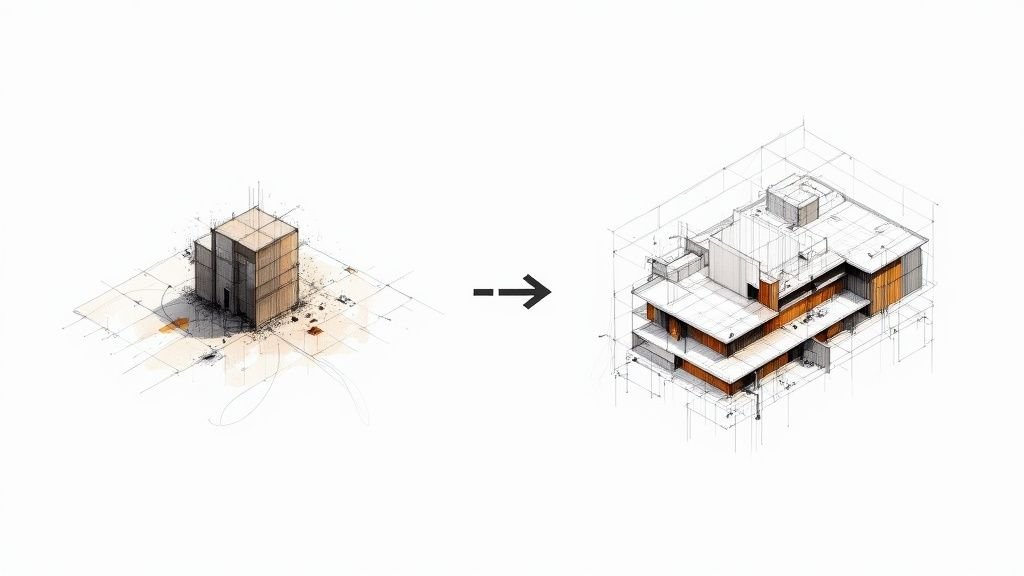
What if you could test 50 layouts in the time it takes to draft one? That’s the practical reality of AI interior design. This isn't about robots taking over your job; it’s about generative tools that handle the grueling, repetitive parts of space planning so you can focus on actual design. It’s a productivity multiplier that protects your margins, delivers predictable outcomes, and gives you back the time to do your best work.

This guide demystifies the hype around AI, focusing on what generative design and AI space planning tools can actually do for your firm today.
Generative Design Explained for Interior Designers
Let's cut through the buzzwords. "Generative design" isn't magic. It's a problem-solving partnership between a human designer and a powerful algorithm. You provide the goals and the rules; the computer generates a vast number of design permutations that meet those rules.
What is Generative Design?
In plain language, generative design is a process where a designer inputs specific goals and constraints (like program requirements, room dimensions, and code rules) into a software tool. The tool’s algorithm then explores thousands of possible solutions, generating a wide range of layout options that satisfy those inputs.
How Algorithms Generate Layouts
Think of the algorithm as the most diligent junior designer you've ever had. It systematically tests every possible combination based on the parameters you set. For example, it will arrange rooms to respect adjacencies, place furniture to maximize seating, and ensure egress paths are clear, running through countless variations in seconds.
The Role of Constraints and Parameters
This is where the designer’s expertise is critical. The quality of the AI's output is entirely dependent on the quality of your input. You must clearly define:
- Goals: What are you optimizing for? (e.g., maximizing headcount, minimizing travel distance, increasing access to daylight).
- Constraints: What are the non-negotiable rules? (e.g., structural grid, fire codes, ADA clearances, required adjacencies).
Why "Generative" Doesn't Mean "Automatic"
A common misconception is that you press a button and a finished design appears. The reality is that generative tools produce options, not final solutions. The designer’s role shifts from manual drafting to strategic curation. You evaluate the generated layouts, identify the most promising directions, and apply your aesthetic judgment and contextual understanding to refine them into a cohesive, human-centric design.
Current AI Tools Interior Designers Can Actually Use
The market for interior design AI tools is noisy. Many are consumer-focused toys. However, a handful of professional-grade platforms have emerged that deliver real value for firms focused on production maturity and scalable delivery.
Standalone Generative Design Platforms
- Autodesk Forma (formerly Spacemaker): Strong in early-stage analysis, Forma excels at optimizing layouts for environmental factors like daylight, views, and noise. It’s ideal for firms that need to connect interior layouts to broader building performance from day one.
- TestFit: A powerhouse for multi-family, hospitality, and mixed-use projects. TestFit’s algorithms are tuned for generating optimized unit mixes and parking layouts in seconds. It provides instant data on key count, efficiency, and yield, making it invaluable for feasibility studies.
- Archistar: Blends generative design with real-time planning and zoning data. Archistar helps de-risk projects by running compliance checks as it generates building forms, making it a powerful tool for due diligence and early-stage test-fits.
- Finch 3D: Integrates with Grasshopper and Rhino, allowing firms with computational design expertise to build highly customized generative layout workflows. It’s a flexible option for creating proprietary optimization routines.
AI Features Within Existing Software
You don't need a whole new platform to start. AI-powered features are increasingly being embedded into tools you already use. Revit's Generative Design feature, for instance, allows you to run optimization studies directly within your BIM environment. Various plugins for SketchUp and other platforms also offer automated space planning capabilities, lowering the barrier to entry.
Proprietary Tools from Furniture Manufacturers
Major furniture manufacturers like Steelcase and MillerKnoll offer their own proprietary layout tools. While vendor-specific, they are incredibly useful for rapidly planning and budgeting large corporate interiors using real-world product catalogs, which helps prevent RFIs and ensures what you design is what can be procured.
What AI Space Planning Tools Actually Do Well
Generative layout tools are quantitative powerhouses. They excel at tasks that are measurable, repetitive, and rule-based. We've seen interior designers cut space planning time by 60%—not by accepting AI outputs blindly, but by using them as a starting point that accelerates their own design process.
Here’s where they add genuine value to your workflow:
- Rapid Iteration: Instead of spending a day manually drawing three layouts, you can generate 50+ viable options in minutes. This allows you to explore a far wider range of solutions and discover possibilities you might have missed.
- Optimization for Specific Metrics: Need to maximize seats per square foot? Minimize walking distances in a clinic? The algorithm can run thousands of calculations to find the layout that best achieves your stated goal.
- Data-Driven Density Analysis: Quickly test different headcount scenarios and immediately see the impact on collaboration space, circulation, and amenities. This allows you to have data-backed conversations with clients about their program requirements.
- Code Compliance Checking: Many tools can pre-check layouts for basic code compliance, such as egress path widths and accessibility clearances, preventing fundamental errors early in the process.
- Daylight and View Analysis: Tools like Forma can analyze each generated layout for daylight exposure and quality of views, helping you justify design decisions based on occupant well-being.
- Adjacency Optimization: For complex programs like hospitals or large offices, the AI can solve the puzzle of which departments and rooms need to be next to each other, saving hours of manual blocking and stacking.
What AI Tools Don't Do Well (Yet)
For all their analytical power, current interior design AI tools are blind to the qualitative, human elements of design. Recognizing these limitations is key to using them effectively and avoiding the trap of homogenized, algorithm-driven design.
Human expertise remains irreplaceable for:
- Aesthetic Judgment and Style: An algorithm cannot understand brand expression, create an emotional atmosphere, or apply a nuanced design style. It arranges objects; it doesn't create feeling.
- Brand Expression and Emotional Design: Your firm's unique design voice and ability to translate a client's brand into a physical space is beyond the scope of current AI.
- Complex Custom Furniture and Millwork: AI excels with standardized components. It struggles with the design and integration of bespoke, one-of-a-kind elements that often define high-end interiors.
- Nuanced Client Preferences: An experienced designer can read between the lines of a client brief. AI cannot interpret subtle cues, body language, or unstated desires.
- Cultural and Contextual Sensitivity: Great design responds to its unique cultural, historical, and physical context. This requires a level of worldly awareness that algorithms simply do not possess.
- Integration of Art, Accessories, and Materiality: The final layers of a project—the art, styling, and tactile quality of materials—are curated human touches.
Interior Design Use Cases for AI
Abstract capabilities are one thing; solving real-world project pain points is another. Here are specific scenarios where AI for interior designers provides a clear return on investment by improving predictability and protecting margins.

-
Corporate Workplace Layouts: A client needs to fit 300 desks but also wants to increase collaboration zones. Use a generative tool to produce dozens of layouts that test different ratios of individual workstations to shared spaces, complete with data on density and adjacency scores. This turns a subjective debate into a data-driven decision.
-
Hospitality Room Configurations: A hotel developer wants to maximize the key count on a tight urban site. A tool like TestFit can generate multiple building massings and room mixes in minutes, providing hard data on the most profitable configuration before you’ve drawn a single line in Revit.
-
Restaurant and Bar Seating Arrangements: Quickly optimize seating plans to maximize covers while adhering to fire code and accessibility standards. You can test different table arrangements to balance density with customer experience and operational flow for staff.
-
Healthcare Waiting and Clinical Space Planning: In a clinic, every step matters. Use generative design to optimize the layout for patient flow and staff travel distances between exam rooms, nurse stations, and supply closets. This demonstrates to the client how your design directly supports operational efficiency.
-
Retail Floor Layouts: Test different fixture placements to analyze customer paths, sightlines to high-margin displays, and overall circulation efficiency. This helps justify a layout based on its potential to drive sales.
-
Multi-family Unit Planning: Rapidly generate and test different apartment unit mixes within a building footprint. The AI can solve the puzzle of fitting studios, one-bedrooms, and two-bedrooms together to meet the developer’s pro forma.
-
Senior Living and Accessibility Optimization: Generate layouts that are pre-vetted for ADA and FHA guidelines, ensuring turn radiuses, clearances, and accessible routes are correct from the start. This prevents costly rework during the documentation phase.
How AI Fits Into Existing Workflows
Adopting AI space planning doesn't mean blowing up your firm’s established processes. The most effective approach is to integrate these tools at the front end of your existing CAD-to-BIM workflow, using them to accelerate ideation and decision-making.
AI as a Starting Point, Not a Final Output
The goal is to use a generative tool for what it does best: exploration.
- Input Data: Define your program, constraints, and goals in the AI tool.
- Generate Options: Let the algorithm produce a wide range of layout studies.
- Curate & Refine: The design team evaluates the options, identifies the strongest concepts, and refines them based on qualitative design judgment.
- Export to BIM: Export the chosen layout (often as 2D lines or basic 3D masses) into your firm’s Revit or SketchUp template.
- Develop in BIM: Use the exported layout as a guide to model the design with your standard families and documentation processes.
This maintains template discipline and ensures the final deliverable lives in a robust BIM environment, ready for permitting and construction documentation. It’s about leveraging AI for speed at the start, then transitioning back to your mature BIM production system. These concepts build on the broader technological shifts happening in our industry, a topic we dive into deeper in our guide to AI in BIM.
Data Inputs That Make AI Useful
The maxim "garbage in, garbage out" is especially true for generative design. The usefulness of the AI's output is directly proportional to the clarity and detail of your input. To get meaningful results, you need to provide:
- Program Requirements: A detailed list of all spaces, their target square footages, and occupancy loads.
- Adjacencies: A matrix defining which spaces must be near each other and which must be separate.
- Furniture Standards: The dimensions and required clearances for all standard furniture items.
- Code and Accessibility Requirements: Non-negotiable rules like egress path widths, dead-end corridor limits, and ADA clearances.
- Client Priorities: Weighted goals that tell the algorithm what to optimize for (e.g., prioritize window access over density).
- Space Efficiency Targets: Goals for net-to-gross ratios or other efficiency metrics.
Disciplined firms that already have strong programming and QA processes will find it much easier to leverage these tools effectively.
Limitations and an Honest Assessment
An honest conversation about AI in interior design requires acknowledging its current limitations. These are powerful tools, but they are not a silver bullet.
- Better for Planning than Design: Current tools excel at 2D space planning and massing. They are far less capable when it comes to detailed 3D design, materiality, and finish selection.
- Output Quality Depends on Input Quality: A vague brief will produce generic, uninspired results. The tool can only be as smart as the constraints you give it.
- Learning Curve and Software Costs: Professional-grade tools require a financial investment and time for your team to learn how to use them effectively.
- Not a Replacement for Design Expertise: The tool provides options; the designer provides judgment. Over-reliance on AI without critical evaluation can lead to suboptimal or soulless designs.
- Risk of Homogenized Design: If used without creative oversight, there is a risk that layouts will start to look the same, optimized for efficiency but lacking character or a unique point of view.
Skills Interior Designers Need to Leverage AI
The rise of AI doesn't make design skills obsolete; it reframes them. To thrive in an AI-assisted practice, designers need to sharpen their strategic thinking.

- Clear Constraint Definition: The ability to translate a client's vision into a precise set of measurable goals and rules for the algorithm to follow.
- Critical Evaluation of Outputs: Sifting through dozens of options to identify the ones with the most potential, and understanding why they work.
- Data Literacy: Understanding the metrics the tool is optimizing for (e.g., travel distance, daylight autonomy) and being able to explain their value to a client.
- Integration with Traditional Skills: Blending the best of AI-generated options with your own creative intuition and problem-solving skills to create a superior hybrid solution.
- Knowing When AI Helps vs. Hinders: The wisdom to know when to use a generative tool for rapid exploration and when to rely on manual, intuitive design for more nuanced problems.
Getting Started Without a Major Investment
You don’t need to spend a fortune to begin exploring AI for interior designers. The key is to start small, prove the value, and build internal knowledge gradually.
- Use Free Trials: Most professional platforms offer free or low-cost trials. Use one on a small, real-world project to measure the time savings.
- Start with Simple Use Cases: Begin with a straightforward task like optimizing a single floor plate for a corporate office rather than tackling a complex mixed-use project.
- Build Knowledge Gradually: Designate one or two tech-savvy team members to become your internal champions. Let them experiment and develop best practices they can share with the rest of the firm.
- Invest When the ROI is Clear: Once you have a pilot project that demonstrates a clear return on investment (e.g., "we saved 20 billable hours on this project"), you have the business case to invest more seriously in software and training.
The Future Is Collaborative, Not Automated
The trajectory is clear: AI will become a standard part of the interior designer's toolkit, just like CAD and BIM did before it. The market for these tools is growing rapidly because they solve a fundamental business problem: the pressure to do more design exploration with less time and budget. You can read more about this market growth on SNS Insider.
AI won’t replace the art of interior design. It will, however, automate the most tedious parts of the science behind it. The firms that will thrive are not the ones who fear this change, but the ones who learn to harness it. By embracing AI as a partner, you can enhance your firm's production maturity, deliver more predictable outcomes, and free your designers to focus on creating spaces that are not only efficient but also inspiring and deeply human.
Ready to see how these tools can fit into your firm's production system? Download our Generative Design Starter Checklist for Interior Designers to help you evaluate the right tools and plan your first pilot project.