


Staring at the plans for an automated warehouse can feel like you're trying to read a new language. These aren't just traditional warehouses with a few robots tossed inside; they are a specialized building type where the automation system dictates the architecture. For CAD designers, architects, and MEP engineers, understanding this shift isn't optional—it's essential for protecting margins and ensuring predictable delivery.
We've seen CAD designers save projects months of rework by understanding automated warehouse requirements before the first line is drawn—not after the automation vendor reviews preliminary designs. Getting this right from day one is everything.
What Makes Automated Warehouses Different?
If you’re a CAD professional, you've probably noticed a sharp uptick in automated warehouse projects. This isn't a niche trend. It's a massive shift in industrial design, driven by the relentless growth of e-commerce and an insatiable demand for operational consistency. This surge signals a fundamental change in how goods are stored and moved—and it directly impacts every single line you draw.
This guide translates the complex world of robotics into the practical design constraints you work with every day. You don't need to become an automation expert. You do need to understand how these systems shape every decision, from structural grids and clear heights to floor flatness tolerances and power infrastructure.
A Fundamentally Different Building Type
Here’s the most critical lesson: an automated warehouse is not a standard building shell you fill with equipment. The automation system is the building's core function, and the structure exists to serve it. The principles that govern these facilities are covered in resources like A Guide to Industrial Controls Automation, which lays a foundation for understanding the systems at play.
Contrast this with projects where designers don't understand the constraints upfront. They face a flood of RFIs, discovering mid-design that the structural grid conflicts with ASRS layouts, the floor specs won't work for AGVs, or the power infrastructure is completely inadequate.
The differences from a traditional warehouse are stark:
- Structural Dependence: In a traditional warehouse, you might choose a 50’ x 50’ grid. In an automated one, the precise, unforgiving dimensions of an Automated Storage and Retrieval System (ASRS) dictate the grid.
- Floor Criticality: For Automated Guided Vehicles (AGVs), floor flatness and levelness are mission-critical for safe, efficient operation. A standard slab can cripple a multi-million dollar robotics investment.
- Power Density: The electrical room looks more like a data center than a typical warehouse, supporting heavy, continuous loads from conveyors, robotics, and control systems, demanding robust backup power.
- Coordination Intensity: Early and constant collaboration with the automation vendor is non-negotiable. It's the only way to prevent costly clashes between building systems and robotic equipment.
Overview of Automation Types CAD Designers Encounter
To design a successful automated warehouse, you must understand the language of the machines that will live inside it. This isn't about robotics engineering; it's about translating a vendor’s spec sheet into a functional building design that prevents RFIs and costly rework. Let's walk through the common automation types and how they impact your CAD documentation.
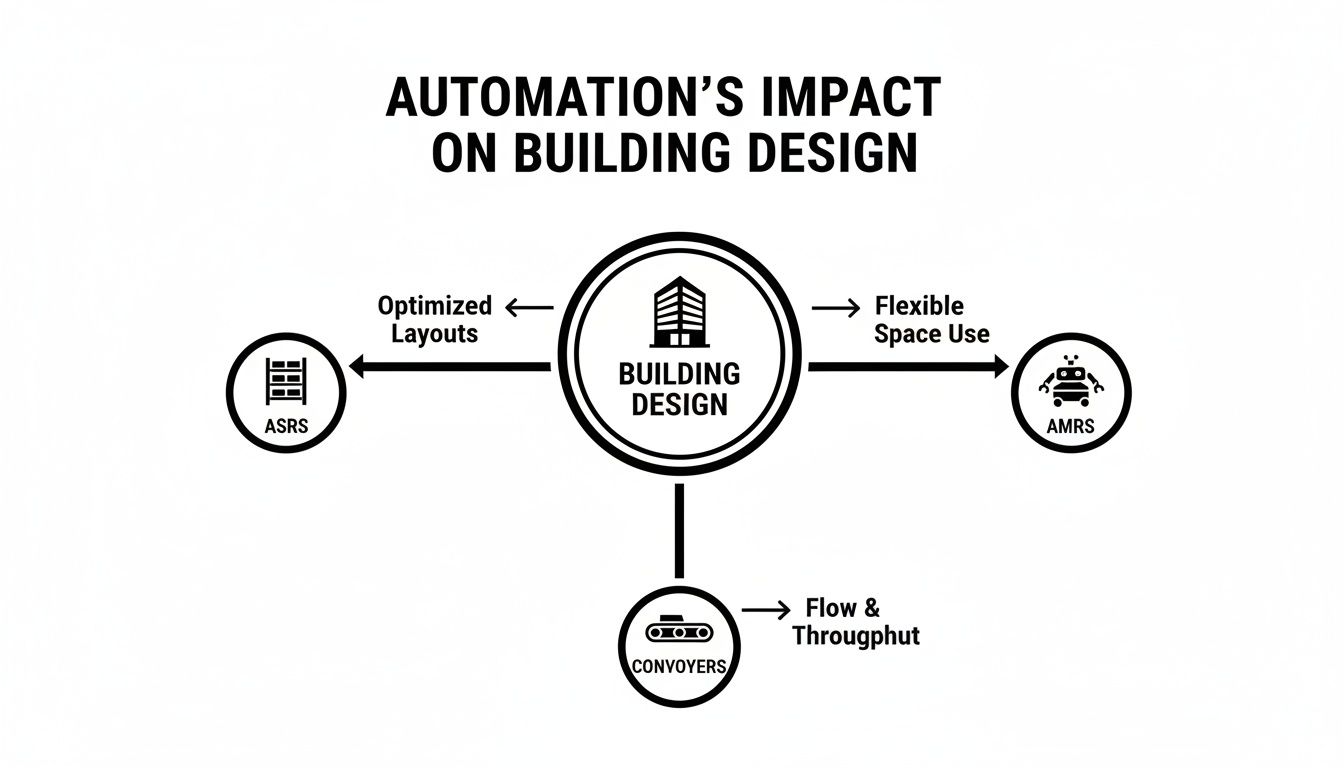
ASRS (Automated Storage and Retrieval Systems)
ASRS are towering, high-density storage structures with integrated cranes or shuttles. From a design perspective, they are the most demanding system you will encounter. An ASRS isn't just placed in a building; in many cases, it is the building, with rack-supported structures soaring over 100 feet.
Design Implications: Your column spacing must align perfectly with ASRS aisle dimensions. The clear height is non-negotiable and must accommodate the system's full operational height, plus buffer space for fire suppression and maintenance access.
Conveyor and Sortation Systems
Conveyors are the circulatory system of an automated warehouse. They move items for miles, often weaving through the facility on overhead mezzanines or suspended from the roof structure.
Design Implications: Coordination becomes an intense, three-dimensional puzzle. You must route these systems around structural columns, through walls, and integrate them with HVAC, sprinkler lines, and lighting. The loads they impose must be accounted for in your structural design, and you must plan clear paths for maintenance crews.
AGVs/AMRs (Automated Guided/Mobile Robots)
AGVs and AMRs are robotic carts that ferry goods across the warehouse floor. Both systems are incredibly sensitive to floor conditions—a critical point of failure if not addressed in your warehouse CAD documentation. With the AGV and AMR market expected to grow at a CAGR of around 30% through 2028, designing robot-ready floors is no longer optional. You can dig into more market research on warehouse automation to see the numbers.
Design Implications: Specify hyper-flat and level floors with extremely tight FF/FL tolerances. Plan column grids to create wide, unobstructed travel lanes. Locate charging stations with dedicated power and data infrastructure from the start.
Robotic Picking and Palletizing
Robotic picking cells use articulated arms to pick items with speed and precision. These zones are dense with technology and come with their own unique infrastructure checklist.
Design Implications: They demand concentrated power drops, robust data connectivity, and often specialized lighting optimized for machine vision cameras. Your design must also incorporate safety guarding and maintain clear floor space for operation and maintenance.
Structural Design Implications
In a traditional warehouse, the structural grid and shell come first. For an automated facility, you flip that thinking. The building is a protective shell for the automation inside; the structure serves the robotics. This shift means moving past standard warehouse engineering to create a highly-tuned enclosure that meets the non-negotiable demands of automation systems.
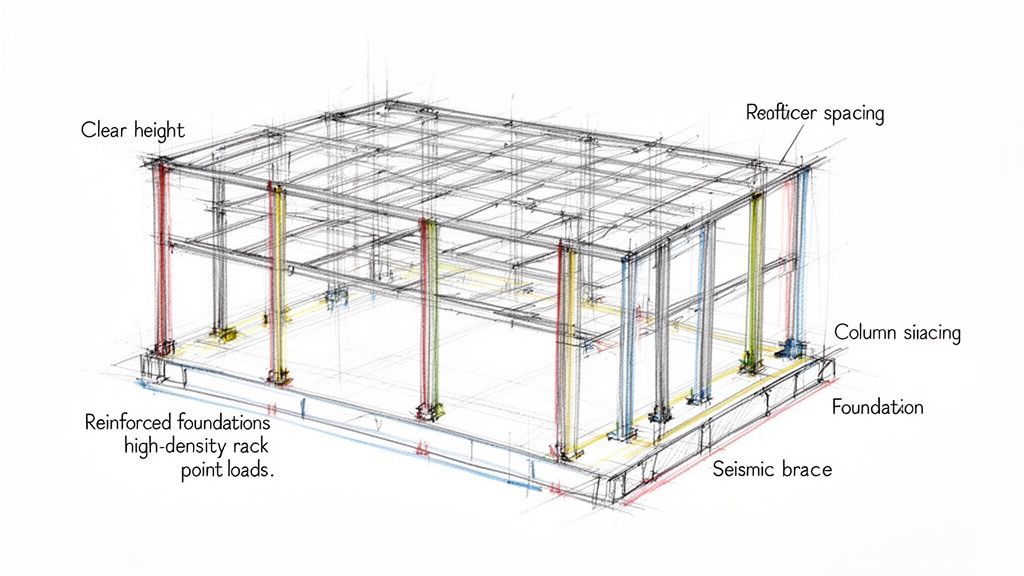
Bay Dimensions and Grid Constraints
The single biggest driver of the structural design is almost always the ASRS. These systems impose a rigid grid on the entire building. Their required bay dimensions aren't a suggestion—they are a precise mandate. For example, an ASRS layout might demand 60-foot clear spans with zero column intrusion. Designing a standard 50-foot grid would render the entire automation layout useless, forcing a costly structural redesign.
Clear Height Requirements (and why they're non-negotiable)
Automated systems demand immense vertical space. An ASRS can soar past 100 feet, and your drawings must account for their full operational height plus essential buffers for sprinkler systems and maintenance access. This is a hard constraint. Similarly, navigation zones for AGVs and AMRs require wide, column-free zones to prevent robotic traffic jams that cripple throughput.
Point Loads from ASRS and High-Density Storage
The sheer weight of high-density storage creates extreme point loads on the slab and foundation. A single ASRS leg can exert immense pressure, often requiring specialized foundations that go far beyond a typical warehouse slab-on-grade. Early geotechnical analysis and close coordination with the automation vendor’s load maps are critical.
Seismic Considerations for Tall Racks
These tall, heavy rack systems come with stringent seismic bracing requirements, especially in rack-supported buildings where the ASRS is the structure. Neglecting seismic design isn't just a code violation—it’s a massive safety risk. For a refresher, our guides on the construction of a warehouse offer foundational knowledge that's valuable to build upon.
Floor Specifications: Flatness and Levelness Tolerances (FF/FL numbers)
In a traditional warehouse, the floor just needs to be tough enough for forklift traffic. In an automated one, the floor is a navigational surface. Robots rely on extreme consistency to operate safely and accurately at speed. This is why Floor Flatness (FF) and Floor Levelness (FL) specifications are non-negotiable.
Why Automated Systems are Floor-Sensitive
A typical warehouse might specify FF 35 / FL 25, but an automated system may demand FF 70 / FL 50 or higher. A subtle dip, bump, or curling at a control joint can cause an AGV's sensors to misread, leading to errors, shutdowns, or collisions. The floor slab isn't just a foundation; it's a piece of precision equipment. Your design must specify not only the FF/FL numbers but also control joint locations, surface treatments, and curing processes that align perfectly with the automation vendor's requirements.
MEP Infrastructure: Power, Data, and HVAC
If the floor is the navigational surface, then MEP systems are the facility's central nervous system. The electrical and data infrastructure needed for an automated warehouse is orders of magnitude more complex than in a standard building.
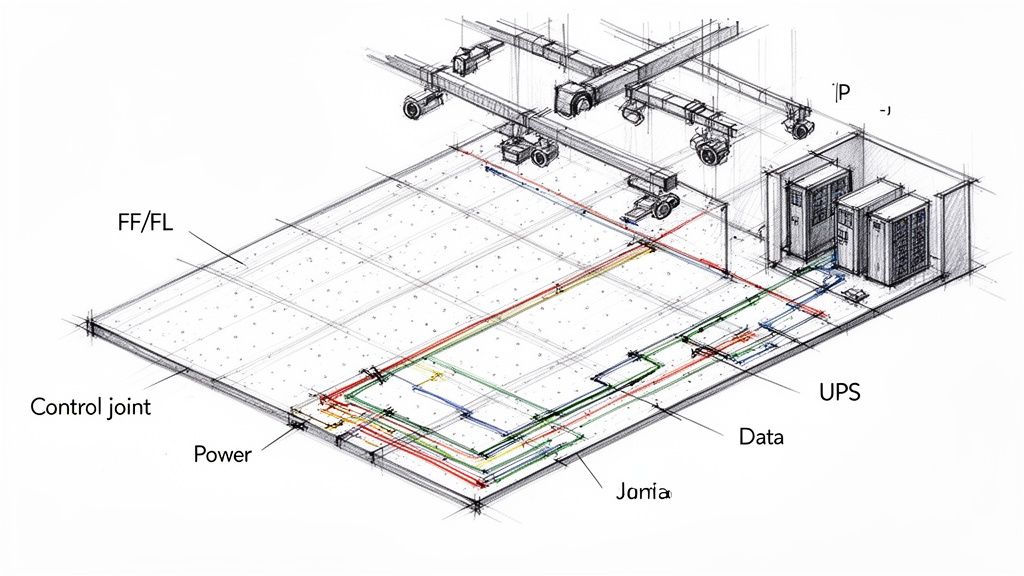
Power Density and Backup Power Requirements
Forget typical lighting loads. You’re powering acres of conveyors, robotic arms, and massive ASRS cranes. Power distribution must be meticulously planned to provide high-amperage connections exactly where needed. Furthermore, control systems and servers cannot go down. This requires extensive Uninterruptible Power Supply (UPS) systems and generator backups to ensure operational continuity.
Data/Networking Infrastructure
A robotic warehouse runs on data. Your design must include clear pathways for thousands of feet of fiber optic and ethernet cabling, connecting countless sensors, scanners, robots, and control panels.
HVAC and Lighting for Scanners
Coordination extends to specialized systems. You'll need HVAC designed to cool dense electronics, not just provide human comfort. You'll also specify lighting optimized for barcode scanners and machine vision cameras, which often requires different color temperatures and intensity levels. The Material Handling Institute provides excellent resources on the standards that govern these integrated systems.
Fire Protection Coordination
Fire protection is far more complex in an automated warehouse due to extreme storage density and limited human presence. Standard ceiling-mounted ESFR sprinklers often won't cut it. Designs almost always require in-rack sprinkler systems, which must be perfectly coordinated with ASRS cranes or shuttles to avoid collisions. Close collaboration between a fire protection engineer, the automation vendor, and your team is essential.
Building Envelope Considerations
Automation also impacts the building shell. Automated loading dock equipment requires precise integration with door openings and levelers. The thermal envelope may need tighter controls to maintain stable temperatures for sensitive robotics. Air barriers and infiltration control become more critical to prevent dust and debris from interfering with sensors and scanners.
Coordination Process with Automation Vendors
The relationship between your design team and the automation vendor is the core of the project. The biggest mistake is treating them like a furniture supplier, only engaging them after the building shell is designed. The right time is before a single column is drawn. Their equipment footprints, loads, and power demands are the foundational inputs that drive the entire design.
The goal is a constant feedback loop where the building design and automation layout evolve together. This is how you avoid a structural beam slicing through a conveyor path. The vendor tells you what they need, and your team figures out how to deliver it. Merging the vendor’s equipment models with your architectural, structural, and MEP models for continuous clash detection shifts the entire process from reactive problem-solving to proactive de-risking.
CAD Documentation Specific to Automation
Your construction documents must speak the language of automation. Make sure your warehouse CAD deliverables clearly communicate these unique requirements.
- Model Vendor Equipment: Get the vendor’s equipment modeled accurately for clash detection. For retrofit projects, Scan to BIM services are a huge help in capturing as-built conditions.
- Dimension Critical Clearances: Clearly call out every required operational and maintenance clearance around ASRS, conveyors, and robotic cells.
- Specify Floor Tolerances: Add explicit notes on every relevant sheet spelling out the required FF/FL numbers and control joint specifications.
- Map MEP Connection Points: Clearly locate and label all power, data, and compressed air connection points exactly as specified by the vendor.
Common Pitfalls and Lessons Learned
The most costly mistake is assuming an automated facility is a conventional warehouse with robots added later. This flawed assumption leads to foundational errors: a structural grid that interferes with ASRS, a standard concrete slab that causes AGVs to fail, or inadequate power. The rule is simple: secure the vendor’s specific requirements before you start detailed design.
Questions to Ask at Project Kickoff
Walk into that first meeting ready to ask the right questions. This is the fastest way to de-risk a project, spot constraints early, and establish your team's expertise.
- Who is the primary automation vendor and when can we engage their technical team?
- What specific automation systems are we designing for (ASRS, AGVs, conveyors)?
- What are the vendor’s exact dimensional requirements and clearance envelopes?
- What are the precise floor flatness (FF) and levelness (FL) specifications?
- What are the structural loading requirements (point loads, uniform loads, seismic)?
- What are the peak power, backup power, and data infrastructure needs?
- How does automation impact fire protection (e.g., in-rack sprinklers)?
- Are there special HVAC or lighting requirements for robotics and scanners?
Quick Reference Checklist for Automated Warehouse Projects
Your construction documents have to speak the language of automation. Make sure your warehouse CAD and BIM deliverables clearly communicate these unique requirements.
- Obtain and model vendor equipment for clash detection.
- Dimension all critical operational and maintenance clearances.
- Explicitly note required FF/FL numbers and control joint specs on all relevant sheets.
- Detail all unique foundations and structural reinforcement for automation loads.
- Map all MEP connection points as specified by the vendor.
- Coordinate fire protection (in-rack sprinklers) with automation equipment.
- Confirm lighting and HVAC specs meet automation requirements.
At BIM Heroes, we provide the production maturity and template discipline that ensure your automated warehouse designs are coordinated, predictable, and profitable. We bridge the gap between your architectural vision and the complex demands of automation vendors.
Download our Automated Warehouse CAD Requirements Checklist to de-risk your next project.
Learn how our production support can de-risk your next project.
