The best software for an architect is whichever one best fits your firm’s real-world production workflows, project complexity, and business goals. For most modern practices, this means building your tech stack around a core BIM platform like Autodesk Revit or Graphisoft Archicad, then adding specialized modeling and management tools. This is how firms make the critical jump from basic CAD to a mature, system-driven delivery model.
Choosing Your Firm’s Core Production Engine
Finding the right software isn't about chasing the longest feature list. It’s a strategic decision about building a reliable production engine that protects your margins and delivers predictable results. The goal is to move beyond just creating drawings and start implementing a system that supports mature BIM workflows.
This system becomes the backbone of your firm, shaping everything from early design sketches to final permitting prep. A well-chosen software stack cuts down on errors, minimizes costly RFIs, and builds the operational consistency you need to scale.
Defining Your Production Needs
Before you start comparing platforms, you need to define what your production system must accomplish. A mature workflow is more than just a 3D model; it's about integrating data, enforcing standards, and making collaboration feel effortless.
Think about these key questions:
- CAD-to-BIM Evolution: How will this software actually help your team transition from 2D drafting to a fully integrated building information model?
- Template Discipline: Can the platform enforce robust templates to keep every project and team consistent?
- QA Processes: What tools does it offer for quality assurance checks and maintaining model integrity at critical decision points?
- Scalable Delivery Pods: Can the software support small, agile teams on complex projects without creating data silos or bottlenecks?
Answering these questions first frames the decision around your operational needs, not just flashy tech features. A solid grasp of BIM and 3D modeling is the first step in making an informed choice.

Understanding the Software Ecosystem
The architectural software landscape isn't one-size-fits-all. It’s better to think of it as a set of interconnected tool categories, each playing a specific role in your production pipeline.
Here’s a quick breakdown to help you map your needs to the right tools.
Key Software Categories for Architectural Workflows
| Software Category | Primary Function | Ideal Firm Profile | Key Business Outcome |
|---|---|---|---|
| BIM Platforms | Centralized project model creation, documentation, and data management. | Firms of all sizes focused on integrated project delivery. | Operational Consistency |
| CAD Software | 2D drafting and basic 3D modeling, often for legacy data or simple tasks. | Small firms or those in early transition to BIM. | Documentation Speed |
| Modeling & Visualization | Advanced conceptual design, complex geometry, and photorealistic rendering. | Design-forward firms requiring high-impact client presentations. | Design Clarity |
| Project Management | Resource planning, budget tracking, and client communication. | All firms seeking to improve profitability and predictability. | Margin Protection |
This framework helps clarify where each tool fits and what it contributes to the bottom line, allowing you to build a cohesive production environment that supports your business from start to finish.
Comparing the BIM Titans for Production Readiness
Picking your firm's core BIM platform is one of the biggest calls a leader can make. It sets the rules for your entire production system, defines who you can collaborate with, and puts a cap on your operational efficiency. That conversation almost always circles back to two industry heavyweights: Autodesk Revit and Graphisoft Archicad.
But a simple feature-by-feature rundown misses the whole point. The real question is this: which platform gives you the best foundation for a mature, predictable, and profitable production workflow? Let’s break them down based on what actually matters—consistency, quality assurance, and scalability.
Production Discipline and Template Control
A mature practice runs on templates. Strong template discipline is the bedrock of consistency, making sure every single project kicks off from a well-defined, quality-controlled starting line. This is where Revit and Archicad show their different philosophies.
Revit is famous for its highly structured—some would say rigid—environment. While that can mean a steeper learning curve, it becomes a massive asset for enforcing firm-wide standards. Its family-based system, when you manage it right, builds a library of reusable, smart components that lock in consistency across projects and teams.
Archicad, on the other hand, gets a lot of praise for its more intuitive and flexible interface, which can really speed up the early design phases. But that flexibility can be a double-edged sword. It’s great for designers, but it makes enforcing strict template discipline a much bigger challenge unless you have a rock-solid management process in place.
Revit’s structured approach often forces a level of discipline that pays dividends in production. It’s less about creative freedom and more about creating a predictable manufacturing process for architectural documentation, which is crucial for preventing RFIs and protecting margins.
Quality Assurance and Decision Checkpoints
Your BIM platform has to be more than just a modeling tool; it needs to be a quality assurance engine. It should support rigorous QA checks at key decision points to make sure the model is solid before changes become expensive.
This is where the ecosystem around the platform becomes a huge factor. Revit's dominance in the North American market, especially with MEP and structural engineers, is a massive production advantage. The smooth interoperability within the Autodesk ecosystem (like moving from Revit to Navisworks for clash detection) creates a much cleaner QA workflow and simplifies consultant coordination. It cuts down on the friction that so often leads to costly mistakes during construction.
Archicad champions an "OpenBIM" approach, leaning on universal formats like IFC for collaboration. While that’s an admirable philosophy, it can introduce translation headaches and extra QA steps when you’re working with partners who are all-in on Autodesk. For a firm trying to maximize predictability, the path of least resistance in consultant coordination often leads straight to Revit. Choosing the right tool from the start is a key component of a robust production system. To explore this further, you might be interested in our guide on essential BIM software tools for architects.
The global architecture design software market was valued at approximately USD 3.9 billion in 2023 and is projected to grow significantly. Industry leaders like Autodesk, with its Revit and AutoCAD Architecture suite, command a substantial market share by catering to the integrated needs of architects and engineers worldwide. Discover more insights about this growing market on GMI Insights.
Scalability and Ecosystem Integration
Finally, you have to think about how each platform supports your firm’s growth. The best software for an architect has to scale with your ambitions, whether that means tackling bigger projects or expanding your team.
Revit’s deep market penetration means there’s a much larger talent pool of trained professionals, making it easier to staff up for large commissions. Its massive third-party plugin marketplace also offers specialized tools to solve just about any production bottleneck you can imagine, from permit prep to advanced analytics.
Archicad has a passionate user base and some powerful built-in features, like its renowned BIMx mobile viewer for exploring models on-site. But its smaller ecosystem can be a limiting factor for firms that depend on a wide network of consultants and specialized add-ons to deliver complex projects at scale.
In the end, it all comes down to your production philosophy and your partners. If your main goal is to build a highly disciplined, scalable production system that lines up with the majority of the AEC industry, Revit offers a more established and predictable path. If your firm prioritizes design flexibility and works with partners who are just as committed to an OpenBIM workflow, Archicad is a powerful and elegant alternative.
Essential Supporting Tools for Modeling and Visualization
A powerful BIM platform is your production engine, but it doesn't run alone. The most successful firms build a tech stack with specialized tools for conceptual modeling, intricate geometry, and high-impact visualization. The best software for an architect isn't a single solution; it’s a carefully curated ecosystem where each tool accelerates a specific part of the workflow.
These aren't BIM alternatives. Think of them as force multipliers that feed clean, purposeful data into your central model. When you back them up with strict process discipline, they prevent bottlenecks, elevate client communication, and drive the reliable outcomes that protect your margins.

SketchUp for Rapid Conceptualization
SketchUp remains a powerhouse for one simple reason: speed. It’s unmatched for early-stage massing studies and conceptual design, where ideas need to flow without the friction of a rigid BIM environment.
Firms with mature production systems use SketchUp as a dedicated front-end ideation tool. The key is establishing a clear decision checkpoint before moving assets into your core BIM platform. The model's sole purpose is to test and validate concepts quickly, not to become a pseudo-documentation set.
- Workflow Role: Quickly explore 3D design options without the overhead of creating BIM elements.
- Production Discipline: Define clear rules for when a SketchUp model is "done" and ready for import. This prevents scope creep and keeps the focus on high-level design decisions.
- QA Process: Ensure only clean, necessary geometry is brought into Revit or Archicad to avoid corrupting the central model.
Rhino for Complex Geometric Problems
When your design involves complex curves, parametric facades, or non-standard geometries, you’ll quickly hit the limits of a traditional BIM platform. This is where Rhino (often paired with Grasshopper) becomes indispensable.
Rhino is built to solve geometric challenges that would grind a documentation-focused workflow to a halt. The lesson learned in the field is to treat Rhino as a surgical instrument. Use it to model the specific, complex components, and then integrate those elements back into the main BIM file.
Think of it this way: your BIM platform is the factory assembly line, ensuring consistency and efficiency for 90% of the building. Rhino is the specialized R&D lab where you engineer the unique, high-performance components that make the project stand out.
This approach maintains the integrity of your production model while allowing for sophisticated design exploration. It’s all about using the right tool for the right job to maintain predictability.
High-Fidelity Visualization with 3ds Max and V-Ray
Presenting a clear, compelling vision is essential for client buy-in and stakeholder alignment. While native BIM rendering has improved, dedicated visualization software like 3ds Max, Lumion, or rendering engines like V-Ray and Enscape offer a level of realism and control that secures approvals and prevents costly misinterpretations.
A mature workflow treats rendering as a critical communication and QA process, not just a marketing task. These tools allow you to spot potential material conflicts, study lighting conditions, and tell a powerful story about the project's intent long before construction begins. The architectural rendering software market is set to expand rapidly, growing by an estimated USD 2.21 billion between 2025 and 2029. This growth highlights the increasing demand for high-quality visualization as a standard part of project delivery. You can explore more details on this market trend from Technavio.
Interoperability and Workflow Integrity
The success of a multi-software stack hinges on one thing: interoperability. Without a disciplined process for moving data between platforms, you risk creating more problems than you solve.
Your firm must establish clear protocols:
- Define the "Source of Truth": The BIM model (e.g., Revit) must remain the undisputed source of truth for all project documentation.
- Use Linking over Importing: Whenever possible, link files from SketchUp or Rhino into your BIM platform instead of importing them directly. This keeps the core file clean and makes updates far easier to manage.
- Establish Data Exchange Standards: Mandate the use of specific file formats (like IFC or DWG) and cleanup procedures before any data transfer occurs. This is a non-negotiable step in any mature QA process.
Beyond traditional modeling, forward-thinking architects are exploring advanced concepts like digital twins. To understand how this technology is being applied across industries, you can check out some real-world digital twin applications. Building this supporting toolset isn’t about adding complexity; it’s about creating a flexible, resilient production system where every piece of software has a clear purpose, driving clarity and predictable delivery.
Integrating Business Operations and Project Management
Great design software is only half the battle. The best tools for an architect aren’t just about creating a slick model; they’re about running a profitable business. To build true operational consistency, firms need a robust system for managing projects, people, and money. This is where practice management software becomes the backbone of any mature, scalable firm.
These platforms get your firm out of messy spreadsheets and disconnected data streams. They connect the hours logged in your BIM software directly to the financial health of each project, giving leadership a clear, real-time view of performance. That kind of visibility is essential for protecting your margins and delivering projects predictably.
From Production Data to Profitability Insights
Top-tier project management tools like Monograph and Deltek Ajera are built specifically for the A&E industry. They get that for an architectural firm, time isn’t just a resource—it's your inventory. Their core job is to track that inventory against project budgets, phases, and key milestones.
This creates a powerful feedback loop. By plugging into your production workflows, these platforms help you answer the tough business questions:
- Are we putting the right people on the right projects?
- Which project phases consistently blow the budget?
- Can we actually take on that new project next quarter?
Answering these questions with data, not just a gut feeling, is what separates a good project manager from a great one. It shifts the entire conversation from reactive fire-fighting to proactive management, which flows straight to your bottom line.
Creating a Single Source of Truth
A classic failure point for growing firms is the dreaded data silo. The design team has its models, project managers have their schedules, and the accounting department has its financial reports. When these systems don't talk to each other, you lose visibility and, ultimately, control.
Integrating a platform like Monograph with your core software stack creates a single source of truth for project health. This ensures that time tracking, resource planning, and financial reporting are all pulling from the same well of project data.
The goal here is to trade today's problems—like inaccurate forecasting and surprise budget overruns—for better problems tomorrow, like optimizing resource allocation for maximum profit. A unified system makes that strategic trade possible.
This unified approach stops the kind of communication breakdowns that lead to endless RFIs and frustrated clients. It aligns the whole team, from junior designers to firm principals, around a shared understanding of project status and financial performance.
The Foundation for Scalable Delivery Pods
As firms grow, many adopt a "delivery pod" model—small, agile teams zeroed in on specific projects. This structure is incredibly effective, but it falls apart without a strong operational framework to hold it all together. Practice management software provides that framework.
It allows leadership to monitor each pod's performance, spot systemic bottlenecks, and clone successful processes across the entire firm. This system-driven approach is what makes scalable, reliable delivery possible. It ensures that no matter which team is running a project, the process is consistent, the quality is high, and the financial outcomes are predictable. The market for enterprise architecture software, which provides this structural framework, is expected to nearly double from about USD 507.2 million in 2025 to USD 969.7 million by 2032. You can find more details on this market's growth on Coherent Market Insights.
At the end of the day, the best software for an architect is a stack that supports both creative production and disciplined business operations. When you connect your BIM engine to a powerful project management platform, you build a system designed not just for great architecture, but for a thriving architectural business.
Building Your Optimal Software Stack for Different Firm Profiles
There’s no magic bullet when it comes to the best software for an architect. The real answer is a stack—a collection of tools you carefully assemble to fit your firm’s size, project types, and overall maturity. Think of your technology stack as a strategic decision that should directly fuel your business goals, whether that's pushing design boundaries, nailing operational efficiency, or scaling up your delivery.
Pulling everything together, we can map out some practical, battle-tested software stacks for three common types of firms. Each recommendation is grounded in the reality of protecting your margins and delivering high-quality, predictable outcomes. This isn't about collecting shiny new software; it's about building a cohesive system that just plain works.
The Small, Design-Focused Boutique Firm
For small, design-centric firms, it's all about agility and visual punch. Your tech stack needs to let you iterate quickly and create stunning client presentations without getting bogged down in enterprise-level complexity. The goal is a seamless workflow from initial concept straight through to visualization.
This kind of firm lives and dies by its ability to sell a powerful design vision. Their stack prioritizes tools that are intuitive, fast, and produce beautiful results, while still giving them a clear path to proper documentation when the time comes.
- Core Platform: Graphisoft Archicad. Its reputation for a more intuitive interface makes it a fantastic choice for smaller teams that need to move fast through design phases without a steep learning curve.
- Modeling & Visualization Suite: SketchUp Pro and V-Ray. This combination is tough to beat for rapid conceptual modeling and cranking out high-fidelity, client-ready renderings that sell the design.
- Project Management Solution: Monograph. Built specifically for smaller A&E firms, it provides simple, clear tools for project planning and financial tracking without overwhelming a small team.
The Mid-Sized, Production-Oriented Firm
Mid-sized firms are often the workhorses of the industry. They're focused on delivering complex projects with maximum efficiency. Their world is defined by coordinating with consultants, running rigorous QA processes, and needing scalable delivery teams. For them, the tech stack must be a fortress of stability and predictability.
For these firms, the best software for an architect is whatever integrates best with the wider AEC ecosystem. Their biggest challenge is managing the flow of information and catching errors before they chew through profit margins.
Good architecture work is about purposefully trading problems you have today for better problems tomorrow. For a production firm, this means trading the "problem" of a rigid, disciplined software environment for the "better problem" of managing scalable, predictable project delivery.
This stack is built around the industry standard to minimize friction with engineering partners and ensure there's a deep talent pool to hire from.
- Core Platform: Autodesk Revit. Its market dominance, particularly with MEP and structural engineers, makes it the pragmatic choice for streamlining consultant collaboration and cutting down on RFI-generating coordination headaches.
- Modeling & Visualization Suite: Rhino with Grasshopper and Enscape. Rhino is there to handle the complex geometric challenges that pop up in larger projects, while Enscape provides real-time rendering right inside Revit for quick internal reviews and QA checks.
- Project Management Solution: Deltek Ajera. It offers the robust financial controls and resource management tools needed to keep multiple, complex projects on track and profitable.
The chart below breaks down how to start thinking about your business tools based on whether your primary goal is project management or financial oversight.
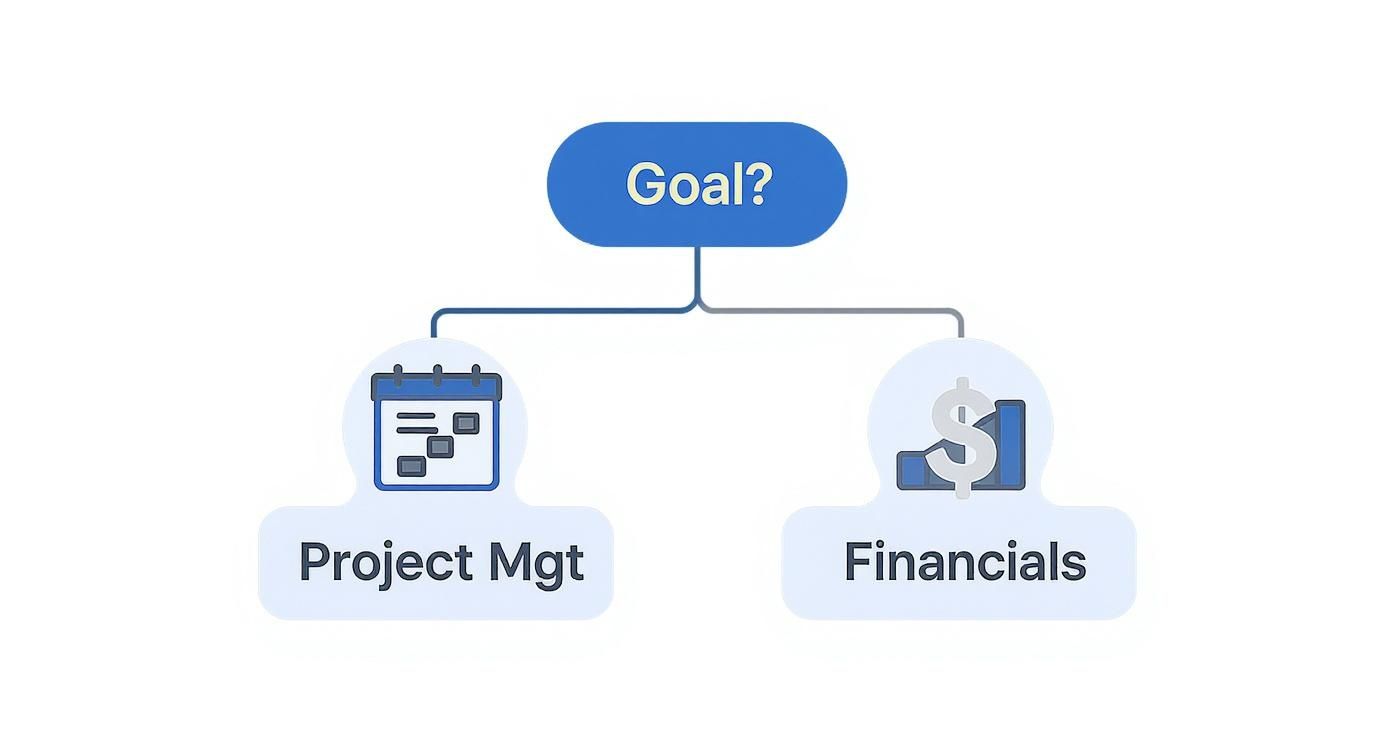
This simple decision tree shows how your main objective—managing timelines or money—guides you to the right specialized software, which then becomes the foundation of your firm's operational stack.
The Large, Multi-Disciplinary Enterprise Firm
Large, multi-disciplinary firms operate at a scale where data management, interoperability, and enterprise-grade collaboration are the name of the game. Their tech stack has to support dozens of teams spread across different offices and disciplines, all while maintaining a single source of truth for every project.
This stack is all about control, security, and integration, built to manage immense complexity. Consistency across a huge portfolio is absolutely essential to maintaining quality and profitability.
- Core Platform: Autodesk Revit with BIM 360/Autodesk Construction Cloud. The cloud platform is non-negotiable at this scale. It provides the centralized model management, issue tracking, and version control needed to coordinate hundreds of collaborators.
- Modeling & Visualization Suite: 3ds Max and Navisworks Manage. 3ds Max is for the high-end marketing visualizations, while Navisworks is critical for enterprise-grade clash detection and model aggregation.
- Project Management Solution: An Enterprise Resource Planning (ERP) system like Deltek Vantagepoint or a custom-integrated solution. At this level, project management blends with corporate finance, HR, and business development into a single, unified platform.
A quick look at these recommendations shows how a firm's core needs dictate its software choices, balancing powerful production tools with the right management solutions.
Recommended Software Stacks by Firm Profile
| Firm Profile | Core BIM Platform | Modeling & Visualization Suite | Project Management Solution |
|---|---|---|---|
| Small, Design-Focused Boutique | Graphisoft Archicad | SketchUp Pro & V-Ray | Monograph |
| Mid-Sized, Production-Oriented | Autodesk Revit | Rhino/Grasshopper & Enscape | Deltek Ajera |
| Large, Multi-Disciplinary Enterprise | Revit with Autodesk Construction Cloud | 3ds Max & Navisworks Manage | Enterprise ERP (e.g., Deltek Vantagepoint) |
Ultimately, choosing the right stack requires an honest look at your firm's current capabilities and where you want to go. By aligning your software choices with what drives your business, you create a powerful system for delivering excellence, project after project.
When to Augment Your Team with Outsourced BIM Production
Even the best software an architect can buy won't solve a capacity problem. A perfectly tuned tech stack is a powerful thing, but it does nothing to protect your margins when the team is stretched thin or lacks the niche skills a new project demands. This is the moment where augmenting your team with outsourced BIM production becomes a strategic play, not a last-ditch effort.
The trigger isn't just being "too busy." It's about spotting specific production bottlenecks that are threatening your delivery schedule. Maybe you landed a great project that requires a different BIM platform, and you know training your in-house team will absolutely kill the timeline. Or perhaps a sudden flood of work is pushing your team toward burnout, but hiring another full-time person feels like a long-term risk you just can't take.
Shifting from Staffing to Strategic Support
Thinking of outsourcing as just another way to fill a seat is a common mistake. You’re not just buying hours; you're buying clarity and operational consistency. A specialized production partner brings a scalable delivery pod that plugs right into your workflow, complete with their own template discipline and QA processes.
This approach gives you a few key advantages:
- Margin Protection: Sidestep the crushing overhead costs of a full-time hire for what might be a temporary surge in work.
- Predictable Delivery: You can lean on a partner’s expertise to navigate unfamiliar software or complex project needs without a painful learning curve.
- RFI Prevention: A dedicated production team, focused entirely on model integrity and documentation quality, will catch the kinds of errors that lead to expensive RFIs down the line.
The right partner doesn’t just take overflow work off your plate; they bring a system-driven approach that actually improves your own production maturity. It’s about ensuring every single project, regardless of internal capacity, is delivered with the same high standard of quality and predictability.
This kind of strategic augmentation frees up your core team to focus on what they do best—high-value design and client management—while knowing the production engine is running smoothly. By bringing in outside expertise, you maintain operational consistency even when deadlines are tight or the challenges are new. For a deeper look, our guide explains several ways BIM outsourcing reduces project costs and boosts efficiency. Ultimately, it’s about making a deliberate choice to protect your firm’s reputation and profitability.
A Few Final Questions About Architecture Software
Choosing the right software stack can feel overwhelming. To cut through the noise, here are some direct answers to the questions we hear most often, all focused on building a mature, predictable production system.
How Do We Actually Transition from CAD to BIM?
The only way to do it successfully is to treat it as a process evolution, not just a software swap. Don't try to change everything overnight.
Start with a single pilot project and a dedicated team who can focus without distraction. The absolute key is establishing rigorous template discipline from day one. This initial investment in creating standardized, reusable components and workflows is what makes the transition stick and protects your margins in the long run.
What’s the Biggest Mistake Firms Make When Choosing Software?
The most common trap is chasing shiny features instead of focusing on how a tool integrates into your actual workflow. The "best" software is the one that best supports your specific delivery model and consultant ecosystem.
Before you even look at demos, map out your QA processes, your critical decision checkpoints, and how a new tool will prevent RFIs. A platform that aligns with what your partners are already using (like MEP engineers on Revit) is often far more valuable than one with a slightly slicker interface.
How Often Should We Re-Evaluate Our Tech Stack?
Forget the annual review. You should re-evaluate your software stack whenever you hit a significant production bottleneck or make a major shift in your business strategy. This is all about performance.
If you're consistently wrestling with permitting prep, consultant coordination is a mess, or project profitability is taking a nosedive, that’s your signal. Your current tools are no longer creating clarity or enabling reliable delivery. Don't be afraid to solve old problems by investing in better systems.
Building a mature, system-driven production workflow isn't easy, but it’s a necessary step for sustainable growth. If you’re refining your firm's processes, consider downloading our Project Kickoff Checklist to ensure every engagement starts with clarity and discipline. We're here to provide the systems and support that help firms like yours scale predictably.