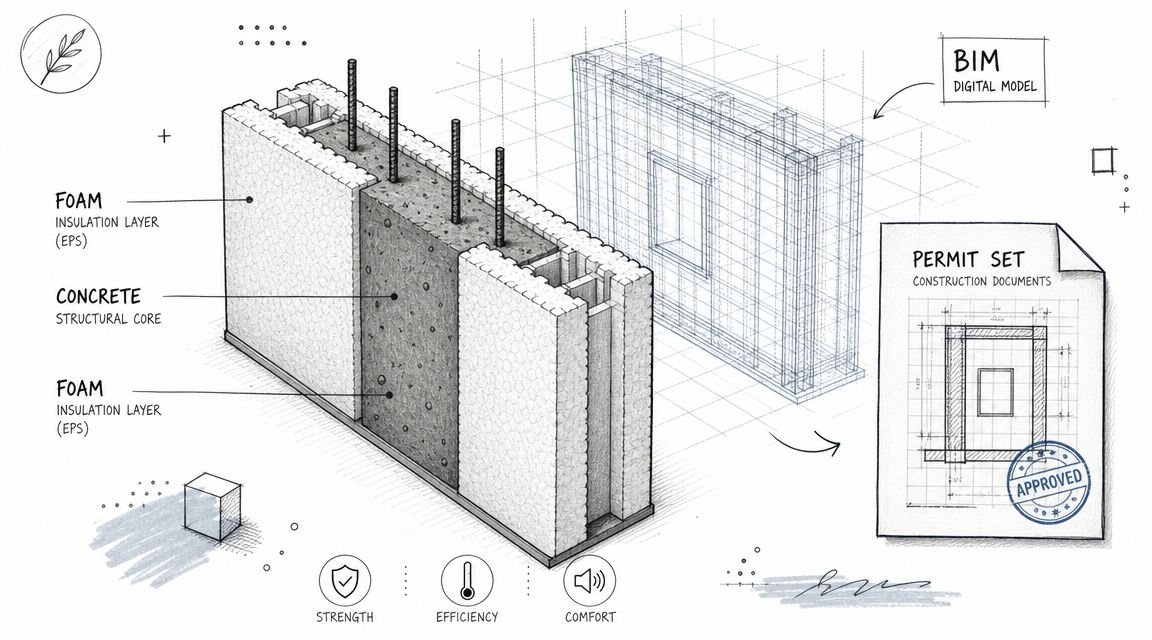
BIM Project Management Fundamentals
BIM project management isn’t just about tracking dates and deliverables. It zeroes in on orchestrating information flow, cementing model governance, and weaving in QA loops that drive production maturity and smooth your CAD-to-BIM evolution.
Core Practices
- Orchestrate data handoffs right from the start with ISO 19650 and a solid BEP template.
- Lock in template discipline by embedding standardized BEP templates.
- Embed structured QA/QC processes to catch clashes early and enforce naming conventions.
- Turn coordination cycles into decision checkpoints instead of routine status meetings.
- Keep a federated model version control in place so every discipline pulls from a single source.
- Shield your project margins through disciplined model governance.
Real-World Scenario
On one design-build effort, the team locked in model standards by week one. They avoided a $50K redesign that usually crops up when you chase Gantt milestones instead of nailing down your BIM rules.
Most traditional PM setups lean heavily on Gantt charts and siloed deliverables. That model often misses clashes until the final stretch, spawning RFIs and urgent fixes. BIM project management, by contrast, weaves in scheduled checkpoints and federated model audits to minimize rework and protect margins.
Key Differences Between Traditional PM And BIM Project Management
| Aspect | Traditional PM | BIM Project Management |
|---|---|---|
| Information Flow | Status reports and meetings | Early data handoffs guided by ISO 19650 |
| Model Governance | Loose naming and standards | Firm BEP enforcement and regular audits |
| QA Processes | Ad-hoc checks | Structured QA/QC loops at set intervals |
| Coordination Cycles | Reactive clash resolution | Scheduled decision checkpoints |
| Version Control | Multiple local copies | Federated models ensuring a single source of truth |
Moving from Gantt charts to disciplined data handoffs drives higher production maturity across your CAD-to-BIM journey. Teams adopting this style often see up to 30% fewer coordination meetings and much better deadline predictability.
Next up, we’ll dive into BEP enforcement, version control strategies, and cross-discipline coordination to scale your pods efficiently.
Understanding Key BIM Concepts
BIM jargon can feel like a labyrinth for architects and coordinators on complex builds. It’s easy to get lost in terminology and lose sight of project goals.
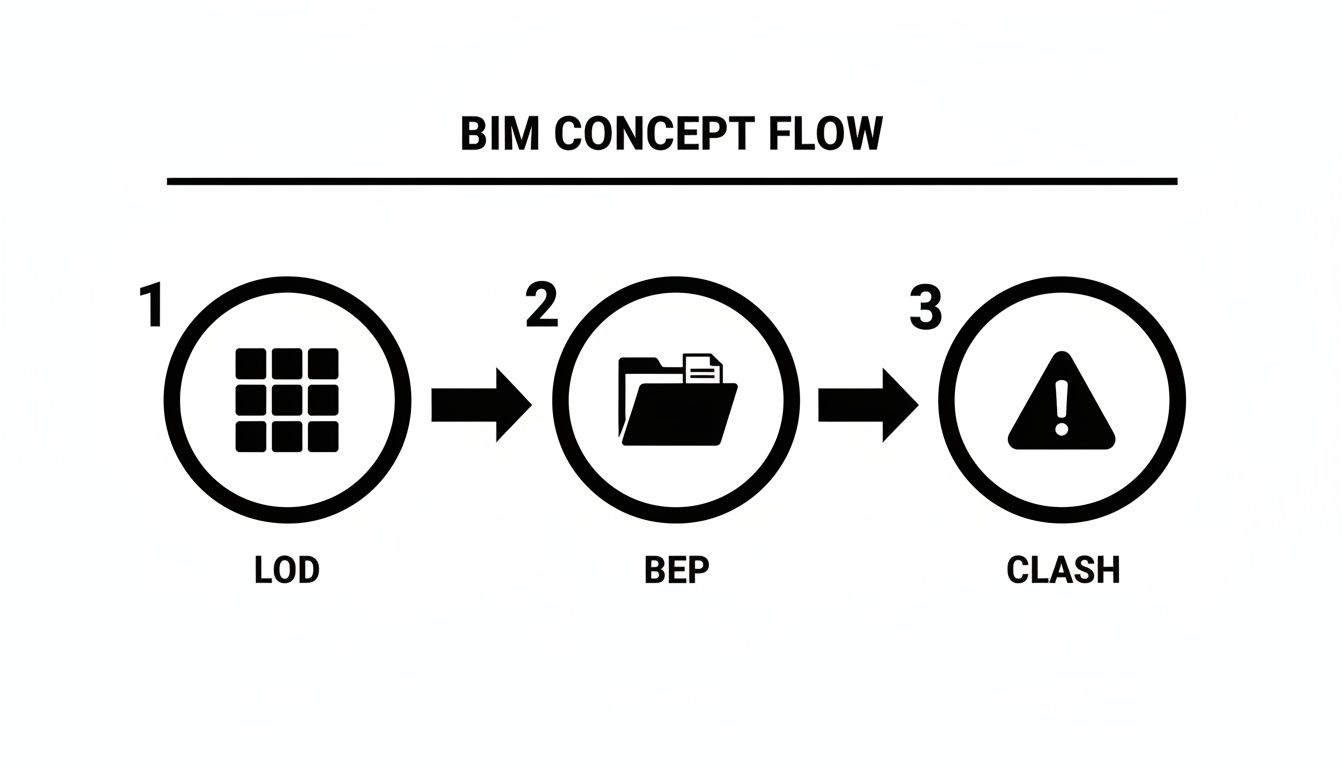
Defining clear LOD targets and enforcing your BEP early keeps everyone on the same page. One mid-sized design firm built standard BEP checkpoints into every deliverable—and cut coordination meetings by 30%.
- LOD matrices that map model detail to tasks and milestones
- Naming standards to prevent duplicate families and confusion
- Clash detection rules baked into your QA cycle
- Federated model schedules driving each coordination checkpoint
LOD Definitions And BEP Enforcement
Level of Development matrices lay out exactly how detailed your model needs to be at each stage—no guesswork. Pair that with a solid BIM Execution Plan aligned to ISO 19650 and your LOD targets link directly to QA/QC processes.
Consistency follows when your BEP template locks in naming conventions, folder structures, and audit logs. No more surprises at delivery.
“We’ve seen BIM projects succeed when project managers manage information, not just tasks.”
Naming Conventions And Federated Models
Naming conventions aren’t just labels—they spell out who owns each file and when handoffs happen. It’s a simple move that saves hours searching for the right version.
Federated models bring every discipline together under one hub. With rules enforced at the model level, clashes stay fixed instead of cropping back up. Schedule federated updates in your master calendar so each coordination cycle becomes a non-negotiable milestone.
The global Building Information Modeling market has jumped from USD 9.03 billion in 2025 to USD 15.42 billion by 2030 at a CAGR of 11.3%, driven by AI, IoT, and digital twins boosting pre-construction efficiency and collaboration. Read more on 3DD Design Bureau.
Mental Checklist Of Critical Artifacts
| Artifact | Purpose |
|---|---|
| LOD Matrix | Defines required model detail |
| Naming Standard | Keeps team deliverables consistent |
| Clash Detection | Prevents late-stage coordination errors |
| Federated Schedule | Embeds checkpoints in project timeline |
Assign clear roles for each artifact and maintain a running audit of families to avoid duplicates. Link your QA loops to internal guides like our clash detection and production systems articles. Rotating review duties keeps fresh eyes on the model.
Before moving on, bookmark our BEP templates and production systems guides for a bullet-proof setup.
Avoid Inconsistent Family Usage
Unmanaged model families breed confusion—slight variations hang around, hidden clashes pile up, and nobody knows which is “correct.” Define family parameters and naming rules in your BEP. Then use auditing tools in every QA/QC loop to flag off-standard elements.
Archive obsolete families into a dedicated folder so nothing vanishes. Rotate audits to catch fresh issues each cycle. Embedding federated update dates into your master schedule cements each coordination meeting. A quick team demo using the production systems guide ensures everyone knows where artifacts live.
That clarity protects margins by catching data handoff errors early. When these critical artifacts and workflows are in place, your BIM management hits predictable, scalable maturity.
Embed these practices today.
Setting Up Effective BIM Workflows
When a BIM project kicks off, chaotic naming rules or random folder layouts can stall coordination and spike RFIs. Align your team on process early and prevent costly scramble.
“We’ve seen BIM projects succeed when project managers manage information, not just tasks.”
A well-crafted BIM Execution Plan goes beyond a checklist. It sets up model governance, schedules QA reviews at each milestone, and formalizes handoffs. The result? Fewer surprises and tighter budgets.
Naming Conventions
Consistent file names are your first defense against version conflicts. With a standard format, you’ll spend minutes finding a model—not hours.
- Discipline prefix (ARCH, STR, MEP) plus role ID
- Date stamp (YYYYMMDD) and revision code (R01, R02)
- Unique element tag or project phase marker
For instance, ARCH_MODEL_20240215_R03.rvt instantly conveys discipline, date, and revision. Teams report faster onboarding for new coordinators when naming rules are crystal clear.
Folder Structures
If naming conventions are the brackets, folder structures are the rails that keep files on track. A simple hierarchy makes everything easy to locate.
- Root Folder for BEP Documents
- Subfolders by Discipline: ARCH, STR, MEP, etc.
- Central /QC Directory for QA Logs and Clash Reports
- /Archive with Date-Stamped Models Locked for Reference
A readme file in each folder ensures everyone knows exactly what belongs where—and why.
Automation Checks
Manual audits slow progress. Automate QA and catch errors as they surface.
- Batch scripts to verify naming patterns at file save
- Scheduled clash detection reminders every two weeks
- Auto-export of federated models to a central server
Designers stay focused on creative work. One firm saved over $100K in rework by enforcing bi-weekly clash cycles.
Workflows Scaling
Scalable workflows start with clear tasks embedded in your kickoff.
- Document your LOD matrix and handoff protocols
- Block time in the calendar for federated model updates
- Rotate audit assignments to keep reviews fresh
- Review our guide on BIM Execution Plans for templates and best practices
When these steps become part of the launch sequence, every coordinator knows what to deliver and when. That clarity cuts unnecessary meetings and protects margins.
No setup should take more than a day. Download our BIM kickoff playbook for a ready-to-use checklist and framework that accelerates your next project without guesswork or delays.
Managing Information And Version Control
Model chaos can derail a BIM project in days. Entire teams can spin their wheels because nobody knows which model is current. A disciplined approach to audits, change logs, and handoffs keeps everyone aligned.
- Audit your models on a regular cadence to catch off-standard families and broken links.
- Record detailed change logs with timestamps, author names, and summaries.
- Institute data exchange protocols covering file formats, versioning rules, and handoff schedules.
- Treat a federated model as your single source of truth—architects, engineers, and contractors all plug into the same hub.
- Dive into our guide: Version Control for BIM Projects
Cloud Deployment Strategies
When your team spans offices—or continents—the cloud becomes your project’s heartbeat. Automated sync tools and role-based permissions cut down on rogue local copies and hidden updates. One firm slashed sync errors by 40% after moving to a central BIM repository.
Global teams love on-demand model snapshots. They show real-time progress against milestones and keep everyone on the same page.
“We’ve seen BIM projects succeed when project managers manage information, not just tasks.”
Integrating Pre-Construction Growth Tools
Catching design clashes before construction starts saves time and money. Early-stage tools for clash detection, 4D scheduling, and 5D cost estimating flag problems long before they ripple downstream.
These checks shift your team from putting out fires to setting proactive coordination checkpoints. Projects embedding model reviews before design sign-off report up to 30% fewer RFIs.
Learn more about market growth drivers at GlobeNewswire.
Strengthening QA QC Loops
A tight QA/QC cycle can halve your RFI count and give you a full audit trail for every revision. Rotate audit duties so fresh eyes catch what familiarity might miss.
- Run bi-weekly clash cycles against preset review templates.
- Log each review in a central QA tracker—note findings, responsible party, and deadlines.
- Assign clear ownership for follow-up tasks and close the loop quickly.
- Tag each federated package with a unique ID to keep versions traceable.
- Archive superseded models in read-only storage to enable safe rollbacks.
| Metric | Improvement |
|---|---|
| RFI Reduction | 50% |
| Coordination Meeting Time | 30% |
| Model Sync Failures | 40% |
Permitting Prep And RFI Prevention
Tackle permit requirements while you’re still in pre-construction and dodge regulatory headaches later.
- Invite authority stakeholders into early federated model reviews.
- Use clash reports to resolve code-related issues up front.
- Link permit deliverables directly to versioned models in your BIM directory.
Embedding permit checklists into every data handoff can shave weeks off approval cycles.
Final Takeaways
Information management and version control aren’t glamorous—but they’re the backbone of predictable BIM project delivery. When you nail down these routines, every revision and decision point comes with built-in clarity. Start today by embedding these workflows into your next kickoff playbook—and watch chaos turn into coordination.
Enforcing QA QC And Coordination Cycles
Keeping your QA/QC loop tight is the best way to spot model errors before they snowball into expensive rework. Rotate audit tasks weekly so new perspectives catch subtle drifts. Over time, these regular reviews shift your team from reacting to predicting issues.
Coordination Meeting Framework
Kick off each coordination meeting with a focused agenda and a governance checklist. Link every federated model update to a prioritized clash report.
- Clash-detection templates that embed code-compliance checks
- Governance checklists with 5 critical checkpoints per cycle
- Action-item logs assigning clear owners and deadlines
“We’ve seen BIM projects succeed when project managers manage information, not just tasks.”
Once the review wraps, refresh the federated model and spotlight the top clashes. This proactive routine cuts RFI volume by 50%, protecting both schedule and margins.
Early Information Reviews
Bringing key stakeholders into preliminary model audits nips low-cost issues in the bud. Addressing small clashes early prevents RFIs later on.
On one recent project, early audits shaved 3 weeks off permitting by tackling clashes upfront. Standardize these checks with our guide on clash detection in BIM coordination workflows. NIST research shows structured QA cycles produce 24% fewer design errors.
Early governance embeds consistency and removes surprises at delivery.
Performance Metrics
Measure your QA cycle’s impact with targeted KPIs:
- RFI count per cycle tied to margin outcomes
- Model audit pass rates to track compliance
- Average clash resolution time for reliable forecasting
This structured QA/QC approach delivers predictable BIM outcomes.
Ensuring Consistent Delivery And Handover
At the home stretch, the pressure mounts. Deliverable milestones, permit bundles, and polished exports all signal project success.
By assembling model exports, QA logs, and naming-standard documentation into a handoff playbook, you give contractors a go-to process they trust.
Align your playbook with ISO 19650 for smoother approvals. Research shows teams can achieve up to 25% faster permit clearance when following standardized handover protocols.
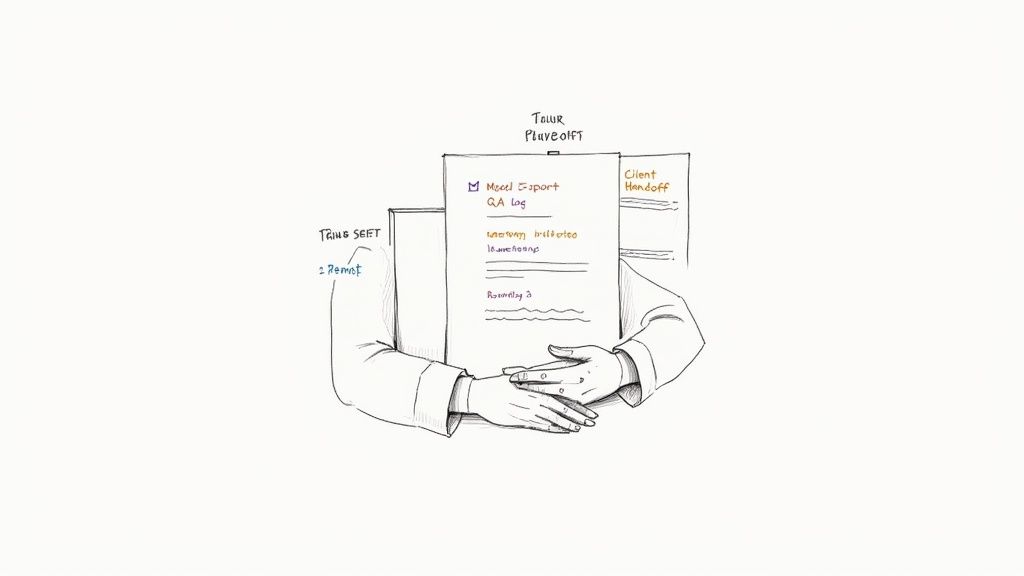
Key Handover Artifacts
- Permit-Ready Drawings in PDF and IFC with embedded metadata
- QA Logs that track every audit, comment, and sign-off date
- Naming Convention Guide alongside a detailed version register
Each artifact helps protect profit margins and cuts down on last-minute scrambling.
Clear artifacts drive predictable delivery.
Final Review And Lessons Learned
Before you wrap things up, run a final review checklist that’s proven in the field.
- Export federated models with distinct version tags
- Attach a consolidated QA/QC log (see our QA/QC processes)
- Cross-check naming conventions against your BEP template (BEP templates)
- Capture lessons learned to fuel continuous improvement
Gathering real feedback at this stage turns every project into a training ground. One design-build team saw approval cycles drop by 30% simply by using this checklist two weeks ahead of handoff.
Scaling Delivery Pods
As your portfolio grows, creating repeatable delivery pods keeps consistency high and confusion low. Try these tactics:
- Standardize folder structures based on your BEP and production systems
- Rotate pod leads so expertise spreads across every project
- Use templated handoff documents to reclaim hours back into your week
- Link permit-ready exports directly to compliance checklists
When each pod follows the same playbook, RFIs shrink and permit approvals glide through. Consistency like this safeguards your margins and boosts overall team performance.
Invite deeper engagement with a free resource today. Download our free BIM project management checklist or kickoff playbook to always codify these practices and deliver confidently every time.
Frequently Asked Questions
Managing a BIM project isn’t just about hitting milestones—it’s about keeping information flowing smoothly. Time and again, teams ask about handoffs, governance, and coordination rhythms. Below are insights we’ve gathered from hands-on BIM projects.
- Key Focus: Information Handoffs, Not Gantt Charts
- Model Governance: Enforce BEP And Naming Conventions
- Coordination Cycles: Decision Checkpoints Over Status Updates
“We’ve seen BIM project delivery succeed when PMs manage information, not just tasks.”
Typical Challenges In BIM Management
If you’ve come from a traditional scheduling background, switching to BIM coordination can feel jarring. Instead of weekly status updates, you’re looking at data exchanges guided by ISO 19650–aligned BEP checkpoints. Embrace that shift, and you’ll avoid costly missteps.
Deciding on QA/QC loops often sparks debate. Some teams swear by biweekly audits to catch clashes early—McKinsey notes this can cut RFIs by 50%. Others prefer milestone-based reviews for deeper dives. Many find a hybrid cadence strikes the best balance.
- Biweekly Audits: Fast feedback, fewer surprises
- Milestone Reviews: Comprehensive model health checks
- Hybrid Approach: Scale feedback with project size
Early, structured reviews protect margins and tighten schedules.
Choosing Deliverables And Handover Contents
A strong final handoff hinges on delivering the right mix of assets. Think federated model exports, QA logs, naming guides, and permit packages. Here’s a checklist to close out your BIM project:
- Export IFCs and PDFs with metadata
- Attach consolidated QA/QC process logs
- Include BEP-compliant naming convention guide (BEP Templates)
- Link to ISO 19650 guidance
- Archive past model versions under clear version control
Enforcing standards starts at kickoff: embed your BEP into every team briefing and run automated naming/family checks. Rotate model audits among coordinators so everyone stays sharp.
- Assign Clear Ownership For Modeling Tasks
- Run Automated Naming And Family Usage Scripts
- Archive Non-Compliant Elements For Later Review
When your project grows beyond one pod, consistency is key. Standardize templates and build your production systems so each team follows the same playbook.
Expert Insight: Document lessons learned in a BEP update to onboard new pods faster.
An Autodesk study shows disciplined model governance cuts rework by 30%. In one case, a design-build team knocked 3 weeks off their timeline by inviting permitting authorities into federated model reviews.
Standardize workflows with our guide.
BIM Heroes: https://www.bimheroes.com