


Meta description: Revit families for manufacturers are not just BIM files. They shape visibility, scheduling, and specification outcomes inside real project workflows. Learn what makes manufacturer Revit content usable, trusted, and more likely to get specified.
A product can lose the job before the rep ever hears about the project.
That happens every day in families in Revit. An architect, interior designer, or MEP modeler is under deadline, building out schedules, testing clearances, and trying to keep the model stable. They search for your product. If your content is missing, outdated, oversized, or difficult to schedule, they move on.
They do not usually stop production to troubleshoot your file.
That is the point many manufacturers miss. Revit families for manufacturers are not digital brochures. They are working project content. If the family fails inside the design team’s template, the product often disappears from the decision path long before formal specifications are polished.
For manufacturers selling into architecture and engineering firms, this is a market access issue. A usable family helps your product enter the model, stay in the schedule, and survive coordination. A weak family creates friction, and specifiers route around friction fast.
Suggested category: BIM Technology & Workflows
The Digital Handshake Your Product Is Failing
A common scene plays out late in design development.
A project architect is filling out a lighting schedule, plumbing fixture schedule, or equipment schedule in Revit. They already know the performance target, the rough size range, and the design intent. Now they need a family that will work in the live model.
They search for a manufacturer. Maybe your company.
What they find is one of three things. No family at all. A family that looks polished in a product gallery but loads poorly into the project. Or a family that places in the model but does not expose the parameters the firm needs for scheduling, tagging, or coordination.
At that point, the decision is practical, not emotional. The architect grabs a competitor’s content because it loads cleanly, schedules correctly, and does not force manual cleanup.
That competitor now has a foothold in the project.
The decision often happens before the spec section catches up
Manufacturers sometimes assume specification is driven mainly by rep relationships, product binders, or formal division sections. Those still matter. But in a Revit workflow, product selection often starts much earlier and with less fanfare.
The design team chooses what they can model. Then they coordinate it. Then they schedule it. Then the written spec usually follows the model logic.
If your family is absent from that workflow, your product is absent from the fastest path to selection.
Specifiers reward content that respects their deadline
Design teams do not need your family to be impressive. They need it to be dependable.
They want content that:
- Loads without drama
- Matches the product
- Fits their template and schedule fields
- Supports permitting and documentation
- Reduces RFIs instead of creating them
A manufacturer family is often the first real interaction a design team has with your product inside a live project. If that interaction is clumsy, trust drops fast.
This is why manufacturers should treat BIM content as part of specification strategy, not as a side asset owned only by marketing. The family is your digital handshake with the design team. If that handshake feels weak, your competitor gets the meeting.
How Products Get Specified in Modern BIM Workflows
A non-technical way to understand this is simple. In a Revit-based project, the family is the product’s ticket into the building model.
If the ticket scans, the product gets into the job. If it does not, the team uses something else.
Model first, spec second
In many live projects, the written specification does not lead the entire selection process. The model does a large share of that work because the model is where teams test fit, hosting, quantities, visibility, scheduling, and coordination.
That changes how manufacturers should think about access to design teams.
A rep can create interest. A website can create awareness. But the family is what lets the product function inside production.
What the specifier is really checking
When a team loads manufacturer Revit content, they are not only looking at shape. They are asking:
- Can this family be placed quickly
- Does it behave properly in the right category
- Will it schedule without custom cleanup
- Can the team trust the embedded data
- Will this create problems later in documentation or coordination
Revit organizes content into three primary family types: System Families, Loadable Families, and Non-Parametric Families, which is one reason family structure matters so much to scheduling and project behavior in practice (Tesla Outsourcing Services on Revit family creation).
For manufacturers, the important implication is straightforward. Your product content needs to land in the right family logic and carry the right data, or the project team has to rebuild it.
Shared parameters decide whether your product survives the template
Firms do not want every manufacturer inventing its own parameter logic. They rely on standards because schedules, tags, and QA checks depend on consistency.
Best practices for family creation call for shared parameters from a master file, and that discipline has been shown to reduce redundant project parameter imports by as much as 70% in complex multi-user environments, according to the same Tesla Outsourcing Services reference linked above.
That matters because every extra import, rename, or mapping task adds production friction. And production friction has a commercial consequence. Products that require rework are easier to replace than products that fit the workflow on day one.
If your family cannot speak the same data language as the firm’s template, the team does not experience your product as “available.” They experience it as extra work.
That is the shift. Revit family specification is no longer separate from modeling. For many products, selection happens at the family level first and becomes formal specification later.
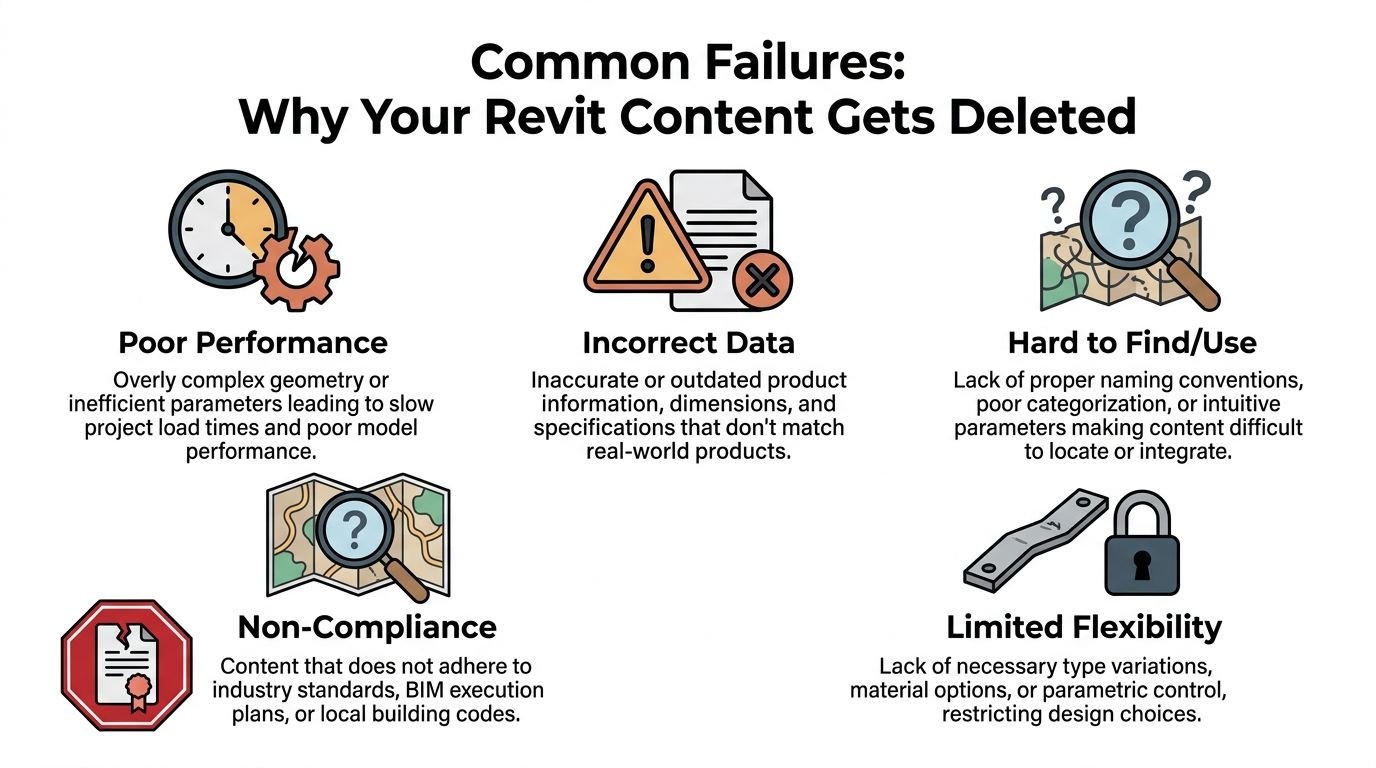
Common Failures That Get Your Product Deleted
Most poor manufacturer content fails in predictable ways. The team may not complain to you directly. They stop using it.
File size tells the team whether you understand production
A family can look harmless in isolation and still create drag across a project.
Empty family files already start at roughly 300 to 400 KB, and testing cited by LINEAR CAD found that adding 256 randomly selected families to an empty project produced a linear size increase averaging 300 KB per family. That same reference notes memory usage stayed stable until passing 64 families, then rose slightly. For project performance, RFA files should rarely exceed 1 MB because oversized geometry and imported data such as DWGs bloat models and slow systems (LINEAR CAD on Revit family myths and file size).
A product team should read that as a commercial warning, not a technical footnote.
If your family is heavy, firms assume one of two things. Either the content was built without understanding production realities, or the manufacturer prioritized visuals over deliverability. Neither builds confidence.
Data gaps break schedules
An architect can forgive a simplified handle. They do not forgive a family that will not schedule.
When building product BIM objects arrive without the shared parameters firms rely on, the team has to patch the file, add project parameters, or rebuild the content from scratch. That is wasted production time. It also introduces inconsistency across delivery pods, office standards, and consultant models.
Common examples include:
- Missing identity fields such as usable type naming or model references
- No scheduling alignment with the firm’s shared parameter structure
- Custom parameter naming that forces remapping
- Unclear instance versus type logic that causes messy schedules
The family may still “work” visually. It still gets rejected.
Inaccurate geometry kills trust faster than missing geometry
Manufacturers often worry most about making the family look complete. Specifiers care more about whether it is trustworthy.
A family that shows the wrong dimensions, wrong clearances, or outdated configurations creates risk. Once the design team spots one mismatch, they start questioning the rest of the content. That does not just hurt one product on one job. It lowers confidence in the entire manufacturer Revit library.
Visualization content is not production content
Some families are built like showroom assets. They contain fine detail, imported geometry, or ornamental modeling that has little value in permit sets, coordination views, or schedules.
That is the wrong brief.
The best manufacturer Revit content is built for use in documentation first. It can still look good, but the production model is not a rendering sandbox. It is a working database for designers, estimators, coordinators, and contractors.
The fastest way to get deleted from a firm’s private library is to deliver content that looks expensive but behaves badly.
A quick read on what works and what does not
| Content choice | What the specifier experiences |
|---|---|
| Lightweight, disciplined geometry | Easy loading and fewer complaints from project teams |
| Shared parameter alignment | Clean schedules and less template rework |
| Current product configurations | Higher confidence in selection decisions |
| Render-heavy modeling | Slower projects and a quick search for substitutes |
What High-Performance Revit Families Deliver
A good family does more than load. It removes reasons to say no.
That is the business value of Revit families for manufacturers. They lower friction at the exact point where architects and engineers are making practical product choices.
It gets found in the first place
Search behavior in BIM is not generous. Teams use what they can locate quickly, understand quickly, and trust quickly.
That means the family needs clear naming, the right category, sensible type structure, and distribution in the places specifiers already search. If your product is hard to discover, it does not matter how accurate it is.
Findability is part of specification.
It drops into the firm’s template without a cleanup project
Many manufacturer libraries fall short here.
Good content aligns with the way firms work: office templates, schedule standards, QA checklists, and production deadlines. If the family fits the template, the team can move forward. If it forces exceptions, it gets sidelined.
For a product team, this is not a minor technical issue. Template compatibility affects delivery speed, consistency across offices, and how often your product survives value engineering or substitution pressure.
A practical example is family visibility discipline. The way geometry and symbolic content are controlled has a direct effect on usability and performance, which is why this breakdown of visibility settings and Revit family performance is worth understanding from a manufacturer point of view.
It gives the project team confidence to keep your product in the model
Trust is the hidden currency in specification.
A family earns trust when geometry is right, clearances are explicit, categories are correct, and the embedded data supports project tasks. Teams are not asking for flashy content. They are looking for enough fidelity to coordinate and document without second-guessing the asset.
LOD 300 is the useful benchmark here. Production-standard LOD 300 families embed performance and cost-related data in a way that supports automated scheduling, and this approach can improve cost estimation accuracy from ±15 to 20% under traditional methods to ±5 to 8% when extraction is based on parametric family data (BIMPROUS on creating Revit families and LOD 300 data use).
For manufacturers, the lesson is clear. Data quality helps your product stay credible in estimating, coordination, and documentation.
It reduces early back-and-forth
When content is built well, the rep is not dragged into avoidable support tasks.
The team does not have to email asking for basic dimensions, rough-in information, product options, or whether the family reflects the current catalog. They can evaluate the product inside the workflow they already use.
That does two useful things:
- It shortens the path from interest to selection
- It lets your technical and sales teams spend time on real project decisions, not file triage
A strong family does not replace your rep. It removes avoidable support friction so the rep can help where judgment matters.
The commercial value is operational consistency
Manufacturers often ask whether BIM content “drives sales.” That is too vague a question.
A better question is whether your product is easy to specify, easy to retain through coordination, and easy to defend during documentation. High-performance families help with all three because they fit the firm’s production system instead of fighting it.
That is why BIM content for manufacturers should be managed like product infrastructure. Not campaign collateral. Not a one-time asset. Infrastructure.
Where Architects and Engineers Find Your Content
Even excellent content fails if it lives in the wrong place or appears in different forms across channels.
Specifiers do not all search the same way. Some start at the manufacturer website. Others go to a BIM content platform. Many begin with whatever already exists in the firm’s private library. A few ask a colleague before they ask a rep.
Your website is the first quality signal
If a design team lands on your website and cannot quickly locate the right family, they assume one of two things. Either BIM is not important to your company, or your content governance is weak.
Neither helps specification.
The manufacturer website should be the cleanest source of truth. Current files. Clear naming. Obvious version control. No guessing about which family matches which product line.
Public libraries help discovery, private libraries drive repeated use
Public BIM platforms matter because they increase visibility. But repeated specification often happens through curated office libraries after a firm has tested and accepted the content.
That creates a two-step reality:
- Public distribution wins the first look
- Private library approval wins the repeat use
This is one reason manufacturers should think carefully about whether to build everything in-house, commission specialist support, or use a hybrid model. The decision is less about cost alone and more about governance, update discipline, and production fit. This perspective on whether to build or buy Revit families is useful because it frames content as an operational decision, not just a drafting task.
Consistency matters more than channel count
A weak distribution strategy usually shows up in small but damaging inconsistencies:
- Different file versions on different platforms
- Different naming conventions between website and portal listings
- Outdated geometry in one location and current geometry in another
- Mismatched documentation assets attached to the same product
Those issues create doubt. Once a specifier doubts which file is current, they often stop the search and use a safer alternative.
Availability is not only about being online. It is about being current, consistent, and easy to verify wherever the design team finds you.
For manufacturers trying to get specified in BIM projects, discoverability and reliability have to travel together. A searchable family that cannot be trusted still loses.
The Downstream Cost of Inaccurate or Missing Content
Many manufacturers still classify BIM files as supporting material. That understates the risk.
Bad or missing content creates downstream cost because it breaks the chain between product interest and documented selection.
The substitution often happens unnoticed
A product rarely gets removed with a dramatic announcement. More often, the team swaps it during production because the content is unusable.
Maybe the family would not schedule. Maybe dimensions looked wrong. Maybe the file destabilized the model. Maybe no reliable family existed at all, so a generic placeholder stayed in place until someone else’s product became easier to document.
By the time the manufacturer’s rep sees a submittal, the design choice is already hardened.
Generic content erases the product identity
Another common failure is the generic family trap.
A designer uses a generic equipment family or a generic plumbing fixture because the specific manufacturer file is not workable. The geometry gets the project through design. But the model number never gets embedded in the schedule logic early enough to influence the written spec cleanly.
That weakens your position later. The project may carry the performance intent but not your product identity.
Family errors create risk that firms do not want to absorb
Reliable family creation is harder than many non-BIM teams assume. Constraint behavior, nesting, and parameter interactions can fail in ways that are difficult even for experienced users to resolve. Revit forum discussions show that constraints frequently fail in families with multiple nested components, especially in more complex angle-driven conditions, and those unresolved errors can corrupt project data (Revit Forum discussion on nested angle parameter failures).
A manufacturer does not need to master those technical details personally. But they do need to understand the business consequence.
If firms suspect your content is unstable, they will not put your file into a project under deadline unless they have no other option.
What this looks like in practice
| Content problem | Likely business outcome |
|---|---|
| No family available | Competitor gets modeled first |
| Unstable or error-prone family | Product gets removed during coordination |
| Generic placeholder used instead | Manufacturer name never anchors in the schedule |
| Outdated family data | Trust drops and substitutions become easier |
The cost here is rarely visible in a clean report. It shows up as missed inclusion, weaker schedule presence, more rep firefighting, and fewer opportunities to stay in the job after design development.
A Manufacturer's Checklist for Creating Content That Wins
Manufacturers do not need to become Revit experts to buy BIM content intelligently. They do need a clear brief, the right acceptance criteria, and a governance process that treats content like part of the product system.
Start with accuracy, not visual polish
The family should reflect the product line, current dimensions, product configurations, and the data design teams need to make decisions.
That means product management, engineering, and whoever owns technical documentation should be involved early. If the BIM brief is disconnected from current catalog reality, the family will drift out of date almost immediately.
Require parameter discipline
Shared parameters matter because firms use them to align schedules, tags, and data workflows. Custom parameter schemes may make sense internally, but they often create friction for the specifier.
Ask direct questions when reviewing sample content:
- Which parameters are shared and why
- Which values are type-based versus instance-based
- How will this map into common office templates
- What fields support scheduling, tagging, and submittal prep
Keep geometry efficient
Manufacturers often overspend effort in the wrong direction here.
A family should be clear, legible, and accurate at the levels where architects and engineers use it. It should not carry decorative complexity that adds little value in permit sets or coordination views.
For complex assemblies, nested hierarchies should be kept to a maximum of 3 to 4 levels to avoid computational penalties and maintain synchronized behavior across the BIM model, according to Graitec’s guidance on family best practices (Graitec on nested family hierarchy limits and performance).
That is a useful screening question for any consultant or team producing your content. If the structure is deeper or more elaborate than necessary, you may be paying for complexity that hurts usability.
Good family strategy is usually subtractive. Remove unnecessary geometry, remove unnecessary parameters, and remove anything that makes the file harder to trust.
Match product options
Families should reflect how your products are sold and specified.
That sounds obvious, but many libraries fail here. They include impossible combinations, omit common options, or force users into awkward type creation to represent standard catalog offerings. The result is confusion, manual editing, and lower confidence in the manufacturer’s technical rigor.
A useful review checklist includes:
- Core configurations that match product options
- Naming logic that aligns with the catalog and model references
- Clear hosting behavior where applicable
- Relevant clearance and performance data
- Update ownership when the product line changes
Set acceptance criteria before production starts
If you commission manufacturer Revit content from an outside specialist, do not evaluate the result only by whether the file opens.
Set practical review gates:
- Template compatibility
- Scheduling behavior
- Category correctness
- Type naming consistency
- File size discipline
- Documentation readiness
- Version control process
A helpful way to think about this is to review BIM content the same way you would review any technical deliverable that affects field use and customer confidence. It needs standards, QA, and signoff.
For teams planning that process, this overview of creating Revit families is a useful reference point because it frames family creation as a disciplined production workflow, not a simple drafting exercise.
Plan for maintenance, not just launch
The biggest mistake is treating family creation as a one-time release.
Products evolve. Naming changes. Geometry updates. Performance data changes. If the BIM library is not maintained with the same discipline as technical documentation, specifiers will eventually stop trusting it.
That is when your content remains online but stops winning work unnoticed.
Your Revit Family Is Your Best Digital Salesperson
The strongest way to view this is not as a modeling issue, but as a sales access issue.
A manufacturer family sits inside the exact environment where architects and engineers make product decisions under pressure. It helps them place, compare, schedule, quantify, and document real products in real projects. Few sales tools get that close to the decision.
That is why Revit families for manufacturers deserve executive attention.
A usable family does not just make your brand look current. It helps your product enter the model early, stay credible through coordination, and remain easy to specify when the team is trying to protect deadlines and avoid RFIs. It supports predictability. It supports operational consistency. It protects margin on both sides because fewer people have to stop and fix preventable content issues.
A poor family does the opposite. It creates uncertainty at the worst moment. The design team reaches for the safer option, and the safer option is usually the competitor whose content works.
For manufacturers trying to get specified in BIM projects, that is the central lesson. Your digital content is not background support. It is active participation in the specification process.
When the family is accurate, lightweight, current, and aligned with the way firms build schedules and documents, your product is present when the decision happens.
When it is not, your product is absent from the room.
If your team is reviewing outdated BIM content or planning a new manufacturer library, BIM Heroes shares practical resources on family strategy, production standards, and commissioning decisions. A simple checklist or review framework is often enough to spot the gaps before your content costs you another specification.