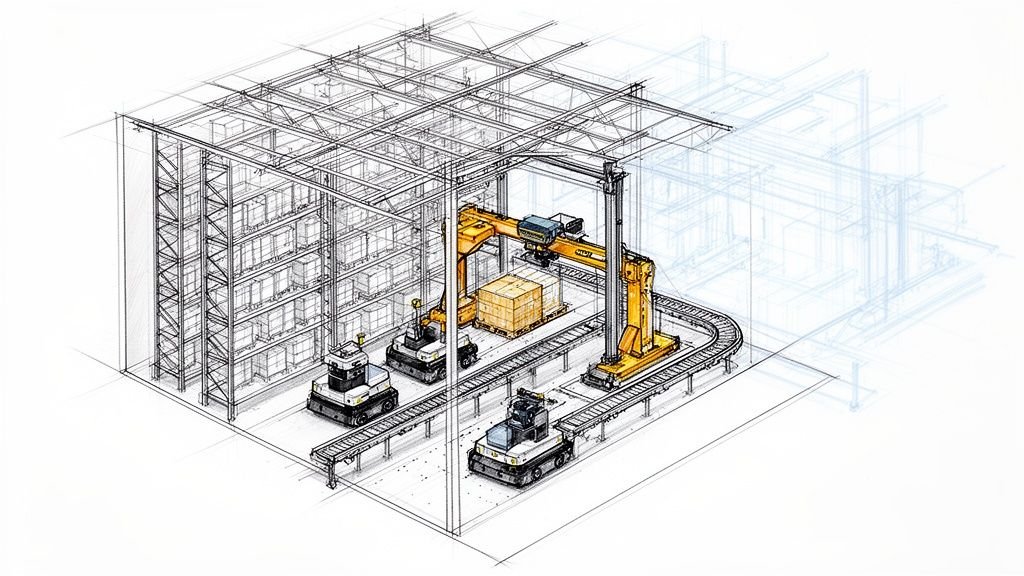
A small CAD error on a warehouse project—a miscalculated truck turning radius, an inconsistent column grid—doesn't just add cost. It cripples the facility's operational model, triggers permit rejections, and eats into margins. Successful construction of warehouse facilities hinges on a disciplined CAD strategy that respects the unique scale, heavy loads, and circulation demands that make these projects unforgiving.
This guide is a production-ready playbook for architects, civil engineers, and warehouse developers. We'll skip the generic design theory and focus on practical, phase-by-phase CAD best practices that move industrial projects from planning to permit with predictability. The goal isn't to work harder; it's to build reusable CAD systems that protect your margins and scale.
Phase 1: Planning & Site Layout (CAD Best Practices)
The foundation of a profitable warehouse is poured long before any concrete arrives. It begins with CAD precision during site planning, where a flawed truck court layout is one of the fastest ways to get a permit kicked back, costing weeks of rework.
To build a site plan that sails through review, your team needs rigorous, repeatable CAD workflows. It starts with establishing a clean, shared coordinate system. This ensures every consultant—from civil to landscape—is working from a single source of truth, preventing the alignment headaches that plague too many projects.
Defining Circulation and Access with Precision
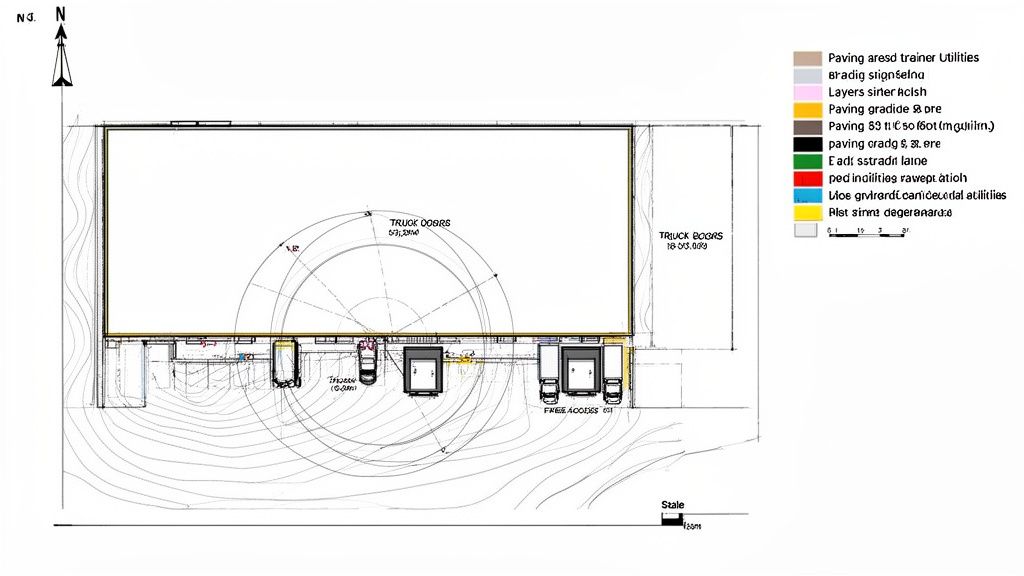
A warehouse’s value is tied to its efficiency, and that efficiency begins the moment a truck enters the property. Nailing the truck circulation isn't an artistic exercise; it’s a technical discipline that lives and dies by CAD precision.
Best practice is to verify turning radii for a standard WB-67 design vehicle using dynamic blocks or vehicle tracking software directly within your CAD environment. This simulates the truck’s actual path, ensuring docks, drive aisles, and fire access lanes are genuinely functional. We've seen warehouse permit timelines cut in half when teams standardize their CAD approach from site layout through final details. A site plan that clearly demonstrates verified turning paths answers a plan reviewer's primary questions before they're even asked.
Scenario: A team lays out a truck court that looks spacious on paper. But because they didn't simulate the trailer's off-tracking during a turn, trucks can't back into the docks without complex, time-wasting maneuvers. This error, easily caught with a proper CAD simulation, forces a costly redesign of paving, drainage, and even the building’s position.
Establishing Disciplined Layer and Data Management
A chaotic layering system is a guaranteed path to confusion and RFIs. A warehouse site plan is packed with information—utilities, paving, grading, striping—and requires an organized approach. Implementing a clear, logical layer naming convention is non-negotiable for effective collaboration with civil engineering partners. A deep understanding of tools like AutoCAD Civil 3D is essential here.
A solid layering standard for a warehouse site plan should include distinct layers for key features:
- C-PAVE-TRUCK: Heavy-duty paving for truck courts.
- C-PAVE-AUTO: Light-duty paving for employee parking.
- C-FIRE-LANE: A dedicated layer to delineate required fire department access roads.
- C-UTIL-SD: Storm drain lines and structures.
This organization transforms the CAD file from a simple picture into a reliable database, allowing teams to isolate systems, check for conflicts, and generate accurate takeoffs.
Phase 2: Design Development (Structural Bays & Building Envelope)
As we move into design development, the focus shifts to the warehouse's core and shell. This is where precision in the structural grid and building envelope is a requirement for staying profitable. One of the most common sources of RFIs on a warehouse job is an inconsistent column grid.
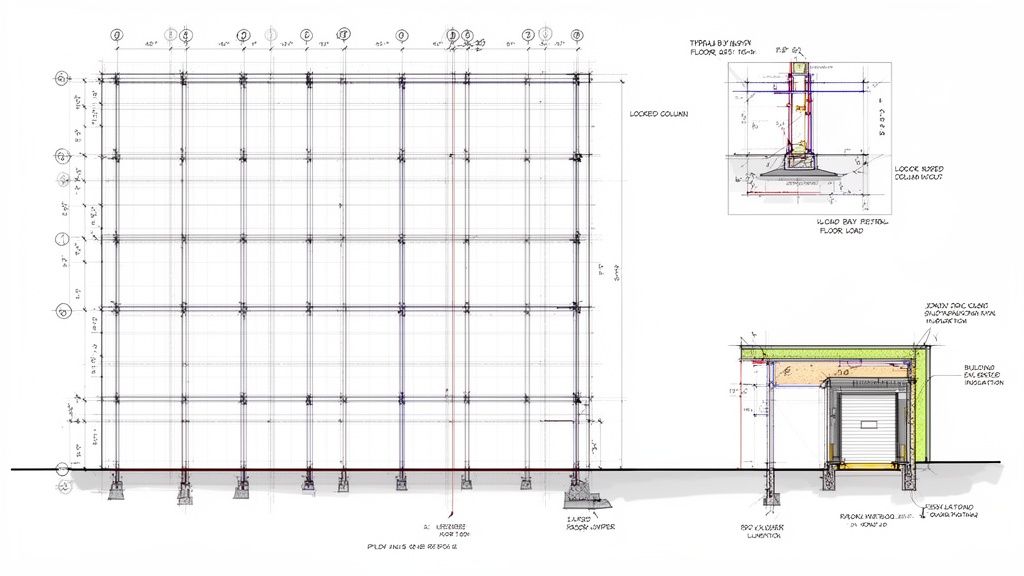
The key to avoiding this predictable chaos is template discipline. High-performing teams create reusable CAD templates for typical structural bays—disciplined digital assets with locked-down grid dimensions, embedded attributes for bay numbering, and standardized notes for floor load capacities. This turns tedious, repetitive work into a reliable, scalable process.
Locking Down the Structural Grid for Predictability
A warehouse’s structural grid is its skeleton. If it's misaligned, everything built upon it is compromised. The most effective way to maintain control is to establish the grid in a single, externally referenced base file (an XREF). This ensures everyone—architectural, structural, MEP—is referencing the exact same gridlines.
Scenario: An architectural team manually draws the column grid. The structural engineer does the same. A tiny discrepancy—a fraction of an inch—creeps in. When the steel fabricator gets both sets of drawings, the grids don’t align, triggering an RFI. Work halts while your team fixes a mistake a proper XREF workflow would have prevented.
The difference between inconsistent grid dimensioning and a referenced base file is the difference between constant firefighting and predictable delivery. Margin protection in warehouse CAD is about eliminating self-inflicted errors through system discipline.
Building a Reusable Library for the Envelope
The building envelope also benefits massively from a library-driven approach. Detailing dock doors, man doors, and wall panel joints from scratch on every project is a waste of time and a breeding ground for inconsistency.
A robust detail library for warehouse design is a core asset. This library should be packed with pre-drawn, fully annotated details for common conditions:
- Dock Door Assemblies: Head, jamb, and sill details.
- Wall Panel Connections: Clear details showing how tilt-up or IMPs tie into the foundation and roof.
- Insulation and Vapor Barriers: Standardized details that ensure thermal and moisture control continuity.
When managed as blocks in your CAD system like AutoCAD, these details can be dropped into any project in seconds. This eliminates endless repetitive drafting and guarantees consistency across hundreds of thousands of square feet of warehouse floor plans.
Phase 3: Construction Documents (MEP Coordination & Details)
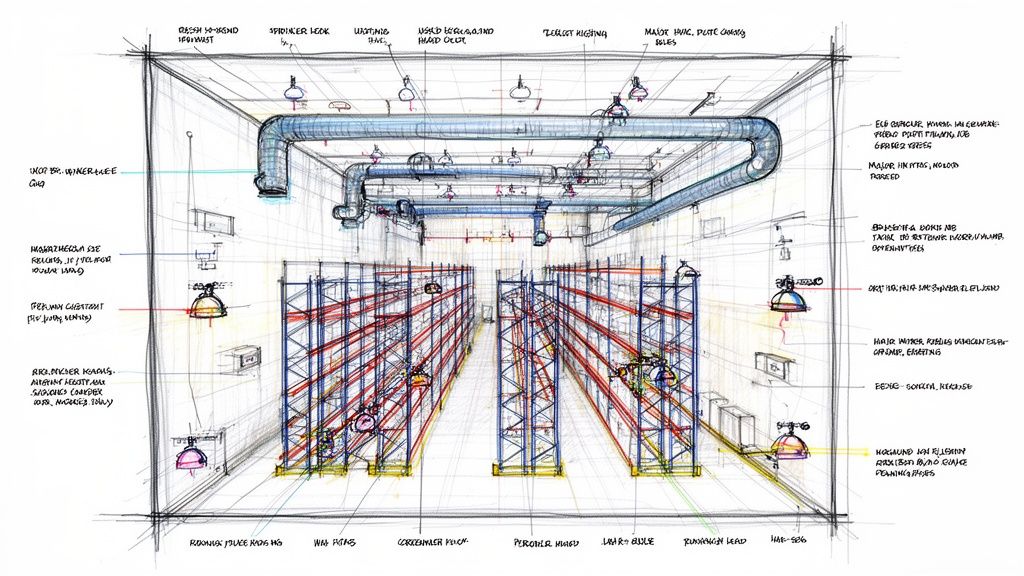
The construction documents phase is the last stop before your warehouse design faces plan reviewer scrutiny. The sheer scale of a warehouse magnifies any MEP conflict. A minor clash between a sprinkler main and a light fixture isn't one problem; it's a problem repeated hundreds of times.
Success here isn't about drafting speed; it’s about a disciplined, systematic approach. This means proactive coordination and documentation with absolute clarity. Transitioning your workflow toward BIM and 3D modeling becomes a strategic advantage for catching these issues early.
Avoiding Fire Sprinkler and Racking Conflicts
One of the most expensive headaches in warehouse construction is the conflict between fire sprinkler systems and the final racking layout. Getting a sprinkler plan rejected by the fire marshal because it doesn't provide adequate coverage around high-piled storage is a nightmare scenario.
The best practice is simple: overlay the proposed racking plan directly onto the fire protection drawings in your CAD environment. This step makes it immediately obvious where sprinkler heads might be obstructed or if in-rack sprinklers are needed. This is a critical QA process checkpoint that prevents costly redesigns and change orders.
For warehouses storing hazardous materials, the stakes are even higher. Consulting solid chemical storage compatibility guidelines isn't just a good idea; it can prevent catastrophic design flaws that impact structural and MEP systems.
Documenting Specialized Systems and Floor Specifications
Modern warehouses often house specialized MEP systems that demand meticulous documentation. Using clear, dedicated CAD layers for electrical, HVAC, and plumbing is non-negotiable.
- FP-SPRK-HEAD: Sprinkler heads
- FP-PIPE-MAIN: Main sprinkler lines
- E-LITE-FIXT: Lighting fixtures
- M-DUCT-MAIN: Main HVAC ductwork
Beyond what's overhead, the floor slab itself is a critical component. For facilities using automated systems or very narrow aisle (VNA) forklifts, floor flatness (FF) and levelness (FL) specifications are absolute. These values must be clearly called out on the structural drawings. The control joint plan also deserves its own dedicated drawing, fully coordinated with the column grid. Effective clash detection in BIM is a core business strategy to catch these conflicts digitally before they become expensive field problems.
Phase 4: Permit Submittal (Critical Sheets & Common Pitfalls)
Securing a warehouse permit is the critical checkpoint where months of design work meet unforgiving scrutiny. A clean, well-organized permit set tailored for industrial projects is your fastest path to approval. The goal is to answer the reviewer's questions before they have to ask them.
They shouldn't be hunting for fire access routes, ADA compliance details, or structural load capacities. When the information is clear, the review is smooth. This is where your disciplined production systems pay off, preventing the RFI prevention that protects project timelines.
Critical Sheets for a Warehouse Permit Set
While every jurisdiction has its quirks, a solid permit set for the construction of a warehouse always contains a core group of drawings. If any of these are missing or incomplete, you're asking for a rejection.
- Civil/Site Plans: Must clearly show truck circulation, fire department access roads (with verified turning radii), site grading, drainage, and utility tie-ins.
- Architectural Floor Plans: Specify occupant loads, map out all egress paths, and clearly label high-piled storage areas with their designated commodity class.
- Life Safety Plans: Explicitly show fire extinguisher locations, exit signs, emergency lighting, and travel distances, all compliant with the International Building Code (IBC).
- Structural Drawings: Include foundation plans, framing plans, and explicitly state all design loads—dead, live, wind, and seismic. Floor load capacities are a must.
- MEP Drawings: Fire protection plans are king. Detail the sprinkler head layout, coordinated with the racking plan, and show the fire department connection (FDC) location.
As you prepare documents, familiarize yourself with robust permit to work systems. These will be essential for managing site safety once construction begins.
Common Pitfalls That Trigger Permit Rejection
Plan reviewers who handle industrial building CAD projects see the same mistakes daily. Get ahead of these common red flags in your QA process to avoid a frustrating cycle of resubmittals.
- Inadequate Fire Department Access: Just drawing a lane isn't enough. Your plans must prove the lane's width, turning radii, and surface material meet local fire code.
- Unclear High-Piled Storage Designations: The plans must explicitly state the commodity class, storage height, and whether it’s racked or palletized. This dictates the sprinkler design.
- Insufficient ADA Accessibility Details: Reviewers scrutinize accessible parking, clear paths of travel to the entrance, and accessible routes to all employee areas.
- Vague Structural Load Notes: The structural drawings for the warehouse floor plans must clearly state the design live load (e.g., 250 psf) and any special load considerations.
The permit submittal is not the time for ambiguity. A plan reviewer will not make assumptions in your favor. Clarity in your CAD work is your best tool for risk mitigation.
Quick Reference: 6 Best Practices for Warehouse CAD
- Verify Truck Circulation: Use vehicle tracking simulation in CAD to confirm turning radii for WB-67 trucks on all site plans.
- Use a Master Grid XREF: Establish the structural grid in a single, externally referenced base file to ensure consistency across all disciplines.
- Build a Reusable Detail Library: Standardize common conditions like dock doors and wall panel joints to eliminate repetitive drafting and ensure quality.
- Overlay Racking on Sprinkler Plans: Always XREF the final racking layout onto the fire protection drawings to prevent costly sprinkler head conflicts.
- Document Floor Specs Explicitly: Clearly state FF/FL values, slab thickness, and control joint layouts on structural drawings.
- Create a Permit Submittal Checklist: Develop a QA process focused on common warehouse pitfalls like fire access, high-piled storage notes, and ADA compliance.
Move from Reactive Drafting to Proactive Systems
Successful construction of warehouse facilities isn't about CAD complexity—it's about standardized workflows that account for the unique scale and operational demands that make these projects different. The answer isn't working harder on each project; it's building reusable CAD systems that deliver clarity, consistency, and predictability.
At BIM Heroes, we help firms build the production systems that protect margins and enable scalable delivery. If your team is ready to move beyond fighting fires on every project, we’re here to help.
Ready to implement these practices? Download our Warehouse Construction CAD Checklist to start standardizing your workflow today.
Explore our Architectural Production & BIM Consulting Services