A proper reality capture workflow is the bridge between raw 3D scan data and reliable, production-ready information. It’s more than pointing a laser scanner; it’s the entire lifecycle—planning, scanning, registration, cleanup, QC, and modeling strategy—that ensures the final output slots perfectly into your BIM deliverables.
This isn't about collecting data; it's about manufacturing clarity.
Moving Beyond The "Scan To Model" Myth
Too many AEC firms are sold a simple “scan to model” promise, only to be left with a chaotic mess of unusable data that destroys their margins. Here’s the truth: the magic isn't in the scanner. It's in the disciplined reality capture workflow that converts raw point clouds into buildable certainty.
This disconnect is a massive source of frustration. It shows up as giant, unusable point cloud files, misaligned scans, and noisy data that forces your BIM team to guess at critical geometry. This isn't just inefficient; it's a direct threat to project predictability and profitability. It's how RFIs happen and how permitting prep gets derailed.
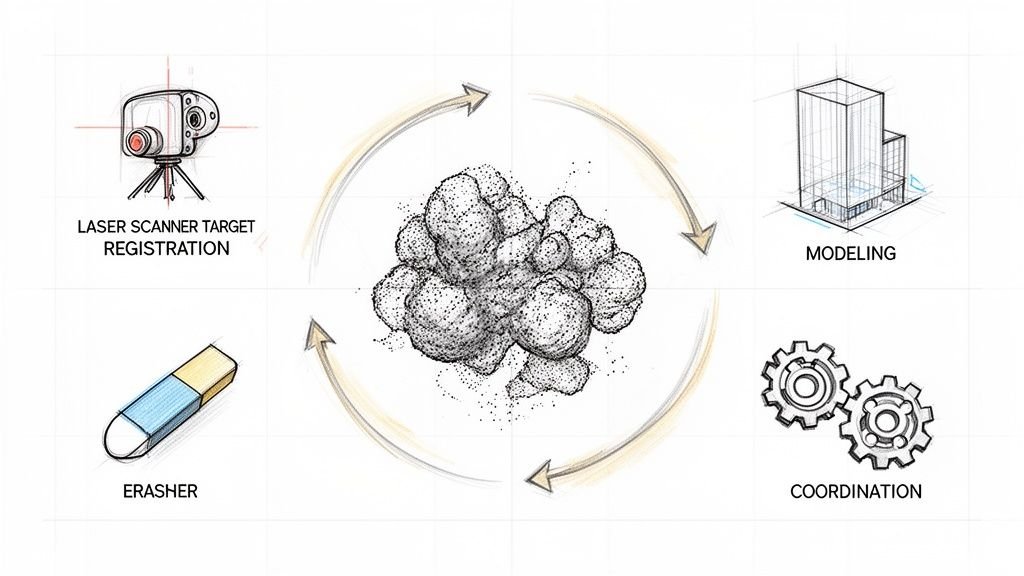
The infographic below nails the difference between the chaotic myth and the structured reality of a disciplined workflow.
One path leads to unpredictable results. The other delivers operational consistency because it’s built on a system.
The Foundation of Predictable Delivery
The firms that get this right treat their as-built capture process like a manufacturing line, not an art project. Every step is defined, from pre-scan checklists and room-by-room coverage logic to standardized file exports and QA checkpoints.
Think about the common pain points when a workflow is weak:
- Missing Data: Key structural or MEP elements are missed, forcing costly site revisits or inaccurate assumptions during modeling.
- Incorrect Coordinates: The point cloud doesn't align with the project’s coordinate system, making it useless for integration with existing BIM files.
- Unusable Files: The modeling team gets a single, massive point cloud file with zero structure, forcing them to waste hours on cleanup before any real work can begin.
In sharp contrast, a mature scan to BIM workflow delivers a clean, structured, and perfectly aligned dataset. We’ve seen modeling time cut in half when scan teams and BIM teams align their capture strategy before the first scan. This isn't an aspirational goal; it’s the direct result of template discipline.
The core lesson is this: Great scan results are not an accident. They are the product of a repeatable system that prioritizes clarity and production readiness.
This guide walks through building that system—a workflow that protects margins, prevents RFIs, and establishes your firm as one that understands how to deliver reliable as-builts at scale.
Winning The Project Before The First Scan
A successful reality capture workflow is won or lost long before the first laser beam leaves the scanner. The most common source of failure—misaligned scans, missing data, and unusable point clouds—stems from a simple lack of upfront planning.
Treating the pre-scan phase with the same discipline you'd apply to permitting prep is what separates amateurs from pros. It starts with a kickoff meeting that gets your scan team and BIM team speaking the same language. This is a critical decision checkpoint.
Here, both teams align on the why behind the scan. Is it for a historic renovation where ornate plasterwork is critical? Or a multi-site retail rollout where the focus is consistent MEP placement? The end goal dictates the entire capture strategy.
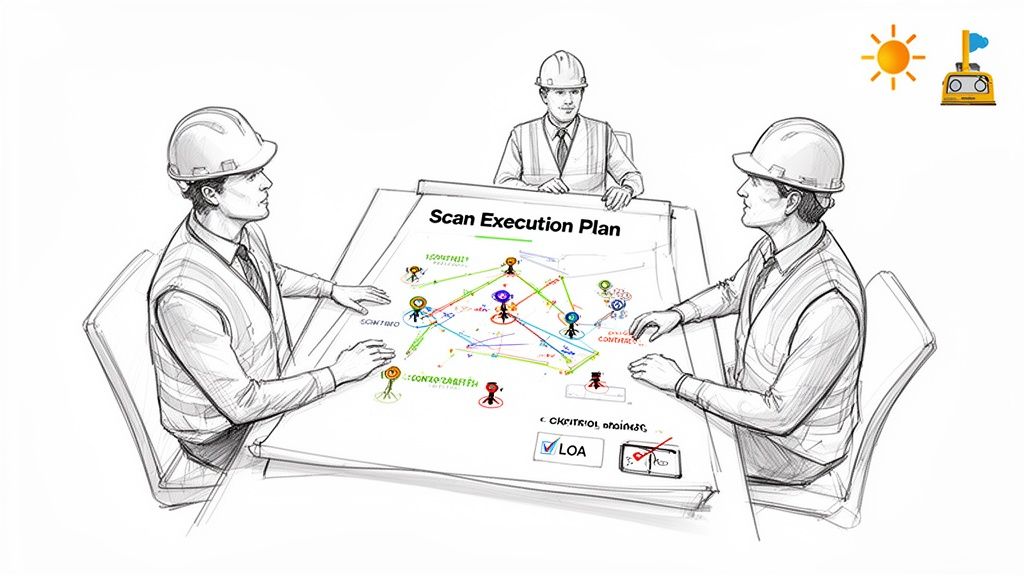
Defining The Scan Execution Plan
The deliverable from this kickoff is a Scan Execution Plan (SEP). This isn't an academic document; it's a practical field guide that ensures the data captured on-site is exactly what the modeling team needs. A solid SEP moves your team from reactive problem-solving to predictable, scalable delivery.
A good SEP defines key parameters:
- Scan Paths and Coverage Logic: Plan a room-by-room, floor-by-floor strategy. This ensures complete coverage without unnecessary overlap, preventing both missing areas and bloated file sizes.
- Density and Resolution: Specify the scan density needed for different areas. A mechanical room needs higher density than an open office floor.
- Control Strategy: Decide upfront if survey control points are needed to tie scans to a project coordinate system. Forgetting this is a classic mistake.
- Naming Conventions: Establish a clear system for naming each scan (e.g.,
Project_Floor_Area_ScanNumber). This simple discipline makes registration infinitely smoother.
A Scan Execution Plan is your first line of defense against rework. It turns an ambiguous request for "a scan" into a precise manufacturing order. This is the foundation of margin protection.
Tailoring The As-Built Capture Process To The Project
The as-built capture process is never one-size-fits-all. A sprawling industrial facility poses different challenges than an occupied hospital wing. Your plan must account for real-world roadblocks like reflective surfaces, active foot traffic, or poor lighting.
Capturing a historic building is a different ballgame than a modern commercial space. The historic project demands higher scan density to capture complex geometries, which directly impacts the Scan to BIM services that follow. The modern space might prioritize speed, focusing on structural elements and MEP systems.
Failing to tailor the plan creates downstream chaos. We’ve seen scan teams capture data without understanding the modeling strategy, delivering a point cloud that’s beautiful but unusable. They capture every piece of furniture when the BIM team only needs core and shell. This isn't just wasted time—it's a direct hit to your budget and timeline.
The goal is to capture actionable data, not just pretty pictures. By investing in robust planning, you build predictability into the entire point cloud workflow.
On-Site Capture And Real-Time Quality Control
With the Scan Execution Plan locked in, the reality capture workflow moves to the field. This is where discipline counts. The quality of your project hinges on how rigorously your team executes the plan, turning it into clean, reliable data.
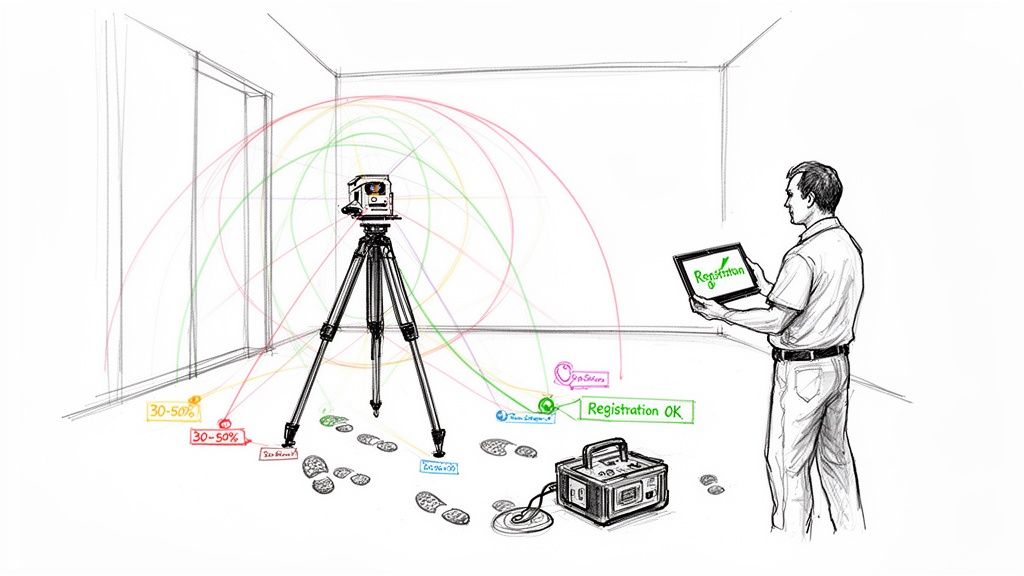
Good data starts with smart scanner placement. Your goal is a logical web of scans that captures what the modeling team needs without drowning them in redundant information. This means strategic scan paths and ensuring enough overlap—typically 30-50% between adjacent scans—to guarantee a clean registration back in the office. Insufficient overlap is the number one reason registrations fail.
Every mistake on site translates directly into non-billable hours spent on rework and frustrating guesswork.
Real-Time QA Is Non-Negotiable
The biggest mistake a field team can make is packing up without confirming the data is solid. Leaving the site with "scan blindness" is a gamble that never pays off. Real-time quality assurance is a non-negotiable part of any mature scan to BIM workflow.
Using field software like Trimble RealWorks or FARO Scene to run a preliminary registration on-site is a must. This check lets you:
- Verify Complete Coverage: Instantly see any gaps or "holidays" in the data while you can still fix them.
- Confirm Registration Health: Check for high error reports or misalignments before they become a major headache.
- Identify Noisy Data: Catch issues from movement, vibration, or reflective surfaces.
Waiting until you’re back in the office to discover a busted scan is a rookie mistake. A ten-minute field check can save ten hours of painful data correction and prevent a costly trip back to the site.
This on-site discipline ensures the data handed off is clean and production-ready. Many teams supplement terrestrial scans with mobile mapping technologies for an even more comprehensive picture, a powerful combo for maximizing as-built documentation with mobile mapping for CAD and BIM.
The Power of Field Discipline
Beyond tech, small organizational habits make a huge difference. Documenting scan locations on a floor plan, keeping a meticulous scan log, and using consistent scanner settings eliminate ambiguity and speed up registration.
Discipline in the as-built capture process is a key competitive differentiator. The global laser scanning market was valued at over $3 billion in 2020 and is forecasted to hit $16.66 billion by 2030. This technology can slash traditional surveying time by up to 70%. As more firms adopt it, those with disciplined on-site workflows will consistently deliver better results. They understand the scanner doesn’t guarantee quality—the process does.
Turning Raw Scans Into A Usable Digital Twin
The on-site work is half the battle. A successful reality capture workflow now shifts to the office, where raw data is transformed into a clean, reliable foundation for modeling. This is where a disciplined system turns millions of points into a cohesive, intelligent digital asset.
It starts with scan registration—digitally stitching individual scans into one unified point cloud. If this alignment isn't right, the entire dataset is compromised. The goal is a tight registration with minimal error, guaranteeing the geometric accuracy of your final as-built model.
From Raw Data To A Clean Canvas
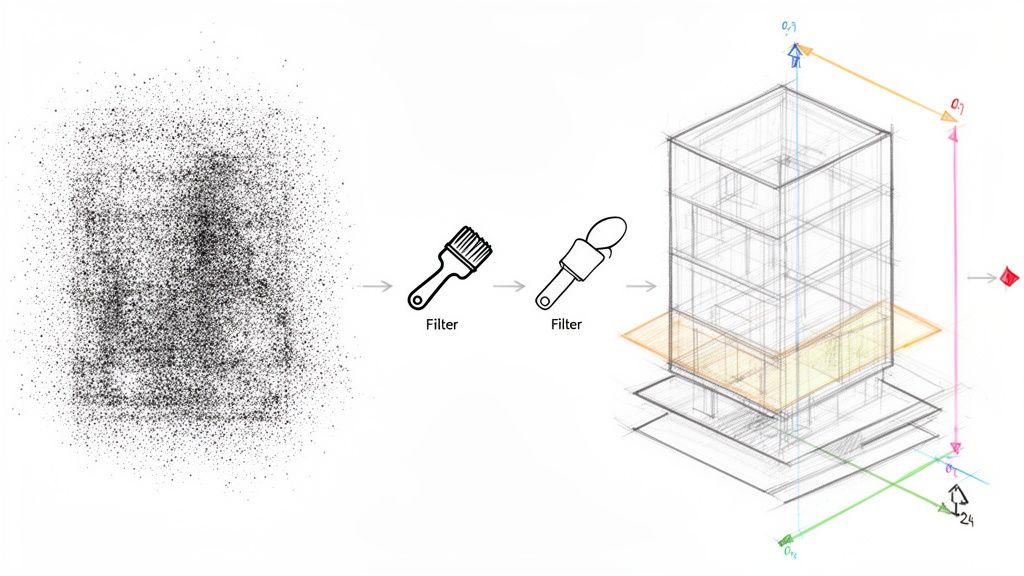
Once registered, the next move is methodical cleanup. Raw point clouds are full of "noise"—unwanted data from people walking by, reflective surfaces, or temporary objects. A messy point cloud forces the modeling team to guess, undermining the entire reason you scanned in the first place.
This isn't just deleting stray points; it's a strategic effort to isolate core building geometry. A robust point cloud workflow pays off here. A clean, lightweight dataset makes everything that follows faster and more accurate. For a deeper look, see our guide on how to clean point cloud data for accurate models.
The objective of data processing is simple: deliver a point cloud to the modeling team so clean they can begin productive work immediately, without wasting a single billable hour on data janitor tasks.
Exploring tools like timbercloud's platform features can be valuable for managing large datasets efficiently.
Data processing is where avoidable problems become project-derailing headaches. A workflow-first approach prevents them from happening at all.
Common Point Cloud Processing Issues vs. Workflow Solutions
| Common Problem | Typical (Reactive) Fix | Workflow-Driven (Proactive) Solution |
|---|---|---|
| High Registration Error | Manually tweaking scan alignments post-registration, hoping to reduce error. | Use survey control and cloud-to-cloud constraints during registration for initial accuracy. |
| Excessive Noise | Spending hours in the office manually deleting unwanted points from the final cloud. | Plan scan locations to minimize capture of traffic; use automated filters. |
| Massive File Sizes | Decimating the point cloud heavily, risking the loss of important detail. | Segment the point cloud into logical regions during processing, keeping files manageable. |
| Coordinate Misalignment | Trying to manually move and rotate the final point cloud to match design files. | Establish project coordinates with survey control before scanning and apply them during processing. |
Thinking proactively about these traps is what separates a professional operation from an amateur one.
Structuring The Point Cloud For Production
Handing off a single, massive point cloud is asking for trouble. The most effective scan to BIM workflow breaks that unified cloud into logical, manageable regions.
Common strategies include:
- By Floor or Level: A separate, lightweight file for each floor.
- By Discipline: Isolate MEP, structural, and architectural components into their own clouds.
- By Zone or Area: Break up huge floor plates into smaller worksets (e.g., North Wing, Core, South Wing).
This simple discipline allows multiple modelers to work on a project simultaneously without bogging down the central model.
The Critical Step Of Coordinate Alignment
The final, crucial step is locking the point cloud to the correct project coordinate system. If the point cloud doesn't overlay precisely with existing design files, you can't use it for clash detection or design validation.
This alignment is done using the survey control points identified in the pre-scan planning phase. By locking the point cloud to these known coordinates, you guarantee it shares the same origin as all other project data. This ensures the digital twin created from the as-built capture process is a true piece of engineering data that can be trusted for critical decisions.
Modeling From Point Clouds With A Production Mindset
This is where all that upfront discipline pays off. Now, the real work begins: turning a clean point cloud into an intelligent, production-ready BIM deliverable. This is more than tracing lines; you're translating captured reality into a structured model that drives on-site decisions.
The modeling strategy defined in the planning stage is now critical. The team needs a clear understanding of the required Level of Development (LOD). Not everything needs to be modeled to the nth degree. A non-critical partition wall might be fine at LOD 200, but a complex piece of mechanical equipment might demand LOD 350.
Nailing down these boundaries before modeling is a hallmark of a mature production process. It stops modelers from burning hours on details that don't matter and protects your margins.
From Points To Intelligent Elements
Modeling from a point cloud in a platform like Revit blends technical precision with interpretive analysis. The mantra is simple: "model the truth." The whole point of the as-built capture process is to document the actual conditions—warts and all.
This means capturing the subtle realities: a wall that bows, a floor that sags, or a beam that isn’t plumb. A production-minded modeler doesn't "correct" these imperfections; they model them exactly as they are. This accuracy prevents costly RFIs and change orders.
To do this effectively, modelers use section boxes and slicing planes to isolate specific areas, ensuring every element is placed where it exists in the real world. This systematic approach is the backbone of a reliable point cloud workflow.
The goal isn't to create a 'perfect' model. The goal is to create a perfectly accurate model of an imperfect building. That distinction is where the real value lies for renovations and permitting prep.
Model Structuring And File Management For Delivery
A beautifully modeled file is useless if it’s too heavy for the project team to use. The final step in a mature scan to BIM workflow is ensuring the deliverable is lightweight and drops seamlessly into the client’s BIM environment.
Good file management turns a model into a long-term asset:
- Logical Model Structure: Break the model into chunks (core and shell, interiors, MEP) using worksets or linked files.
- Clean File Hygiene: Regularly purge unused elements and audit the model to keep it running smoothly.
- Template Discipline: Build the model from a standardized project template for consistency in families, views, and naming conventions.
This final structuring proves you understand production. It shows you sell clarity and reliable systems, not just modeling hours.
The demand for this precision is growing. The Reality Capture market, valued at USD 1.2 billion in 2024, is expected to hit USD 3.5 billion by 2033. Teams are slashing project timelines by 30-50% and cutting errors by up to 40%. You can read more about the technology shaping these workflows and its integration into modern AEC platforms.
A disciplined modeling phase transforms a point cloud from a static snapshot into an intelligent tool, delivering on the promise of reality capture: buildable clarity and operational consistency.
Weaving New Tech Into a Disciplined Workflow
New technologies aren't a replacement for a solid reality capture workflow—they're amplifiers. Tools like AI and mixed reality deliver value only when built on a foundation of production discipline.
Artificial intelligence, for instance, is automating point cloud classification. AI algorithms can now identify walls, floors, or MEP systems in a fraction of the time it takes a technician to do it manually. This doesn't eliminate the need for skilled oversight, but it dramatically speeds up the jump from raw data to a structured, model-ready dataset.
Plugging an AI-driven classification process into a well-defined point cloud workflow can cut initial data prep time by 30-40%. That frees up your senior technicians to focus on complex geometry and critical quality control.
On-Site Validation With Mixed Reality
Mixed reality (AR/VR) is another powerful application for on-site validation. This tech lets your team overlay the design model directly onto the real-world point cloud, whether in the office or live on-site with a headset. It creates an immediate environment for clash detection and progress verification.
Imagine a project manager walking a renovation site, seeing proposed MEP runs from the BIM model glowing exactly where they should be installed, all within the context of the scanned as-built conditions. This is a practical QA process that prevents costly installation errors.
The Global Mixed Reality market, valued at USD 2.7 billion in 2024, is projected to hit USD 18.3 billion by 2034. For AEC, this means workflows that reduce design iterations by up to 40% and speed up approvals.
These emerging tools don't change the rules. They let teams who have mastered the fundamentals play at a much higher level. Predictability and consistency are still the ultimate goals.
The Foundation For Future Growth
The firms best positioned to capitalize on these advancements are those who have already mastered their foundational as-built capture process. They have the template discipline, QA checkpoints, and scalable delivery pods in place. For them, integrating a new tool is an upgrade to an already functioning system.
When exploring new tools, it's helpful to see how advancements like AI's impact on smart buildings are creating value in adjacent fields.
Ultimately, a mature scan to BIM workflow provides the operational consistency needed to test and scale new technologies effectively. It ensures every new tool serves the core mission: turning raw site data into buildable clarity that protects project margins.
Common Questions About Reality Capture Workflows
Even with a disciplined system, practical questions pop up. Let’s tackle some of the most common concerns we hear from architects, BIM managers, and survey teams.
How Do We Handle Massive Point Cloud Files?
This is the big one. The answer isn’t more server space—it's workflow discipline. A mature point cloud workflow is proactive, capturing only the necessary data density from the start.
In post-processing, a structured approach includes steps to:
- Clean and Decimate: Get rid of noise and strategically thin out point density in non-critical areas.
- Structure the Cloud: Segment the data into manageable chunks—by floor or by zone—before it touches a modeling environment.
- Use Indexed Formats: Relying on indexed formats like Autodesk's .rcp is non-negotiable. They allow software to load only visible data, dramatically boosting performance.
What Is the Biggest Mistake in Scan to BIM?
The most costly error is treating scanning and modeling as two separate tasks. We call it the "throw it over the wall" problem: the scan team captures data and hands it off to modelers with no prior conversation. This is where projects go off the rails.
A successful scan to BIM workflow is collaborative from day one. The modeling team must define their needs upfront—LOD, critical areas, coordinate systems. In turn, the field team must capture data understanding the final modeling intent.
We’ve seen modeling time cut in half when scan teams and BIM teams align their capture strategy before the first scan. It transforms the process from a relay race into a unified production line.
Can We Combine Drones and Terrestrial Scanners?
Absolutely. A hybrid as-built capture process plays to the strengths of both. Drones are brilliant for capturing roofs, facades, and large sites. Terrestrial scanners deliver the high-density, high-accuracy data needed for interiors.
The key is establishing a unified survey control network. By placing shared control points visible to both the drone and the scanner, you can merge both datasets into a single, cohesive, and highly accurate point cloud.
A disciplined workflow is the only path to predictable outcomes. If you're ready to move past data chaos and toward reliable delivery, implementing the right systems is the first step.
For a practical tool to get started, a good Scan Planning Checklist can ensure your field and office teams are aligned from the beginning. You can find this and other resources at https://www.bimheroes.com.