Meta description: A practical guide to laser scanning in construction, showing how point cloud data becomes a usable BIM model, where accuracy matters, and how to avoid costly scan-to-BIM workflow failures.
Category: Construction Coordination & Documentation
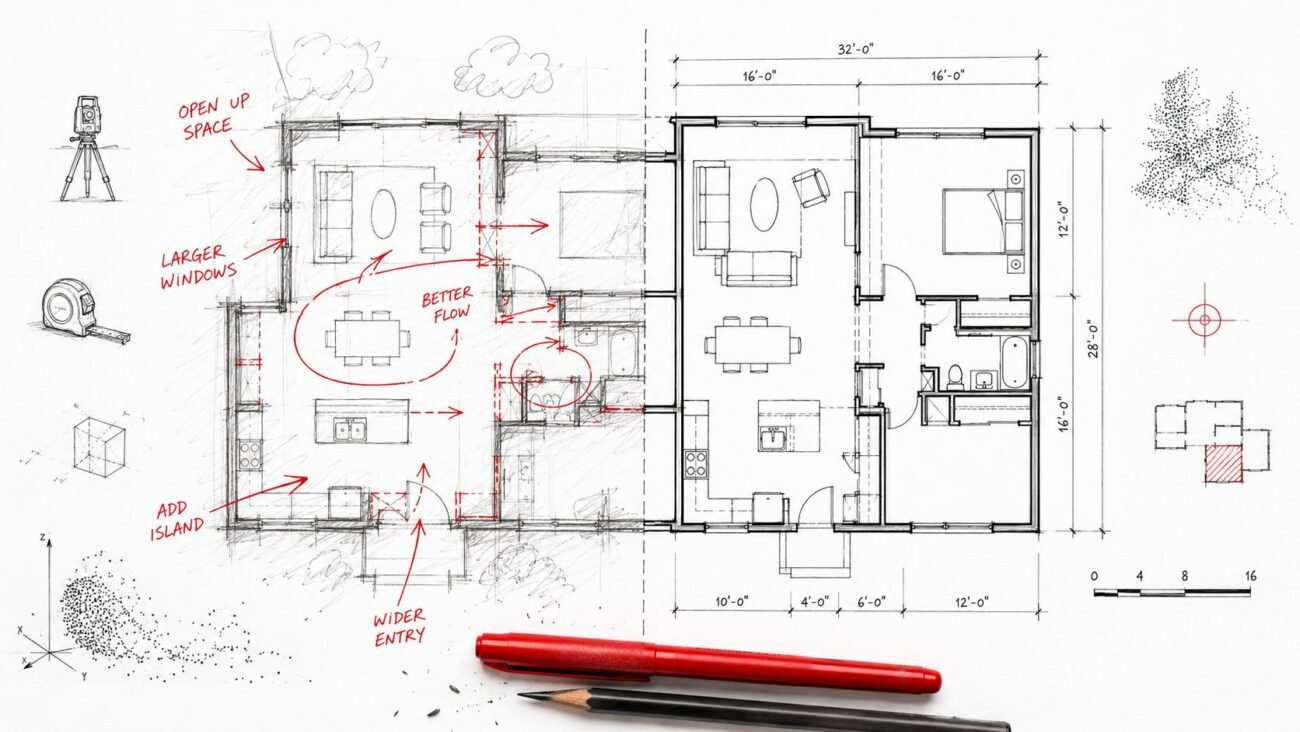
A renovation starts. The architect has a PDF set from two decades ago, a few markups from prior tenant work, and field notes that were pulled together under schedule pressure. On paper, the building looks simple. In the field, soffits drop where they shouldn't, walls drift off grid, and nobody trusts the ceiling space until demolition opens it up.
That's the as-built problem in real life. Tape-measure verification on a large or irregular existing building is slow, selective, and easy to get wrong. The dangerous part is that the errors often stay hidden until framing, routing, or equipment placement makes them impossible to ignore. Then the job pays for it through RFIs, redesign, rework, and avoidable coordination churn.
Laser scanning in construction matters because it changes the starting point. Instead of designing from assumption, teams can work from captured field conditions. The value isn't in the scan by itself. The value shows up when point cloud data is registered, cleaned, modeled with the right tolerance, and turned into a BIM deliverable that production teams can use.
The As-Built Problem That Derails Renovations
Most renovation risk starts before design development. It starts when the team accepts existing drawings as “good enough” even though they're incomplete, hand-measured, or incorrect. That decision seems minor at kickoff. It becomes expensive once structure, MEP, and architecture all begin making downstream assumptions from the same bad base file.
In existing buildings, the failure mode is predictable. Designers fill gaps with educated guesses. Contractors build to coordinated documents. Field crews then discover that beams are lower, walls are thicker, shafts are offset, or equipment clearances were never real to begin with. The project doesn't fail because the team lacks talent. It fails because the production input was unreliable.
A good way to think about a point cloud is digital dust that maps a room. Each point lands at a specific location in space. Enough points together give you measurable reality, not a sketch of reality. That distinction matters when a renovation has no tolerance for surprises.
Teams evaluating delivery approaches can see that pressure reflected in real engineering and construction client cases, especially where existing-condition uncertainty drives documentation risk. The common lesson is simple. Predictability starts with verified inputs, not optimistic assumptions.
In renovation work, the first coordination mistake is usually not in Revit. It's in the baseline data the model was built on.
What Laser Scanning Actually Captures
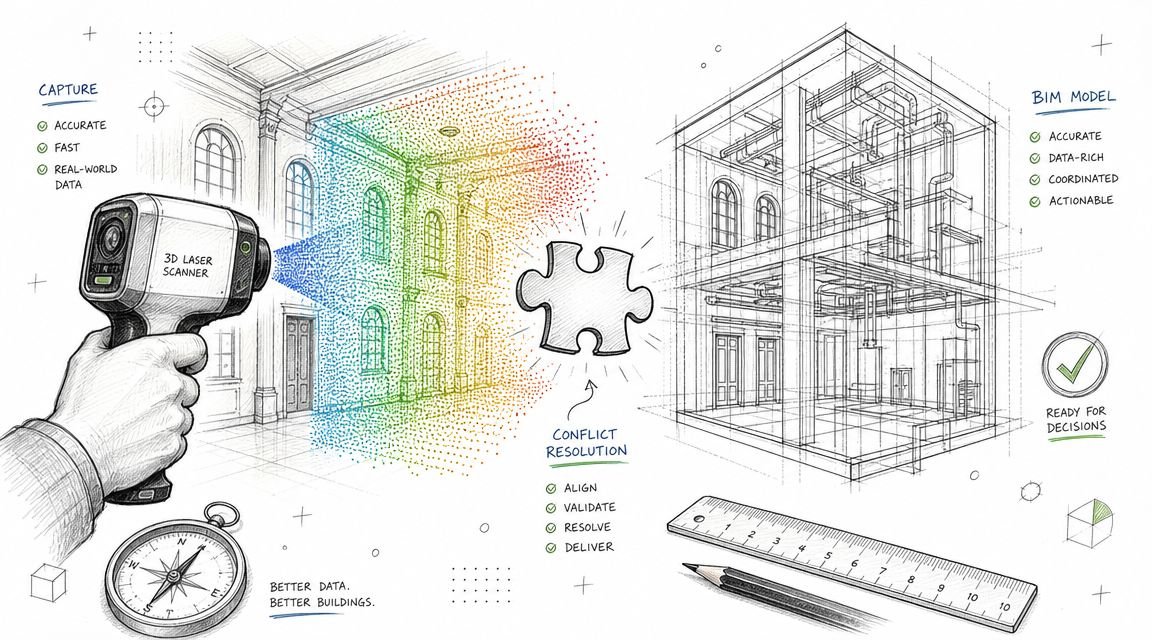
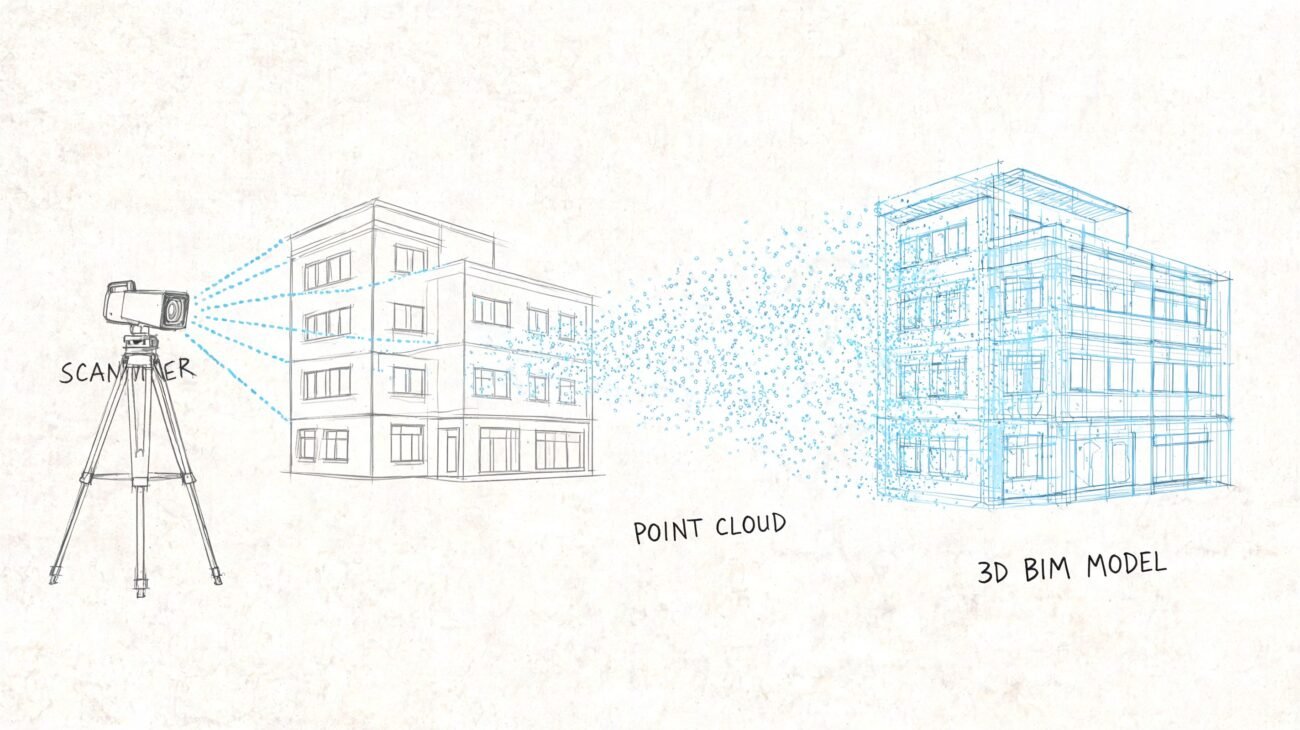
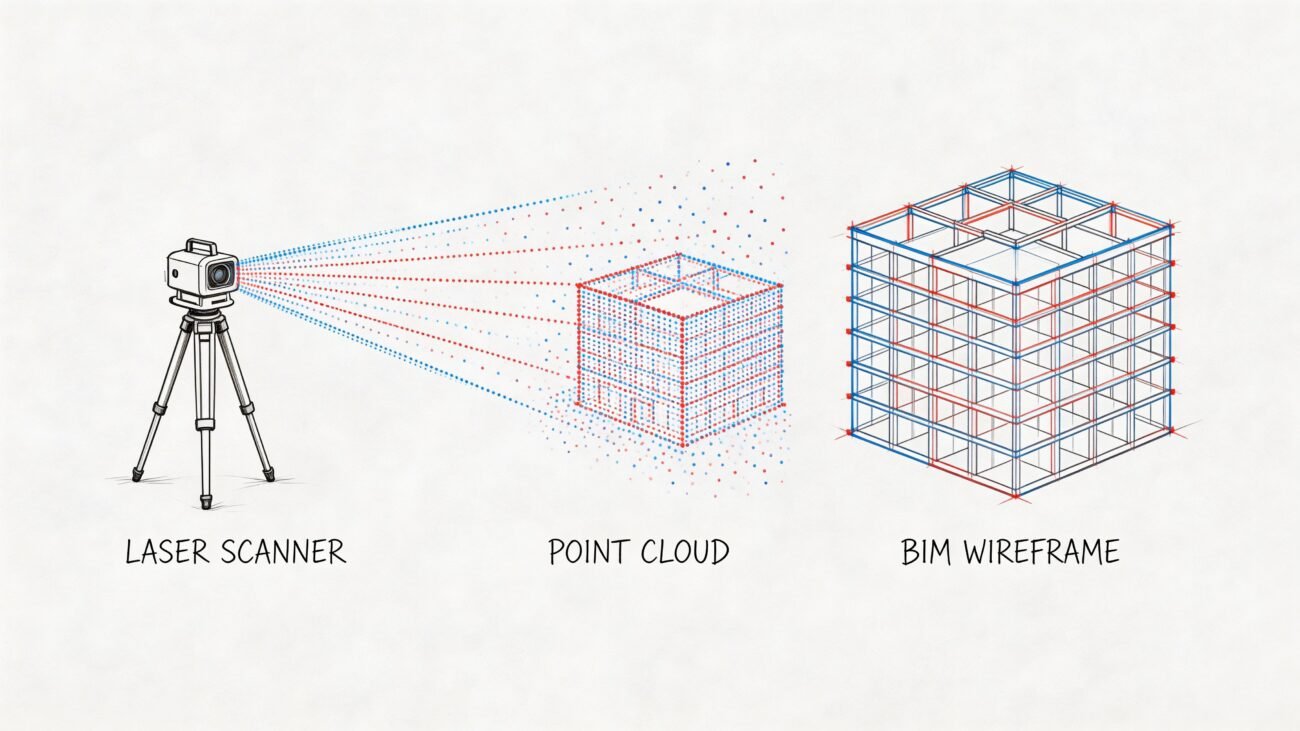
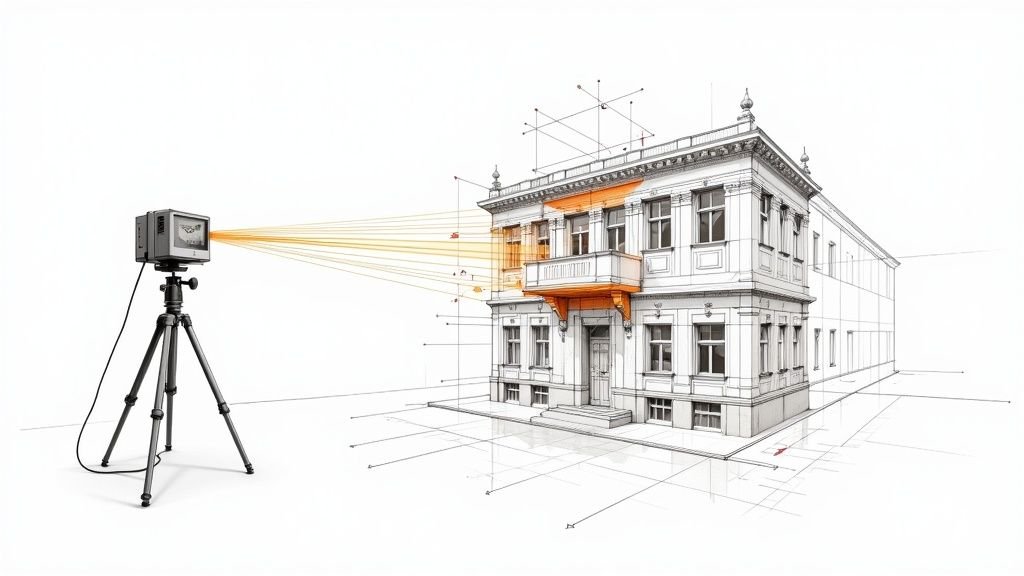
A laser scanner doesn't capture a drawing. It captures geometry. The device sends out laser pulses, measures the return, and records locations as XYZ coordinates. The result is a point cloud, which is a dense spatial dataset of what is physically there, including the irregularities original drawings often miss.
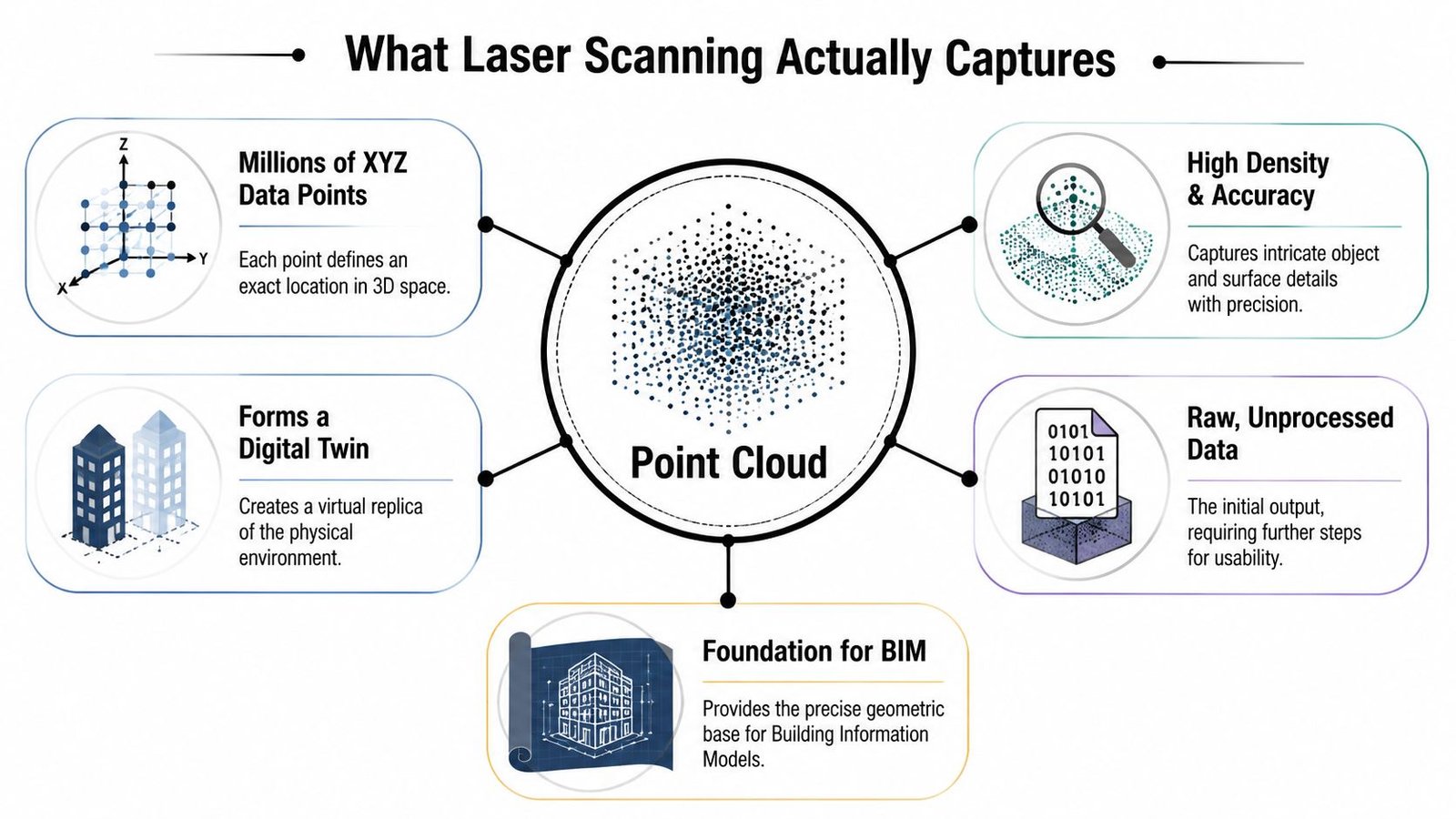
Laser scanning, also known as High-Definition Surveying (HDS) or LiDAR, captures millions of points per second to generate a point cloud that maps existing conditions with millimeter-level accuracy, enabling BIM teams to integrate precise as-built data before physical work begins, as noted by AT&T's overview of laser scanning in construction.
Accuracy versus visual confidence
A dense cloud can look convincing and still be the wrong tool for the task. That's where many teams get tripped up. They zoom in, see a crisp visual result, and assume the dataset is suitable for every downstream use. It isn't.
Tripod-based terrestrial scanners are typically the right choice when dimension control matters. Handheld systems move faster and can be effective for walkthrough capture, but they trade some accuracy for speed. Drone or mobile capture expands reach for sites, roofs, and exteriors, yet those methods answer different project questions than interior coordination.
Right tool for the job
Here's the practical comparison architects and GCs need to make:
| Method | Best fit | Main strength | Main trade-off |
|---|---|---|---|
| Terrestrial static scanner | Interiors, MEP rooms, critical dimensions | High accuracy and stable control | More setups and slower field capture |
| Handheld or SLAM scanner | Large floor areas, general layout capture | Fast walkthrough collection | Lower accuracy than static scanning |
| Drone or mobile capture | Exteriors, roofs, sites | Access and speed over large areas | Not ideal for every interior coordination need |
The point cloud is the record of what's built. Not what the permit set claimed. Not what a prior tenant redlined. What's there.
Choosing the Right Scanning Equipment and Method
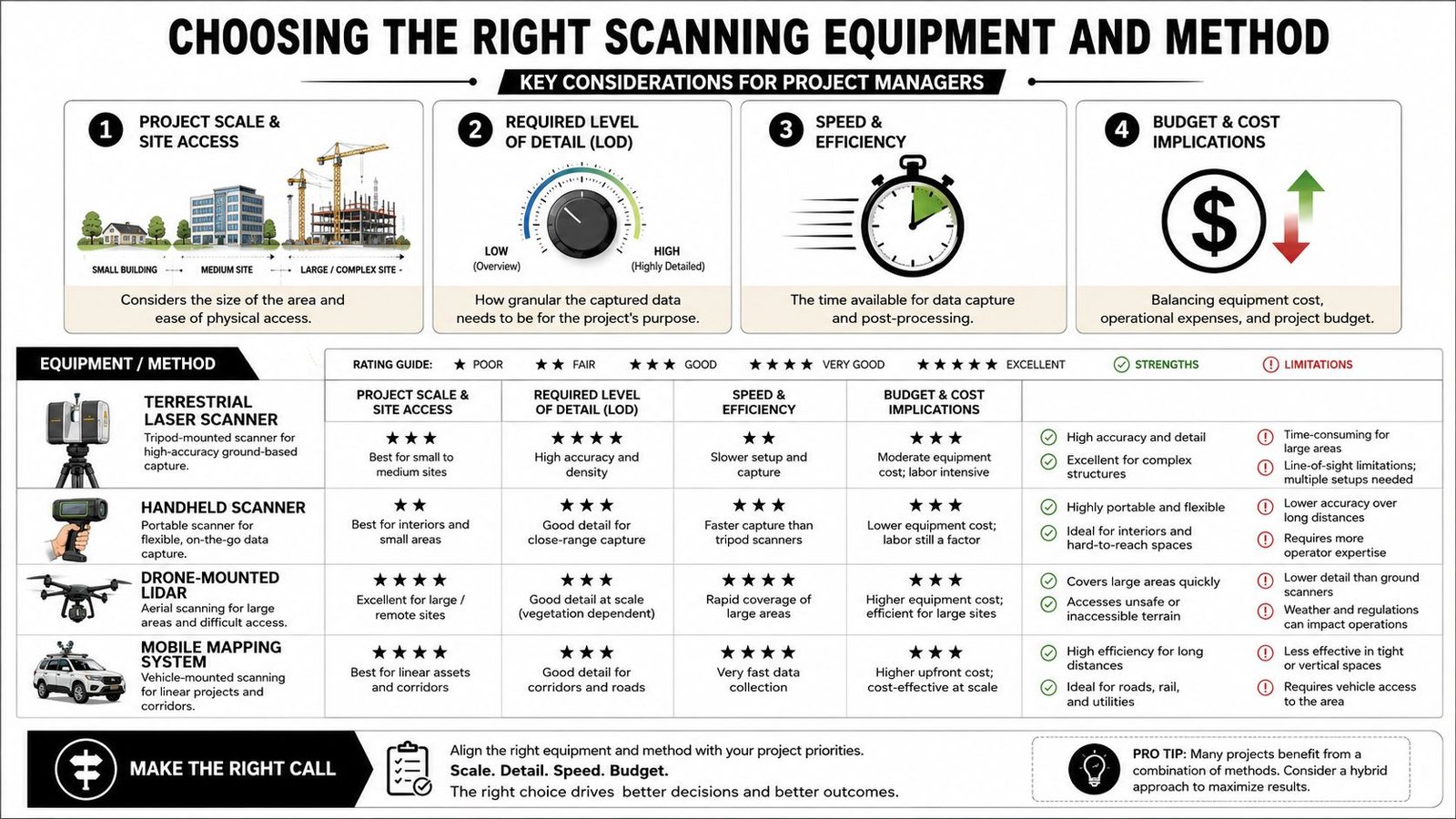
The equipment decision should start with the deliverable, not the gadget. If the project needs precise MEP coordination above an occupied ceiling, a fast walkthrough scan won't solve the problem. If the goal is general space planning across a large floor plate, overbuying precision may add cost without improving decisions.
Match method to tolerance
Three common approaches show up repeatedly in 3D laser scanning construction workflows.
Terrestrial static scanners are tripod-mounted and usually the safest choice when the project depends on reliable dimensioning. They're slower in the field because they require planned setups, line of sight, and registration discipline. They're still the standard for structural tie-ins, congested MEP spaces, and other work where small deviations create field clashes.
Handheld or SLAM scanners work well when speed matters more than fine-grain tolerance. They're useful for broad layout capture, large interiors, and early-stage documentation. They are not a universal substitute for static scanning when fabrication or tight fit-up is on the line.
Mobile or drone-based capture is useful for exteriors, facades, roofs, and site context. It expands coverage where access is difficult or where a ground-only workflow would be inefficient.
A practical selection filter
Before anyone mobilizes, answer these questions:
What has to fit
Is this for general planning, permit background, clash-sensitive MEP work, or owner record documentation?Where is access limited
Occupied areas, active facilities, roofs, and exterior envelopes often push teams toward mixed capture methods.What will the model include
If the BIM scope is selective, the scanning plan should support that scope instead of capturing indiscriminately.
For firms weighing options, a useful benchmark is to review a dedicated 3D LiDAR scanning workflow and compare it against the tolerance and modeling standards your projects require.
Buy accuracy where the project needs it. Don't buy speed and then expect it to behave like survey-grade interior control.
The Production Workflow From Point Cloud to Usable BIM Model
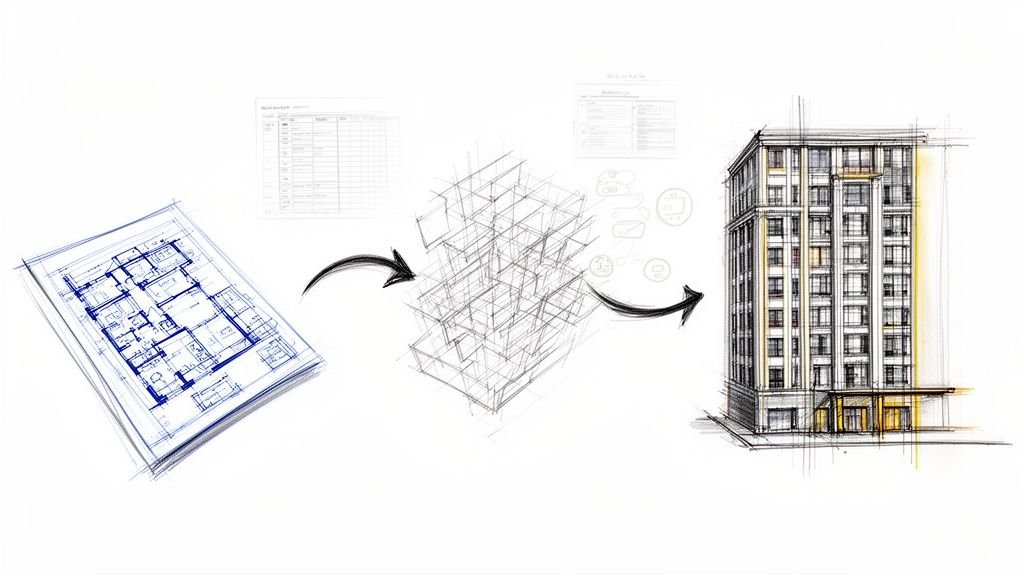
Raw scan files don't create project value by themselves. They create potential. Converting that potential into a usable model takes production discipline, clear checkpoints, and a team that understands both geometry and downstream documentation needs.
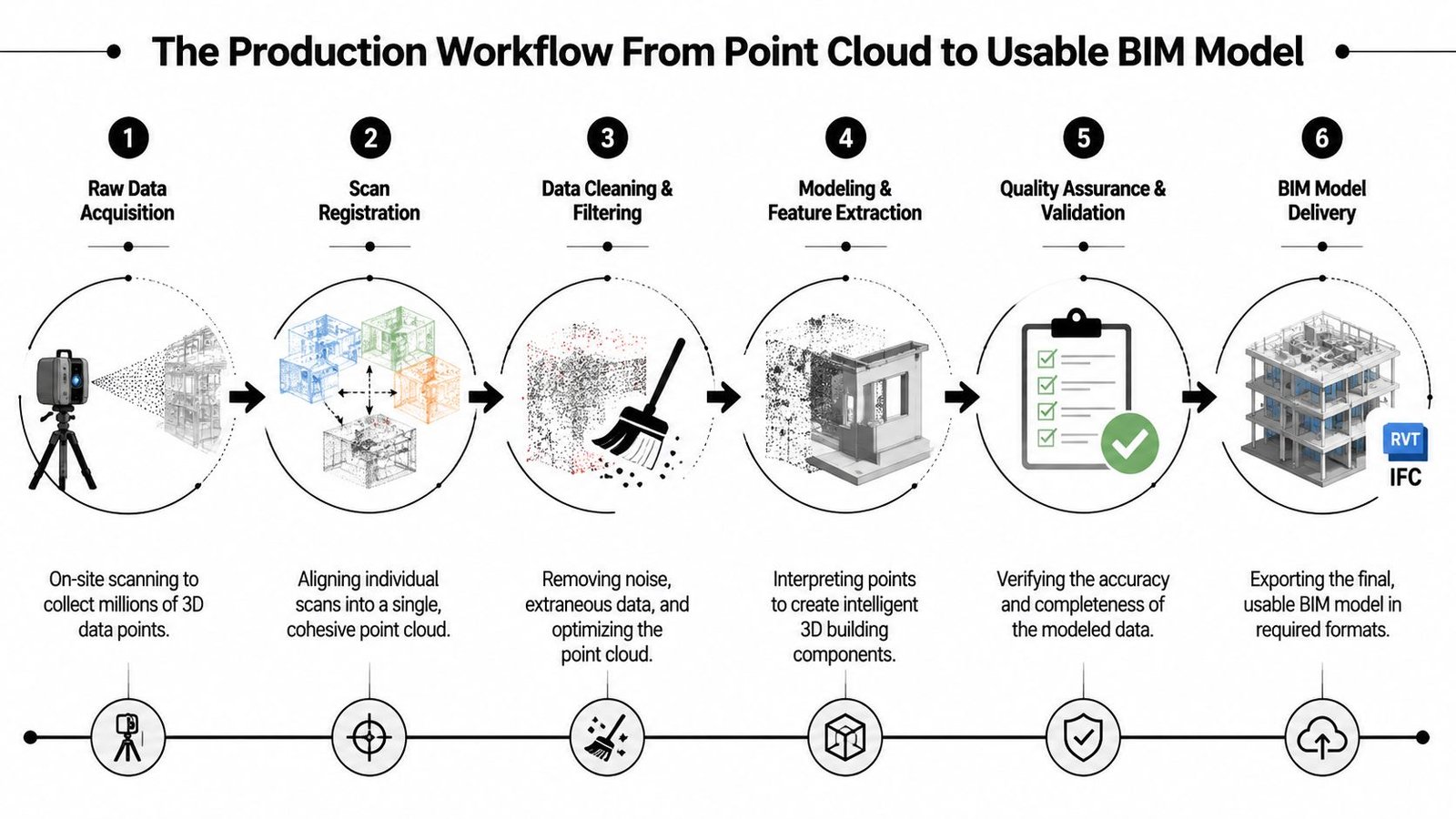
A lot of owners and project teams still assume there's an auto-convert step that turns a point cloud into a clean Revit model. There isn't, at least not in the way it is often anticipated. Good point cloud to BIM work is a managed interpretation process. The software helps, but production judgment carries the job.
For teams that need a plain-language refresher on the broader model context, this short explainer on what is BIM in construction is useful because it frames BIM as a decision and coordination tool rather than just 3D geometry.
Registration and cleanup
Every multi-position scan job starts with registration. Individual setups must be stitched into one coordinate system so the cloud behaves as a coherent dataset. If that step is weak, the entire workflow inherits drift, misalignment, and false confidence.
After registration comes cleanup. Real sites contain people, temporary materials, reflections, clutter, and occlusions. Some of that noise can be filtered. Some of the missing information has to be acknowledged as missing, not guessed into existence. Mature teams flag those gaps early so the model scope stays honest.
Modeling what the project needs
Production teams separate signal from noise. A point cloud captures everything visible to the scanner. The model should not. A good BIM manager decides, with the architect or contractor, what needs to be modeled and what should remain reference-only.
That decision usually sits around these checkpoints:
LOD and purpose
An as-built for permit background is not the same deliverable as a coordination model for MEP rerouting.Element priority
Structure, shafts, equipment pads, slab edges, major MEP runs, and clearance-critical conditions usually take precedence.Tolerance agreement
The modeling team needs a defined target before tracing begins. Otherwise the job over-models low-value conditions and under-documents critical ones.
The actual modeling step is often done in Revit with the point cloud as an underlay. Walls, floors, roofs, columns, openings, and major systems are traced from captured geometry, then checked against agreed tolerances. That's slower than a fantasy one-click conversion, but it produces something the project can trust.
A disciplined point cloud to BIM workflow usually matters more than the scanner brand. The production handoff, QA sequence, and element-level scope are what determine whether the output supports design, permitting, and coordination.
Why this protects margin
On renovation work, weak existing-condition modeling creates a quiet cost problem. The errors don't always appear immediately. They surface later as redraws, field improvisation, revised details, and meetings that could have been avoided.
On historic structures, the issue is different. Geometry is irregular, and hand measurement pushes teams toward approximation. In occupied MEP retrofits, hidden spatial conflicts create installation risk. In both cases, the scan only helps if the model team turns raw capture into scoped, checked, project-ready information.
The production win isn't “we scanned it.” The win is “the team could issue drawings and coordinate from it without guessing.”
Where Laser Scanning Delivers Predictability and Margin
The strongest use cases for laser scanning for as-built drawings are the ones where bad existing-condition assumptions usually become expensive. Renovations are the obvious example. If legacy drawings can't be trusted, scan-based existing-condition modeling gives the team a cleaner base before design locks in around false geometry.
MEP coordination in occupied buildings is another high-value case. Ceiling space is rarely as open as the old background suggests. Existing duct, pipe, cable tray, structure, and supports often consume the exact zone new work was supposed to use. That's where verified existing conditions help teams route intelligently before fabrication and installation planning go too far.
Historic structures are different, but the logic is the same. Irregular walls, non-uniform framing, and accumulated building movement don't respond well to selective field measurement. A point cloud gives the project a fuller geometric record to reference during design and documentation.
For owners managing multiple facilities, scan-derived documentation also helps standardize records across aging assets. The goal isn't to collect impressive datasets. The goal is to create usable records that support planning, renovation, and operational decisions without relying on fragmented archives.
The business case is in failure prevention
The speed advantage is significant. Laser scanning technology captures thousands of spatial data points per second, allowing large construction areas to be surveyed in minutes rather than the days required by traditional manual surveying methods, according to Egnyte's guide to laser scanning in AEC. But speed by itself isn't the primary reason experienced teams adopt it.
The bigger gain is predictability. When the project starts from verified geometry, teams cut down the kinds of RFIs that come from “existing conditions vary.” They also reduce the chance that major assumptions survive too long unchecked.
Good enough beats maximum detail
More accuracy isn't automatically better if the model scope isn't aligned with project use. Over-modeling burns time and budget. Under-modeling pushes uncertainty downstream. The productive middle ground is to define what “good enough” means for the decisions the model must support.
That's how scanning protects margin. It doesn't eliminate complexity. It makes complexity visible early enough for the team to manage it.
Defining Accuracy and Tolerance for Your Project
A renovation team can have a clean scan, a registered cloud, and still miss a tie-in because nobody defined what “accurate” meant for the deliverable. That failure shows up in production, not in marketing language. Scan accuracy, registration accuracy, and model tolerance are separate controls, and each one needs to be set to the decisions the project depends on.
A scanner can capture very tight field data. The model built from that data still reflects modeling rules, element interpretation, occlusions, and scope limits. A wall modeled to centerline logic for planning is a different deliverable from a wall modeled to support prefabricated MEP coordination. Teams that treat those as equivalent usually pay for it in rework.
GP-Radar notes that 3D laser scanning in construction can achieve dimensional accuracy within 2mm to 4mm, helping teams reduce rework compared to traditional 2D methods. That level of field precision is useful only if the project team translates it into model rules, QA checks, and acceptance criteria before production starts.
Set tolerance by decision, not by hardware spec
The right question is not “How accurate is the scanner?” The right question is “What decisions will this model support, and where does error become expensive?”
Use tighter tolerances where geometry drives fabrication, fit, or sequence:
Structural tie-ins
Existing steel, embeds, slab edges, and connection points need tighter control because small misses become field fixes.MEP replacement and congestion
Equipment swaps, overhead routing, and work in dense interstitial zones justify stricter modeling and more verification.Facade and enclosure interfaces
Alignment at anchors, openings, and transition conditions often needs closer review than the rest of the shell.
Use broader tolerances where the model is supporting planning rather than installation:
Test fits and space planning
Room layouts and occupancy planning usually do not need fabrication-grade interpretation.Permit and background documentation
These packages often need dependable geometry, but not the same level of modeled detail as trade coordination.
That distinction should be written into the scope. If your team needs a better baseline for point cloud uses and deliverables, this overview of a point cloud scan workflow is a useful reference.
The QA checkpoint needs to happen before modeling starts
This is where production discipline matters. Tolerance should be agreed at three levels: field capture, registration, and model output. If only one of those is defined, the team leaves too much room for assumptions in the office.
The planning failures are predictable:
Tolerance is discussed after the cloud is delivered
By then, the field crew is gone and the model team is already working from the wrong target.“Accurate” is left undefined in the proposal
Architects may mean reliable backgrounds. Mechanical contractors may mean install-clearance confidence. Those are different deliverables.High-risk areas are not identified early
The team spends time modeling low-value zones while the difficult tie-ins get the same treatment as everything else.
For estimating and scope alignment, LiDAR best practices for estimators help illustrate the same point. Measurement quality only has value when it is tied to a defined use, a defined tolerance, and a defined acceptance standard.
My rule is simple. Set tolerance before the scan, mark the high-risk zones before registration starts, and define how the model will be verified before anyone opens Revit. If that conversation happens after delivery, the project is already spending margin to correct scope drift.
Common Mistakes That Turn Scans Into Sunk Costs
A renovation team approves a scan, gets a massive point cloud back, and still cannot answer the question that matters in coordination. What can we trust enough to design against? That is how scan budgets turn into write-offs. The failure usually starts in production planning, not in the field.
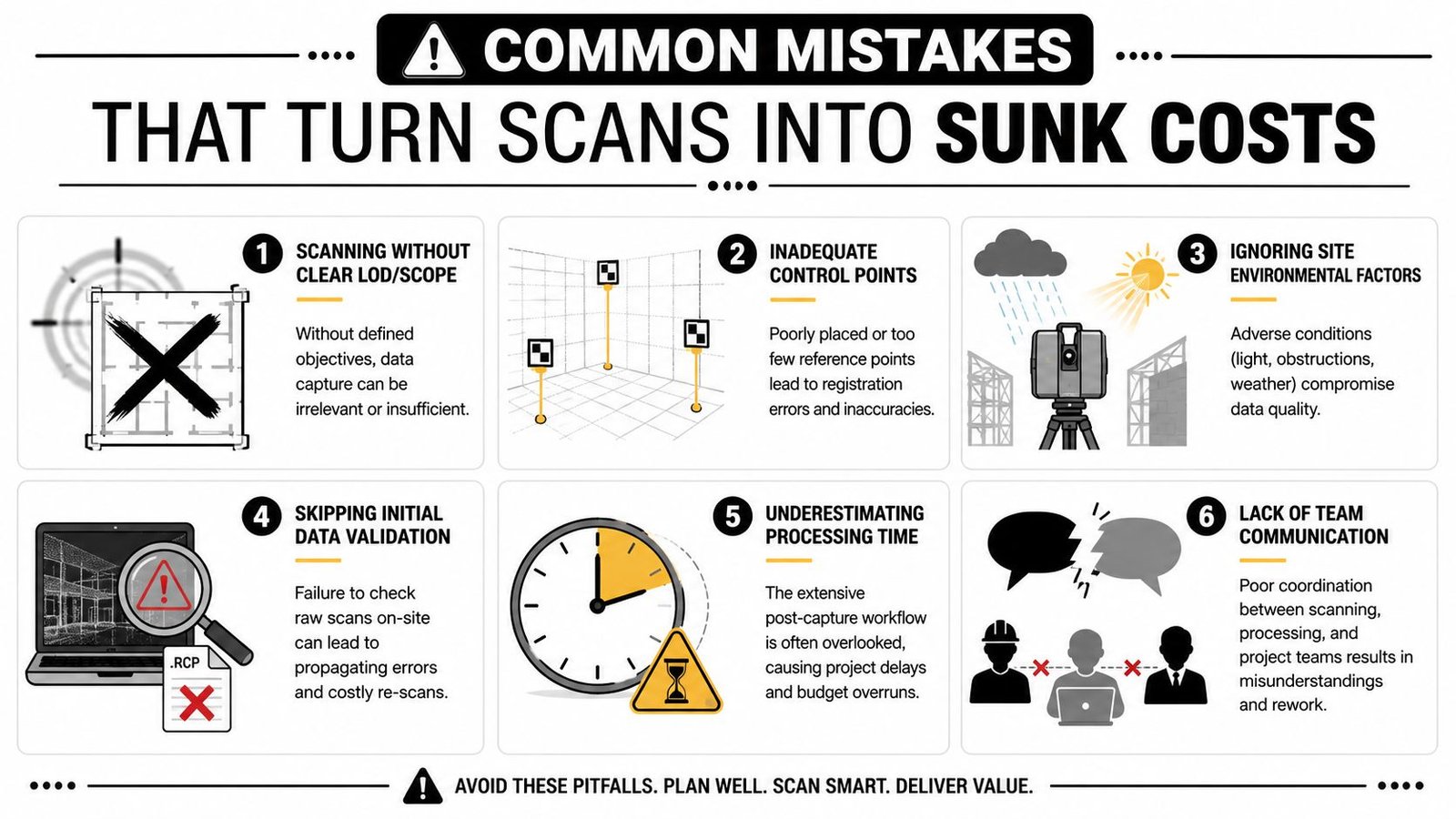
The pattern is consistent. Teams buy capture. They do not define a production outcome. A useful as-built model comes from scope control, registration discipline, model intent, and QA gates that happen in the right order.
Four patterns that waste money
The first is scanning without a defined output. If the proposal does not state whether the deliverable is a registered cloud, sheet backgrounds, clash-ready MEP geometry, or a selective architectural model, the office team fills in the gaps with assumptions. That is where margin disappears. The field crew captured plenty of data, but not against a clear production target.
The second is weak registration control across the full site. Small alignment errors can be tolerated in low-risk areas and still become a major problem at long corridor runs, facade tie-ins, and multi-floor vertical relationships. The cloud can look clean on screen and still fail where the project needs confidence.
The third is treating the point cloud as a finished product. In archive or documentation use cases, that may be acceptable. In active design and construction, it usually is not. Architects, engineers, and trade partners need filtered geometry, modeled priorities, and a deliverable they can dimension, coordinate, and issue without guessing what is reference data and what has been verified.
The fourth is skipping field verification on the conditions with the highest construction risk. Scanning reduces uncertainty. It does not remove judgment. Steel offsets, slab edge irregularities, equipment clearances, and concealed tie-in points often need direct confirmation because the cost of being wrong is higher than the cost of checking.
Production failures hide behind technical terms
The warning signs are operational, and they show up early:
No single owner for scope and acceptance
Someone has to decide what gets captured, what gets modeled, what tolerance applies, and what constitutes a pass.No QA review before modeling starts
Registration quality, coverage gaps, scan noise, and blind spots need review before a modeler begins tracing.No hierarchy of modeling priorities
Teams spend hours on low-value surfaces while the hard coordination zones get generic treatment.No distinction between scan-rich and decision-critical areas
Dense data does not automatically mean useful data. The production team still has to identify what affects design, fabrication, and installation.
Code and permit conversations create another common mistake. High-resolution capture does not answer compliance questions by itself. As noted earlier, scan data still has to be interpreted against the authority having jurisdiction, the consultant team's assumptions, and the project's approval path.
The firms that get repeat value from scanning treat it as a controlled production system. They define the use case before capture, review the cloud before modeling, verify the risky conditions separately, and only model what the project team will use. That discipline is what turns a scan into predictability instead of overhead.
In-House Scanning vs Outsourced Processing The Real Tradeoff
Firms often frame this as a buy-or-outsource decision. In practice, the most workable model is often hybrid. Capture may happen in-house. Registration, cleanup, modeling, and QA may be handled by a specialist team that does that production work repeatedly and at scale.
That split makes sense because field scanning and office conversion are different capabilities. Owning the scanner gives a firm schedule control and direct site access. It does not automatically give the firm a mature scan to BIM services workflow, trained modelers, internal QA standards, or spare production capacity during peak delivery periods.
What in-house really requires
Running the full process internally means investing in more than equipment:
Training and repeatability
Staff need to know field planning, setup logic, registration discipline, and modeling standards.Production bandwidth
Someone has to clean data, trace geometry, check tolerances, and package deliverables without pulling core design staff off billable production.Template and QA discipline
Scan-derived models still need consistent naming, element standards, model organization, and issue tracking.
Why outsourcing processing is often the smarter first move
Many firms discover that scanning isn't the bottleneck. Processing is. The scan may happen quickly. The office effort determines whether the result becomes a usable asset or a large file parked on a server.
The market demand behind that shift is clear. The global demand for laser scanning in the construction industry is projected to grow by $10 billion by 2024, driven by its role in improving accuracy and reducing rework, according to Autodesk's construction industry overview. That growth doesn't just reflect scanner adoption. It reflects the need for reliable downstream production.
For many architects, GCs, and owners, the practical answer is this: scan where it makes operational sense, but don't confuse capture with delivery. The full value appears when the data becomes a coordinated model your team can issue, review, permit, and build from.
If you're evaluating a renovation, addition, or existing-condition documentation workflow, BIM Heroes offers Scan to BIM services built around usable deliverables, not raw data dumps. If helpful, ask for a scope checklist, LOD framework, or QA handoff template before your next scan so the model supports production from day one.