Meta description: Revit worksets best practices for multi-discipline projects. Learn a practical workset structure, naming convention, linked model strategy, and BIM Execution Plan rules that prevent performance issues and coordination mistakes.
A project can look healthy at schematic design and still be headed for a painful CD phase because the worksharing setup was loose from day one. By the time the team reaches mid-production, the symptoms are obvious. The workset list is bloated, links are loaded with no logic, ownership conflicts keep interrupting syncs, and nobody trusts the Workset parameter enough to use it for QA.
That isn’t a Revit failure. It’s a project governance failure.
Experienced teams learn this the hard way. The first decisions in a workshared file should be treated with the same seriousness as shared coordinates, levels, and sheet organization. If the worksets revit strategy is undefined, every modeler fills the gap with personal habits. Those habits become standards by accident, and accidental standards are expensive to unwind.
The fix is straightforward, but it has to be deliberate. Define the workset structure before production starts. Put exact naming rules in the BIM Execution Plan. Assign ownership rules for shared datum and links. Then enforce the setup through audits and sync discipline. That’s how multi-discipline models stay usable through CDs, coordination, and permit issue.
The Unseen Cost of Poor Workset Planning
Teams often inherit the same mess.
At around half-way through CDs, the model has too many worksets, but none of them help anyone work faster. One user created separate worksets for visibility control. Another made a personal workset for a deadline push and forgot to clean it up. All linked models sit on one generic links workset. Doors, walls, and casework are scattered across whichever workset happened to be active when they were created.
The result is operational drag. BIM coordinators spend time sorting ownership conflicts instead of checking model quality. Project architects stop trusting the model because visibility behaves inconsistently. Engineers work around the file instead of through it.
What poor planning looks like in practice
A weak setup usually shows up through a few repeat offenders:
- Catch-all worksets:
Workset1becomes the default dumping ground and keeps growing because nobody stopped to define where content belongs. - Random naming: one user creates
Interior, another createsA Interiors, someone else makesINT. - Unusable link control: all external references live on one links workset, so the team loses discipline-level control.
- Ownership confusion: sensitive elements like levels, grids, and shared reference content remain open to casual edits.
Poor workset structure doesn't fail all at once. Team members create small exceptions every day until the file becomes difficult to trust.
That cost shows up as slower coordination, more cleanup before milestones, and less predictable delivery. It also eats margin in a way firms rarely track clearly. The hours get booked to coordination, QA, or documentation support, but the root cause was the missing plan at project setup.
The rule that protects delivery
Treat workset structure as a project setup decision, not a user preference. If the team agrees on coordinates, origin strategy, and sheet indexing before modeling starts, the workset structure deserves the same attention.
That’s especially true on architecture, MEP, and structural teams sharing linked models. Once model production accelerates, changing the logic is possible, but it’s disruptive. The earlier the rules are fixed, the less rework follows.
The True Purpose of Revit Worksets and What They Are Not
A team can have strong modelers and still lose control of a project if worksets are treated like a general filing system. I see this when a file starts carrying phase logic, view control, option management, and discipline ownership all through worksets. The model may still open and sync, but governance has already slipped.
Worksets have a narrower job. Used properly, they support shared authoring, loading control, and high-level model separation. Used as a substitute for other Revit systems, they create confusion that shows up later as coordination errors, broken templates, and slow model maintenance.
What worksets do
At production level, worksets serve three legitimate functions.
Worksharing and edit control
Worksets exist first to support multi-user editing in a central model. They help Revit manage ownership, borrowing, and editable scope so multiple users are not stepping on the same content all day.
That does not mean every workflow problem should be solved with a new workset. It means the workset structure should make authorship predictable. Teams need to know where content belongs, who is likely to touch it, and which areas of the model should stay protected.
Loading and session performance
Worksets also affect what the model loads into memory. That matters on larger projects where opening everything by default wastes time and drags down session performance.
This is one of the few places where worksets earn their keep beyond basic worksharing. If a user can close heavy linked content, large consultant packages, or non-active scope areas before opening the file, the model is easier to work in and easier to recover when performance starts slipping.
Coarse visibility and model partitioning
Worksets can control visibility, but only at a broad level. They are suitable for turning major chunks of content on or off, especially linked models, large packages of background content, or model areas that do not need to load for every task.
That is very different from view design.
What worksets are not for
The fastest way to create workset sprawl is to use worksets where Revit already has a better tool.
| Tool | Correct use | Wrong workset substitute |
|---|---|---|
| View Filters | Control graphics by parameter or category in views | Creating separate worksets just to color or hide content |
| Visibility/Graphics | View-specific display control | Turning worksets on and off to manage sheet views |
| Phases | Existing, demolished, new construction logic | Using worksets to represent project phases |
| Design Options | Alternate design schemes | Creating Option A and Option B worksets |
Each misuse creates a different kind of failure.
Using worksets for graphics breaks view template consistency. Using them for phases destroys phasing logic and quantity reliability. Using them for options makes alternate schemes harder to compare, schedule, and coordinate. None of those are small admin issues. They affect deliverables.
Practical rule: If the question is about how something should appear in a specific view, worksets are probably the wrong tool.
The governance rule
The clean boundary is simple. Use worksets for collaboration structure, loading strategy, and broad model organization. Use filters, phases, design options, and view templates for logic that changes by view, by scheme, or by project state.
That line is what keeps worksets from becoming a dumping ground. On mid-size and large projects, that is not just good model hygiene. It is project control.
A Production-Ready Workset Framework for Multi-Discipline Teams
By week three, the warning signs are easy to spot. Users are asking where to place new content, links are loaded when nobody needs them, and coordination views only make sense to the person who built them. That is not a software problem. It is a governance problem that started with a loose workset structure.
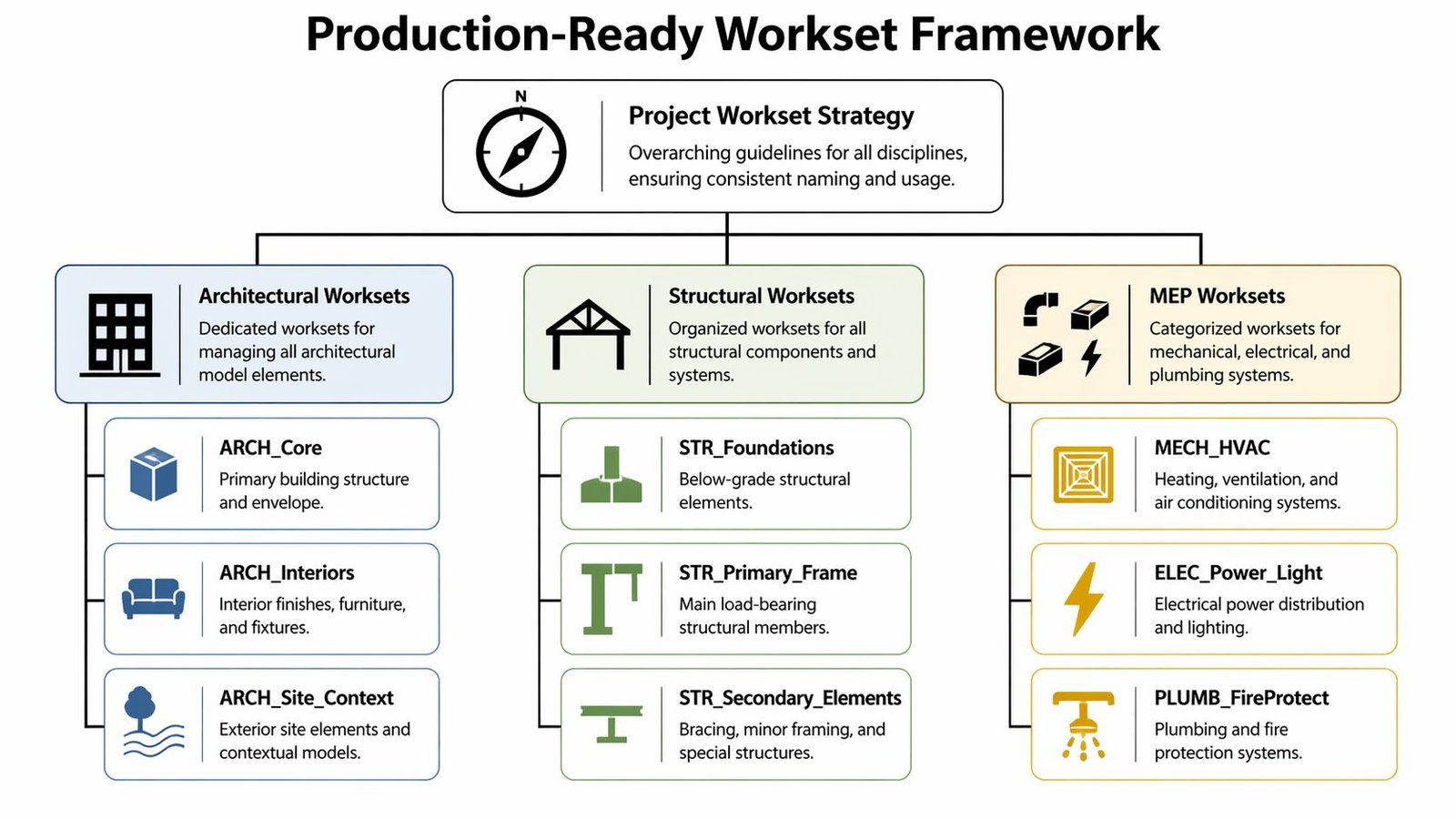
A production model needs a workset framework that answers three questions fast. What must stay protected. What each discipline owns. What can be loaded or unloaded without breaking coordination. If those boundaries are vague, model size grows, audits slow down, and teams start creating personal rules inside a shared file.
Start with one protected shared workset
Set up the shared datum workset first and treat it as controlled project infrastructure.
Use a name such as 00-Shared-Levels-and-Grids, or keep Revit’s default shared levels and grids workset if your office standard already handles sorting and permissions clearly. The exact format matters less than the rule behind it. Everyone on the team should know this workset is not general modeling space.
Place these items there:
- Levels and grids
- Reference planes tied to project control
- Scope boxes used across multiple views
- Core coordination datums
Limit edit access. In practice, this usually sits with the BIM manager, model manager, or project architect. A casual level move can affect dimensions, view extents, hosted content, linked alignment, and sheet output in one shot. Treat that workset like project control, not shared public property.
Build discipline worksets around production tasks
The best frameworks are boring on purpose. A user should be able to choose the correct workset without stopping to decode office jargon.
For architecture, a small set of worksets usually carries the project further than teams expect:
A-Shell
Exterior walls, roofs, envelope systems, curtain walls, exterior stairs, and primary exterior elements.A-Interiors
Interior partitions, doors, interior glazing, finishes, interior stairs, railings, and room-defining content tied to documentation.A-Site
Site architecture, hardscape, context geometry, and host-model elements tied to the building exterior.A-Furniture
FF&E, casework, and heavy interior content that can often stay closed during coordination-heavy sessions.
This structure works because it follows how architecture teams work. Shell is reviewed differently from interiors. Furniture often needs different loading behavior from core building elements. Keep the count low enough that people remember it, but specific enough that visibility, ownership, and loading choices stay useful. Once workset counts start climbing for no clear operational reason, cleanup cost starts rising with them.
Split engineering worksets where teams need real separation
MEP and structural models need a different standard. The issue is not naming. The issue is whether the split reflects how the model is authored, checked, and coordinated.
A practical MEP setup usually includes:
- M-Mechanical
- M-Electrical
- M-Plumbing
- M-Fire-Protection
That separation gives engineers working context that matches their task. Mechanical routing sessions do not always need every electrical or plumbing element open for editability. Connector-heavy models also respond better when teams are not carrying unnecessary content in active sessions. For teams setting up shared models, this Revit worksharing guide for collaborative model setup is a useful reference point for standardizing that logic across projects.
Structural models are usually simpler:
- S-Foundations
- S-Frame
- S-Secondary
- S-Concrete or S-Steel, if fabrication scope or delivery packages justify the split
Do not create separate worksets just because a category exists. Create them when ownership, loading behavior, issue isolation, or package control improves.
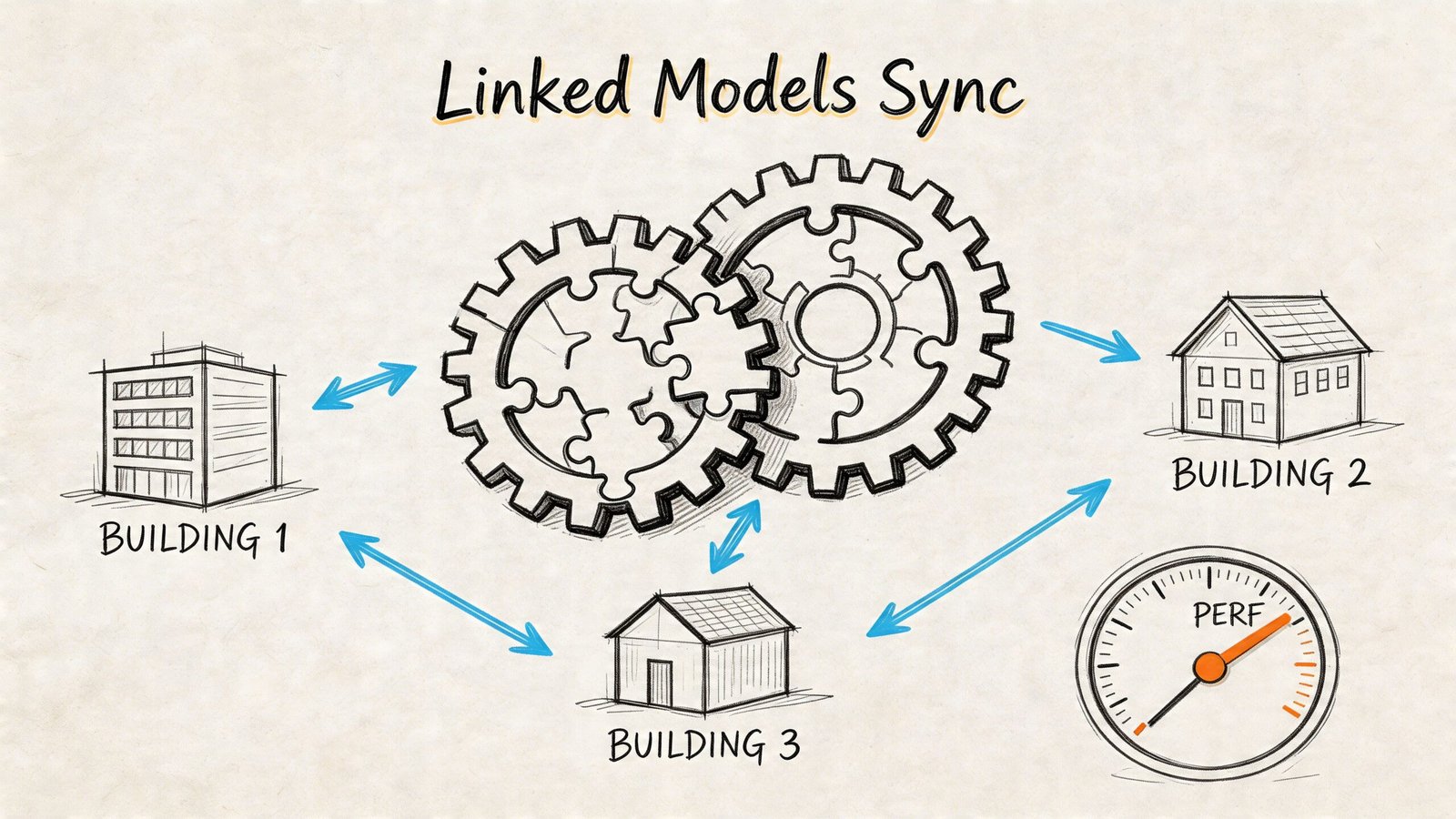
Put every major link on its own workset
Linked models need their own structure, not a catch-all bucket.
Use individual link worksets such as:
- Z-Link-Arch
- Z-Link-Struct
- Z-Link-MEP
- Z-Link-Civil
- Z-CAD-Imports
The Z- prefix keeps links grouped at the bottom of the list, which helps users distinguish host content from external references at a glance. More important, it preserves selective loading. If all links sit on one workset called Links, the team loses control. One unload command drops everything, including references that may still be needed for the current task.
Keep each linked model on its own workset. That is what makes loading strategy useful in production.
Use a naming convention that survives staffing changes
A workset naming standard is doing its job if a new team member can understand it in under a minute.
A practical pattern looks like this:
| Prefix | Meaning | Example |
|---|---|---|
| 00- | Shared or top-sorted standards | 00-Shared-Levels-and-Grids |
| A- | Architecture | A-Shell |
| S- | Structural | S-Frame |
| M- | Building systems | M-Mechanical |
| Z- | Links and imports | Z-Link-Struct |
Keep it stable across projects. Avoid personal initials, deadline-driven placeholders, and names that only make sense to the person who created them on a Friday night.
Spaces are usually manageable if the office is disciplined, but offices that exchange data with multiple consultants or depend on rigid export routines often get fewer naming issues with hyphens or underscores. Choose one rule and keep it consistent.
Add zone logic only when the project actually needs it
Multi-building and campus projects usually need another layer of structure. Discipline prefixes alone stop being enough once the team is coordinating repeated building types, rotated wings, or separate issue packages within one environment.
In those cases, combine discipline with building or zone identifiers:
- A-B1-Shell
- A-B2-Interiors
- S-B1-Frame
- Z-Link-MEP-B2
This does two useful things. It makes review sessions faster because teams can isolate by building without guessing. It also aligns the model with how RFIs, issue logs, package releases, and field coordination are usually organized.
Do not force this level of granularity onto every job. A single-building project does not need campus logic. But once multiple buildings, sectors, or orientations share one production model, zone-based workset naming stops being admin preference and starts being basic control.
Enforcing Workset Discipline and Avoiding Common Pitfalls
A project can have a clean naming standard, approved templates, and a well-structured central model and still drift into chaos by week three. The trigger is usually small. A user leaves the wrong workset active, copies elements across views, syncs, and the model starts collecting errors that nobody sees until a coordination meeting or issue deadline.
That is why workset discipline is a governance issue, not a user preference. If the team treats worksets casually, the model stops reflecting package boundaries, review responsibility, and loading intent.
The daily check that prevents expensive cleanup
Every user needs the same pre-modeling routine. No exceptions.
- Open the local file and confirm the active workset
- Check whether the task requires all links and heavy worksets
- Start modeling only after the active workset matches the scope
- Review the model with Worksharing Display before sync
This takes less than a minute, and it prevents the kind of cleanup that usually gets pushed onto coordinators late in the week.
For firms formalizing team standards, Revit worksharing setup and support guidance should include this routine as a required production step. It should not live in a forgotten onboarding PDF that nobody reads after their first week.
The mistakes that keep breaking otherwise good models
The same failure patterns show up on project after project, especially once team size grows and deadlines tighten:
The
Workset1junk drawer
The default workset stays in use too long, then becomes a dumping ground for anything that did not get placed correctly.One links workset for all external files
Teams lose control over discipline-specific loading and review. A single switch becomes too blunt for real coordination.Using worksets to solve visibility problems
Sheet and view issues should usually be handled with View Templates, filters, and view-specific controls. Worksets are a poor substitute and create confusion fast.Drift between host and linked model standards
If consultants use different naming logic, visibility management becomes harder to audit and easier to misread.Personal or temporary worksets
Names tied to individual users, deadlines, or one-off tasks rarely age well. They stay in the file long after the reason for creating them is gone.
Here is the practical test I use. If a new coordinator opens the file and cannot tell where new content belongs within two minutes, the standard is too loose to enforce.
Audit early, before bad habits spread
Misplaced content rarely stays isolated. It gets copied, grouped, mirrored, and reused. One bad placement decision on Monday can turn into a model-wide cleanup by Friday.
Worksharing Display is still one of the fastest ways to catch this. Color the model by workset and review it with intent, not as a box-checking exercise. Walls on a furniture workset, links mixed into production worksets, or interiors sitting on shell worksets stand out immediately.
A simple QA rhythm works well on active projects:
- Weekly spot checks in colorized workset views
- Pre-milestone audits against the agreed model structure
- Targeted cleanup before copied errors spread further
Many teams get the governance side wrong. They create a standard, then never inspect compliance. Workset management only works when someone owns the rule, checks the model, and sends issues back for correction while they are still cheap to fix.
Optimizing Performance with Linked Models and Synchronization
It usually shows up the same way. A coordinator opens the model before a deadline review, every linked discipline loads, sync takes too long, views stall, and nobody can tell whether the slowdown is file size, bad ownership habits, or both. By that stage, the team is already paying for weak workset governance.
Worksets affect performance because they control what the model loads, who is holding ownership, and how much unnecessary content each user carries through the day. On mid-size and large projects, that is not a user preference issue. It is a production control issue.
Open only what the task requires
Teams lose time by treating every session like a full-model coordination review.
A user detailing partitions does not need civil, furniture, imported backgrounds, and every consultant link open by default. A plumbing designer working connector layouts does not need entourage and presentation content loaded. If the task does not depend on that content, keep the workset closed.
That principle should shape the default open state for heavy worksets, especially:
- A-Furniture
- Z-Link-MEP
- Z-Link-Civil
- Z-CAD-Imports
- Large site or context worksets
This is one of the unwritten rules that separates stable production files from bloated ones. Worksets should reflect how people work during the day, not every possible model condition at once.
Separate loading logic from view control
Many teams create performance problems by mixing two different jobs. They use worksets to control graphics in views, then use view templates inconsistently, then wonder why model behavior is hard to predict.
Keep the roles clear:
- Worksets control loading, ownership, and broad model organization
- View templates control graphics, visibility settings, and sheet consistency
The setting that gets overlooked is Visible in all views. For links, CAD imports, entourage, and other heavy context, that setting should often be off. It will not unload the workset by itself, but it does stop that content from appearing everywhere by default and forcing users to clean up views one by one.
A simple standard works well:
| Workset type | Default visibility approach | Why |
|---|---|---|
| Shared datum | Usually visible | Needed across many views for coordination |
| Primary production worksets | Usually visible | Supports daily modeling without extra setup |
| Furniture and entourage | Often not visible in all views | Limits clutter and unnecessary redraw load |
| Link worksets | Often not visible in all views | Better controlled through view templates and coordination views |
| CAD imports | Usually not visible in all views | Reduces accidental dependence on imported backgrounds |
If a team uses worksets as a substitute for view standards, sheet output gets inconsistent fast.
Editable worksets help, but broad claiming hurts the model
Ownership strategy matters just as much as loading strategy.
Users doing concentrated system edits sometimes work better with the relevant workset editable, especially in MEP-heavy files where borrowed elements and connector interactions can slow down routine operations. The mistake is claiming too much, too early, and holding it too long.
Use a stricter rule:
- Make a workset editable only for a defined task
- Do not claim broad model areas as a precaution
- Relinquish as soon as that task is complete
- Check ownership before reviews, exports, and publishing
One person can get a short-term speed gain by holding large portions of the model. The rest of the team pays for it in borrowing conflicts, delayed syncs, and blocked changes.
Synchronization is part of file governance
Bad sync habits create the same kind of waste as bad workset planning. Long unsynchronized sessions increase conflict risk, make central harder to trust, and turn routine relinquish into a cleanup exercise.
A stable team rhythm is usually simple:
- Sync at sensible intervals during active production
- Relinquish borrowed elements when changing tasks
- Use comments when the sync marks a publish, export, or review point
- Avoid large end-of-day syncs after hours of isolated editing
The goal is not constant syncing for its own sake. The goal is predictable model state. Teams coordinate better when central reflects current ownership and current geometry, not half a day of hidden local changes.
For projects where file weight is already a problem, it helps to pair workset rules with a separate standard for reducing Revit file size on large production models.
What holds up in production
The trade-offs are straightforward:
| Works well | Fails quickly |
|---|---|
| Opening only the worksets needed for the current task | Opening every workset for every session |
| Separating links by discipline or purpose | Putting all links on one catch-all workset |
| Turning off default visibility for heavy context | Leaving heavy content visible everywhere by default |
| Short ownership windows with prompt relinquish | Broad claiming and stale ownership |
| View templates for graphics control | Worksets used as ad hoc visibility overrides |
Projects do not drift into performance trouble by accident. They get there because nobody defined what should load, what should stay closed, who should hold ownership, and how often the team should push changes back to central. Good workset management prevents that drift before it becomes a coordination problem and a fee problem.
Documenting Your Workset Strategy in the BIM Execution Plan
A project usually reveals a weak workset strategy at the worst point possible. The team is larger, deadlines are tighter, outside support is active, and somebody asks why links, levels, and core model content are scattered across ad hoc worksets nobody approved. At that stage, the model is already carrying process debt.
The fix starts in the BEP.
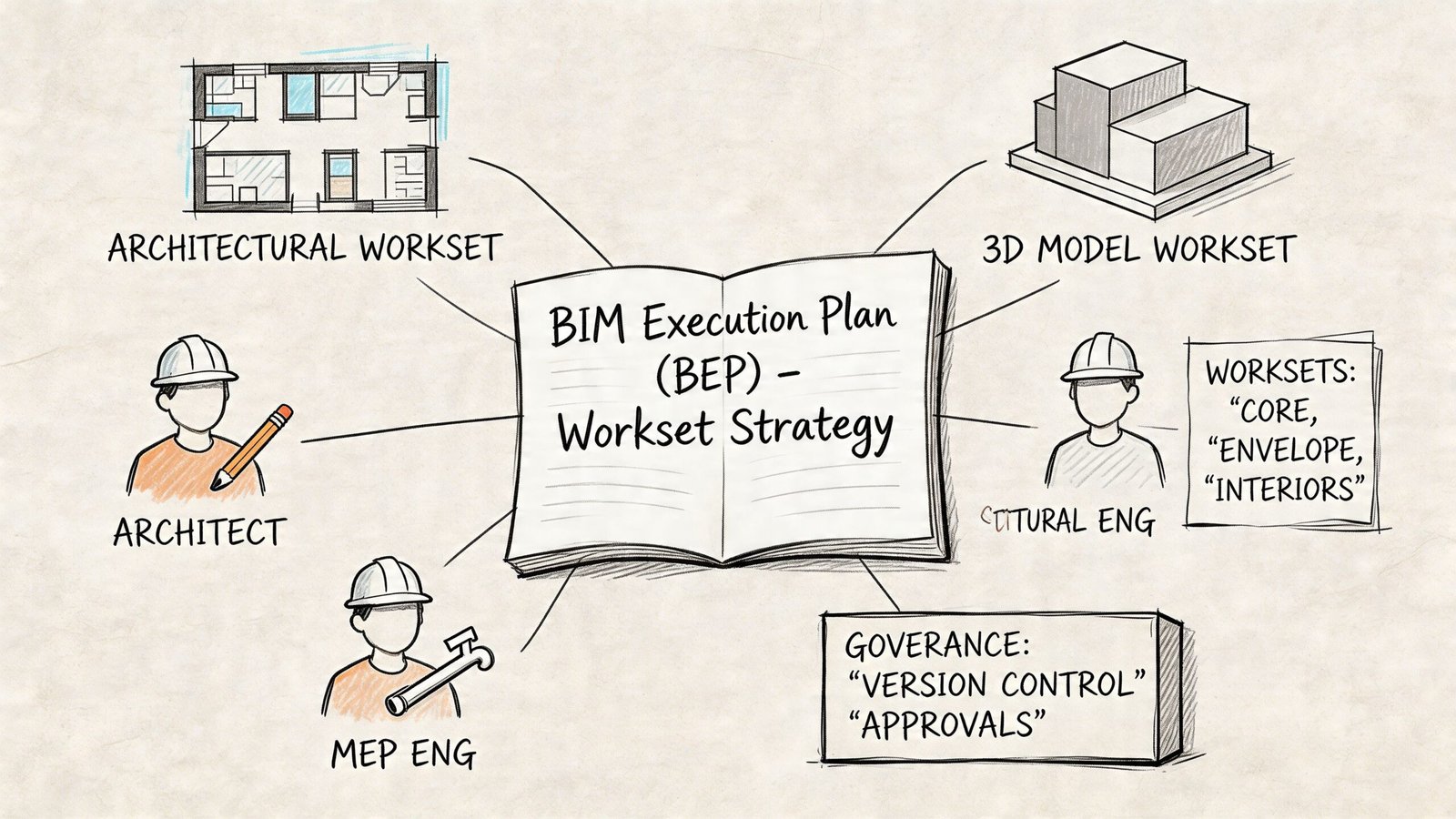
A workset standard that lives in one coordinator's head will not survive staff turnover, production pressure, or consultant handoffs. The BIM Execution Plan needs to state how the model is structured, who controls sensitive content, and what changes require approval. That turns worksets from a user preference into a project control measure.
What the BEP must include
Keep the workset section specific enough that a new team member, consultant, or QA lead can follow it without interpretation.
Include:
The approved workset list
List every workset name exactly as it should appear in the model.Naming rules
Define prefixes, separators, capitalization, and how linked files are labeled.Element assignment rules
State which categories, systems, and model content belong on each workset. Do not leave room for personal habits to decide placement.Ownership rules
Identify who controls datum, links, shared levels and grids, and other content that can disrupt multiple users.Visibility defaults
Record which worksets should load visible, which should stay off by default, and which are only opened for targeted tasks.Change control
Define who can create, merge, rename, or retire worksets, and how that decision is logged.
Why documentation changes project behavior
Written standards reduce two expensive problems. First, they cut down on interpretation. Second, they give QA something objective to check.
That matters on mid-size and large projects where several model authors touch the same file over months, not days. Without a written standard, workset logic drifts. One user adds a temporary workset for a deadline push. Another leaves it in place. A consultant copies the pattern. By the next milestone, nobody is sure which structure is intentional and which structure is residue from production pressure.
For firms building office standards, a BIM Execution Plan template and standards framework should treat workset governance as an early project setup requirement. It should not be deferred until the model is already populated.
Use the BEP to remove guesswork
A good BEP does more than name worksets. It sets the rules that keep the model stable under real production conditions.
That includes practical decisions such as:
- which worksets are allowed to exist at project start
- which team role approves any new workset
- how temporary imports, consultant content, and linked backgrounds are handled
- what gets audited before milestone issue dates
- what happens when the live model no longer matches the approved structure
Some firms also support compliance with view templates, startup checklists, Dynamo scripts, or model audits. The method varies. The point is consistent enforcement. If the standard depends on every user remembering every rule during a deadline week, the standard is weak.
A good BEP removes daily guesswork and gives the team a repeatable model structure.
A useful review checkpoint
Before each major milestone, run a short audit against the BEP. Ten focused minutes here can prevent hours of cleanup later.
| Checkpoint | Review question |
|---|---|
| Workset list | Are any unapproved, duplicated, or temporary worksets still in use? |
| Element placement | Are major categories and systems assigned to the intended worksets? |
| Links | Does each linked model sit on its designated workset? |
| Ownership | Are datum and other sensitive worksets still controlled by the right role? |
| Visibility defaults | Have heavy or limited-use worksets drifted into always-on visibility? |
This review is a governance check, not admin overhead. It protects model readability, supports cleaner handoff between teams, and stops workset drift before it becomes a coordination problem with fee impact.
Conclusion From Reactive Fixes to Proactive Control
The difference between a manageable Revit model and a frustrating one is rarely a mystery by the time CDs are underway. It usually comes back to whether the team treated workset planning as a real setup decision or as something they would sort out later.
That later cleanup is where firms lose time they never meant to spend. They burn it in model triage, sync conflict cleanup, link troubleshooting, and visibility corrections right when documentation pressure is highest. None of that improves design intent or drawing quality. It just repairs avoidable process debt.
A deliberate approach to Revit worksets best practices multi-discipline projects does the opposite. It creates a readable structure, sets ownership boundaries, improves linked model control, and gives QA teams a standard they can verify. It also supports more consistent production when teams scale up, bring in outside support, or hand work between pods.
If you're standardizing office templates, inheriting a file with no logic, or trying to stop workset drift across architecture, MEP, and structural models, start with the basics that matter most. Define the workset list early. Keep it lean. Control the active workset habit. Separate links properly. Put the rules in the BEP. Then enforce them before bad habits become embedded in the model.
If your team wants a clearer production framework, BIM Heroes helps AEC firms tighten Revit standards, document BIM workflows, and stabilize delivery across active projects. If it would help, reach out for practical support, a checklist, or a conversation around your current workset setup and model governance.
Category: BIM Technology & Workflows