Meta title: Construction Scheduling Software & 4D BIM Explained
Meta description: How construction scheduling software connects to your BIM model, what 4D BIM does, and why the link between them often breaks down.
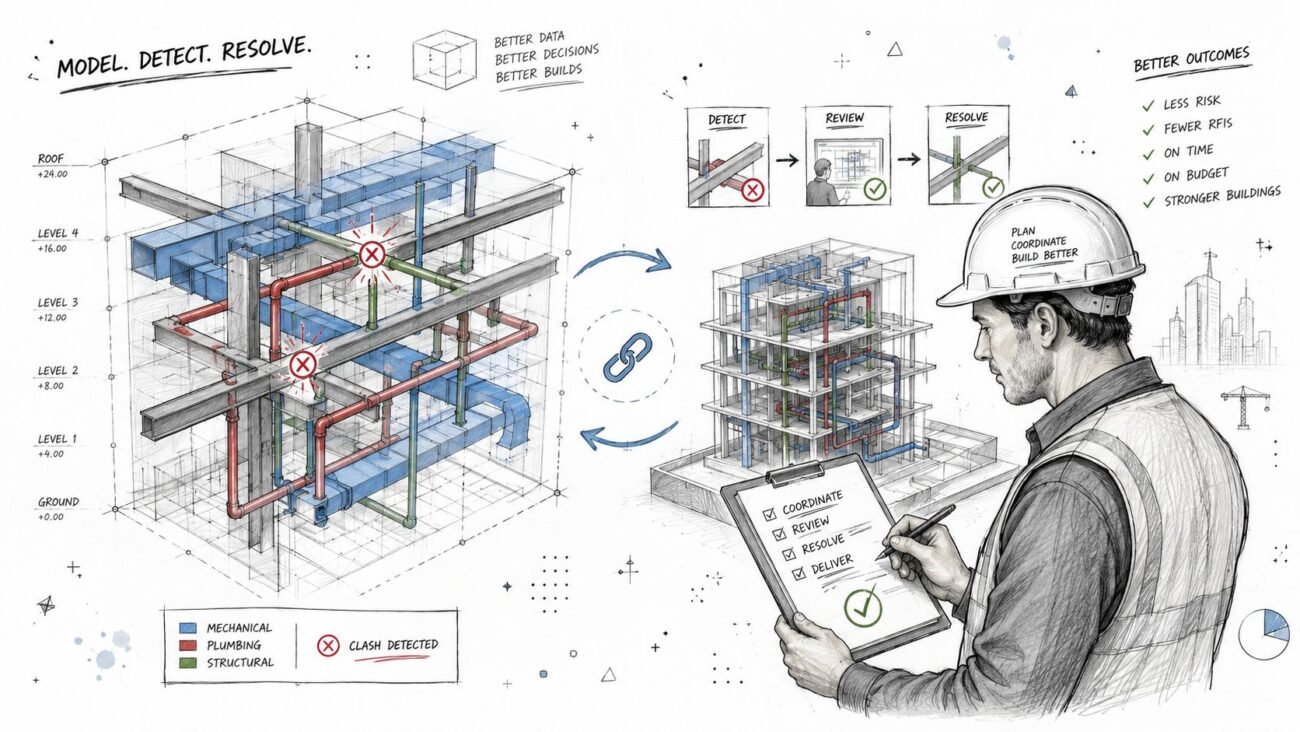
A lot of teams buy good construction scheduling software and still end up managing sequencing with screenshots, PDFs, and phone calls. The schedule lives in one system. The model lives in another. Someone in precon, VDC, or project management tries to force the two together late, usually after coordination is already under pressure.
That's the disconnect.
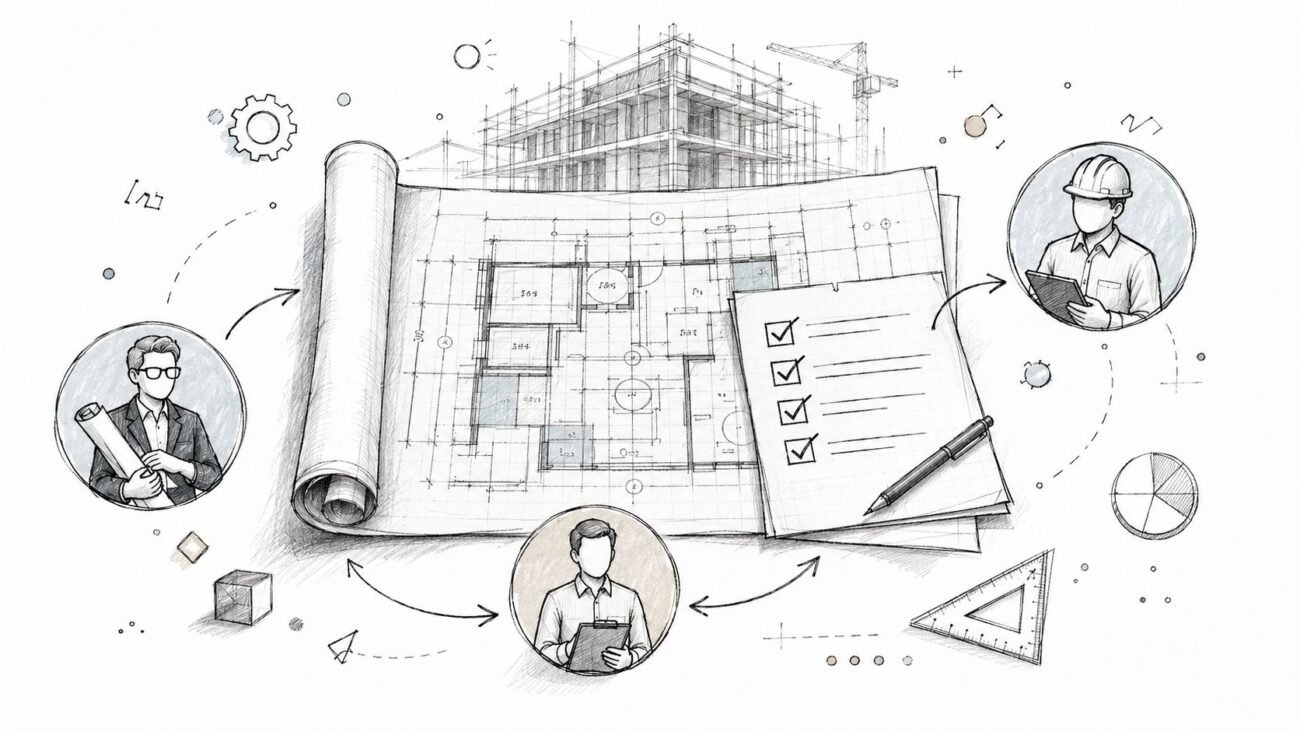
On paper, the stack looks modern. In practice, the superintendent is still asking for a phasing view that makes sense, the PM is still chasing updates across trades, and the design or coordination model still reflects design intent more than construction means and methods. That gap is where rework starts.
4D BIM is the 3D model linked to the 4th dimension of time through the project schedule.
When it works, teams get schedule simulation, clearer construction sequencing, stronger decision checkpoints, and fewer avoidable coordination misses. When it doesn't, the software gets blamed for a model-structure problem. That happens constantly. Teams that want predictable delivery need the schedule logic and the model logic to line up. If you're already tightening BIM process maturity, this usually connects directly to broader BIM project management workflows.
The Disconnect Between Your Schedule and Your Model
A GC awards a job, imports the architect's and consultants' models, builds a solid baseline schedule, and then asks for a 4D sequencing view for owner meetings and trade coordination. On the surface, that sounds straightforward. It rarely is.
The model often wasn't built for sequencing. It was built for design development, permit output, clash review, or quantity support. That means walls may be modeled continuously instead of by area or phase, slabs may be too coarse for pour logic, and MEP systems may be grouped in ways that help documentation but don't help field installation planning.
Field lesson: If the model doesn't reflect how work will be released, installed, inspected, and handed off, 4D scheduling turns into manual cleanup.
That's why new software alone doesn't fix the problem. The software can hold the time logic. It can't guess how your team intends to break the building into zones, work packages, or sequence-ready model groups.
Production maturity is evident in a team's approach: Teams with template discipline, QA gates, and clear handoff standards usually get farther, faster. Teams without them end up rebuilding links every time the schedule shifts.
What Construction Scheduling Software Does on Its Own
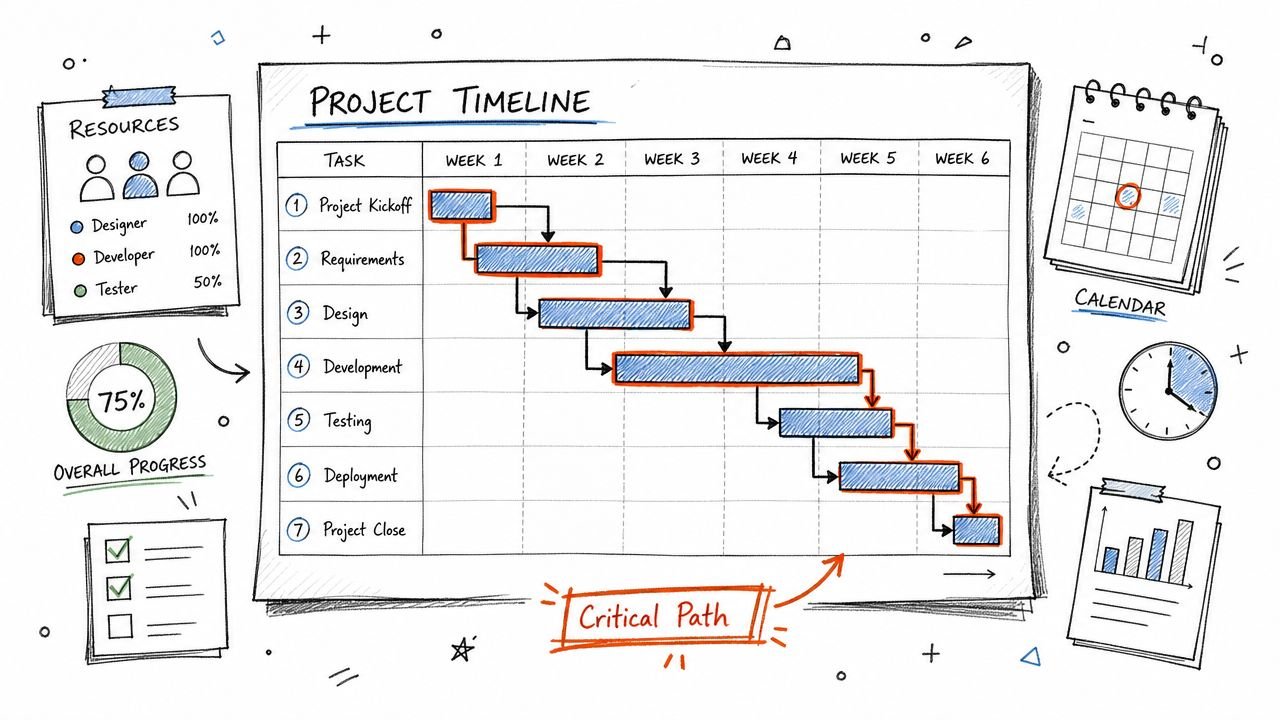
Before the BIM side enters the picture, construction scheduling software already has a serious job. It creates the time logic of the project. It defines what happens first, what depends on what, where the critical path runs, and how milestone commitments hold together under changing field conditions.
The baseline functions that matter
A good schedule does more than produce a Gantt chart. It gives the team a logic network they can manage.
- CPM logic: Critical Path Method scheduling maps dependencies between activities so the team can see which tasks directly affect completion.
- Milestone control: PMs and supers use milestones to organize procurement, permit releases, inspections, mobilization, turnover, and owner commitments.
- Resource planning: Labor, crews, and equipment have to align with the sequence, not just with dates.
- Look-ahead planning: Weekly and short-interval views help field teams work from something usable, not just from the master schedule.
For contractors trying to get practical about adoption, this outside guide on how to fix construction project chaos is useful because it frames scheduling as an operational discipline, not just a software purchase.
Tool categories are not the same thing
Different tools solve different scheduling problems. That matters because many teams expect one platform to do everything from CPM logic to visual sequencing to field communication.
For large commercial and infrastructure projects exceeding $10 million, Oracle Primavera P6 remains the industry standard because its CPM engine is superior for managing schedules with 5,000+ activities. Microsoft Project is often benchmarked for mid-size projects up to 500 activities, giving contractors core CPM and Gantt chart capability without the same enterprise scale, according to this construction scheduling software overview.
Integrated construction platforms also matter, but for a different reason. Tools like Procore and similar systems often help teams expose schedule information to a broader set of users, connect updates to field workflows, and keep documents and coordination closer to the schedule conversation. They do not replace the need for disciplined schedule logic.
A schedule can be technically complete and still be hard to build from. The field needs logic it can trust and views it can actually use.
That distinction matters because 4D BIM sits on top of this backbone. It doesn't replace it.
Adding the 4th Dimension What 4D BIM Brings to the Table
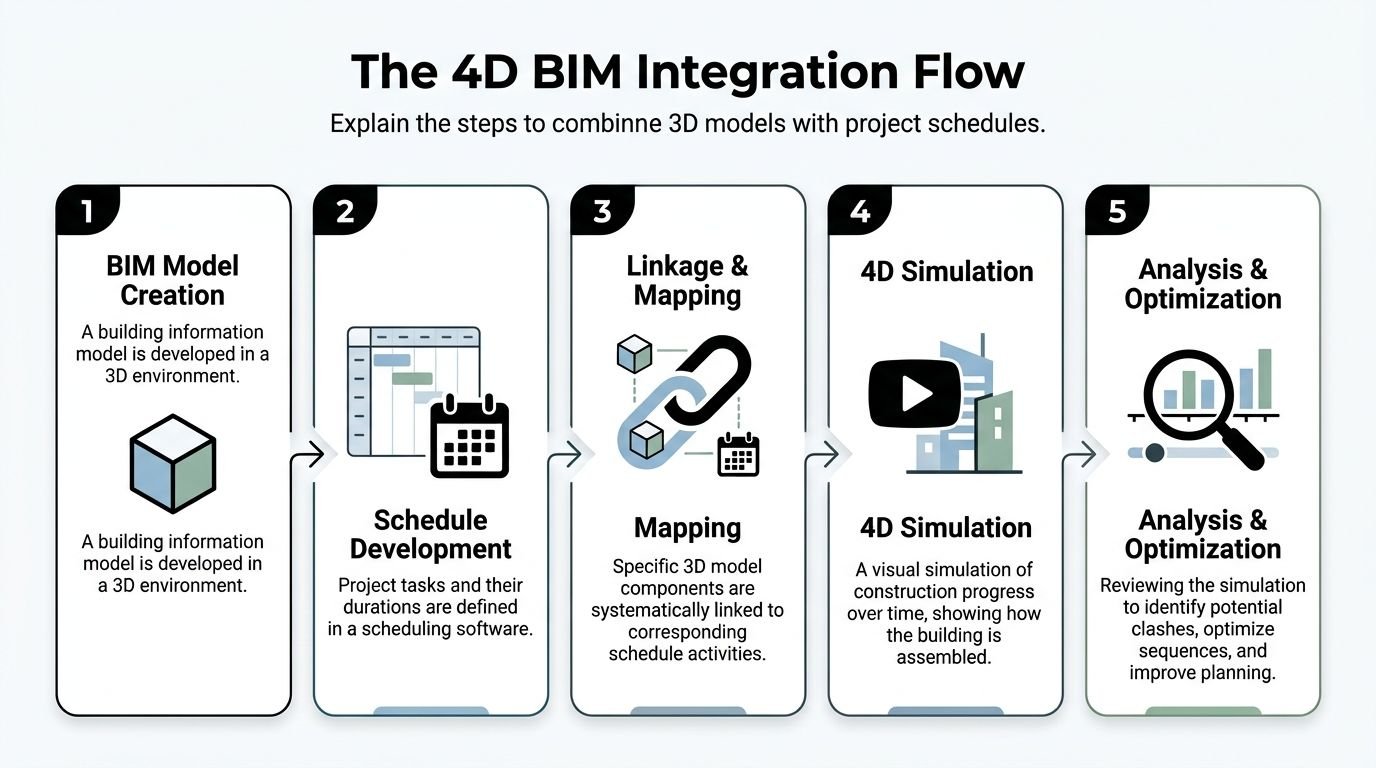
4D BIM starts when the schedule stops being only a list of activities and becomes something the team can see. Model elements, or grouped model elements, get linked to schedule activities so the job can be simulated over time.
What changes when the link is real
Once BIM scheduling integration is set up correctly, the team can watch the building assemble in the planned sequence. That sounds simple, but it changes how planning conversations happen.
A superintendent can review a sequence and spot an access conflict before crews arrive. A PM can use a schedule simulation to explain phasing to an owner who won't read a CPM printout. A trade partner can see that a work area is shown as available before predecessor work is modeled complete.
Here's a typical example. Steel is scheduled to start in an area where the model still shows incomplete foundations, missing embeds, or unresolved below-slab work. In a standard schedule, that issue may hide inside activity names and dates. In a 4D view, the problem becomes obvious.
4D BIM is a layer, not a replacement
Teams often misunderstand this: 4D BIM is not the schedule engine. It is the simulation and visualization layer built on top of schedule logic.
The scheduling platform still handles dependencies, durations, float, updates, and baseline management. The 4D environment turns those decisions into a visual sequence the wider team can test and understand.
That's one reason investment in this category keeps climbing. The construction scheduling software market is projected to exhibit a 7.7% CAGR, reflecting substantial investment as AEC firms pursue operational efficiency and workflows that include 4D BIM, according to this market projection.
For stakeholders who need visual communication before the project reaches full simulation maturity, adjacent workflows like 3D rendering for construction can also help teams explain sequencing, site context, and phased build intent more clearly.
Coordination rule: If a stakeholder understands the sequence only after someone narrates it live, the sequence is still too dependent on tribal knowledge.
This visual layer also connects naturally to broader asset and lifecycle thinking. If your team is already looking beyond construction into operations, the bridge between phasing data and a digital twin strategy becomes easier to understand.
Why the Model-to-Schedule Connection Breaks Down in Practice
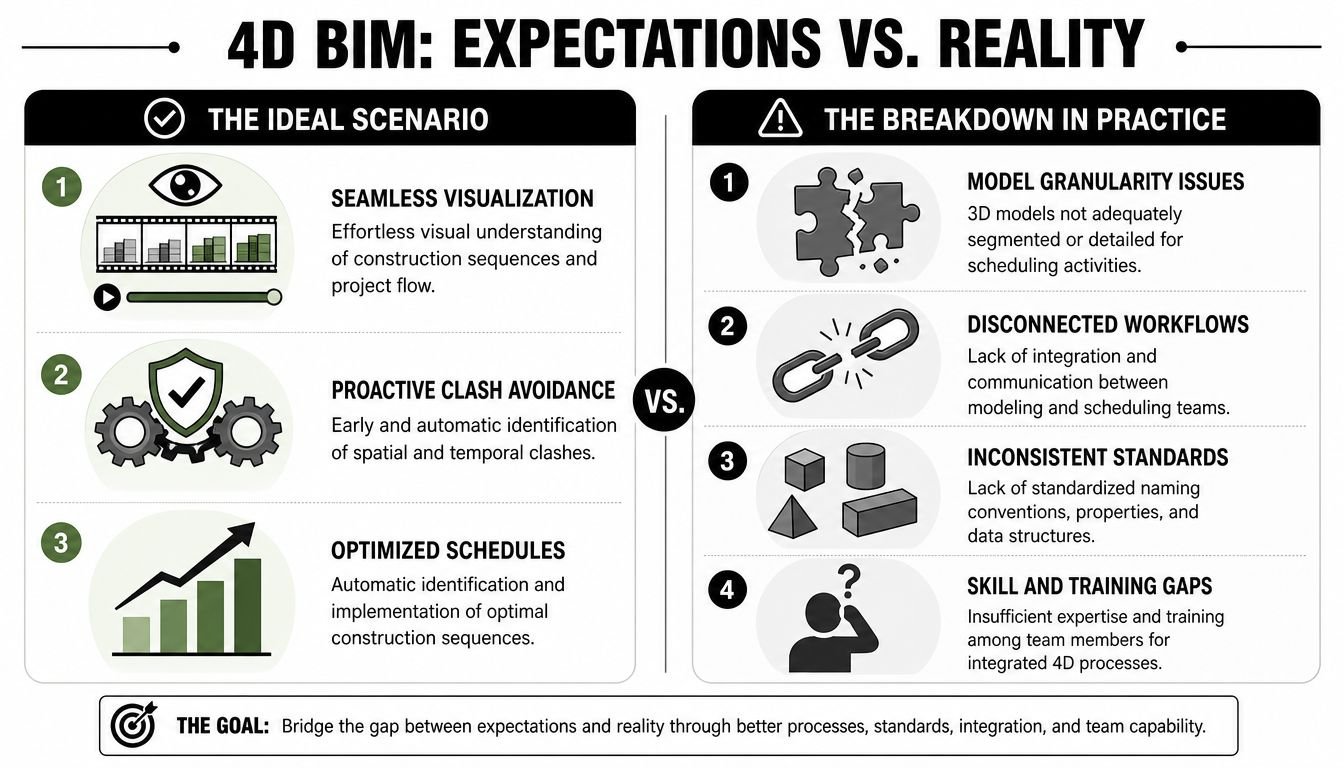
Most 4D efforts frequently get stuck. Not because the team lacks software, but because the model and the schedule were never prepared to speak the same language.
Design models are rarely sequence-ready
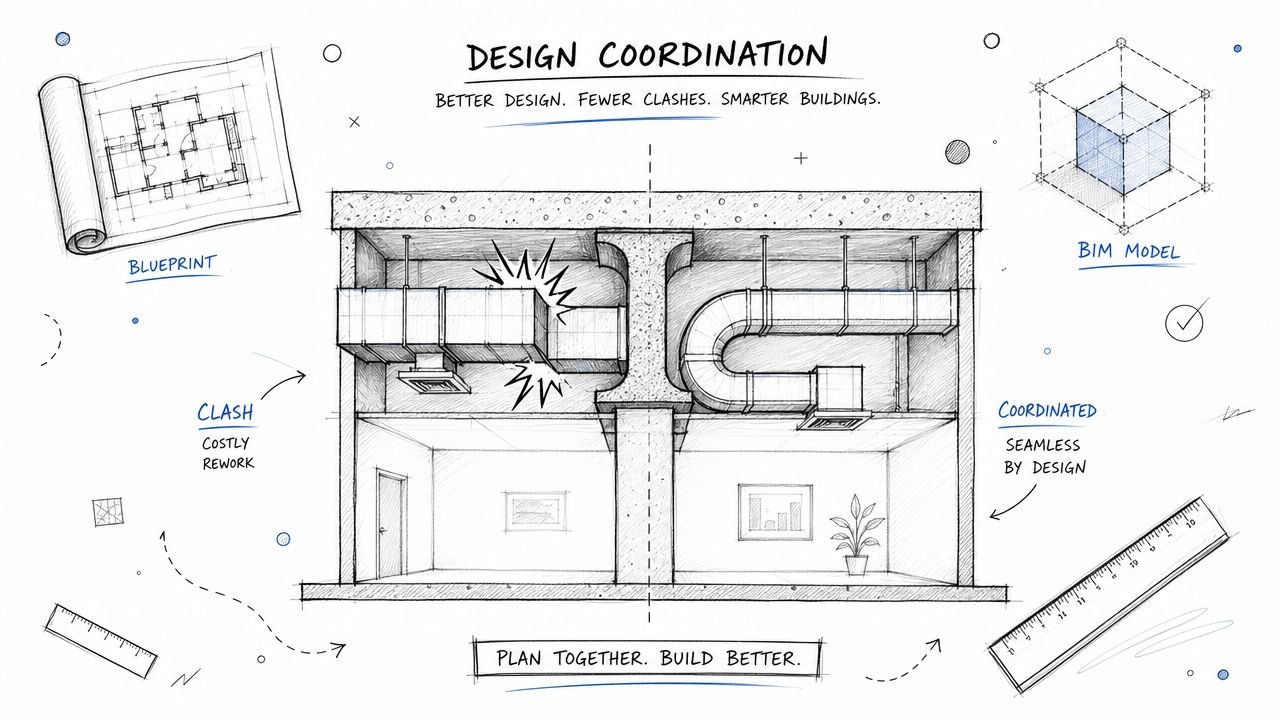
A design model can be excellent for documentation and still be poor for 4D scheduling. That's normal. Architects and engineers usually organize models around design packages, system logic, and deliverable needs. Contractors need something closer to work packaging, installation sequence, zones, and release strategy.
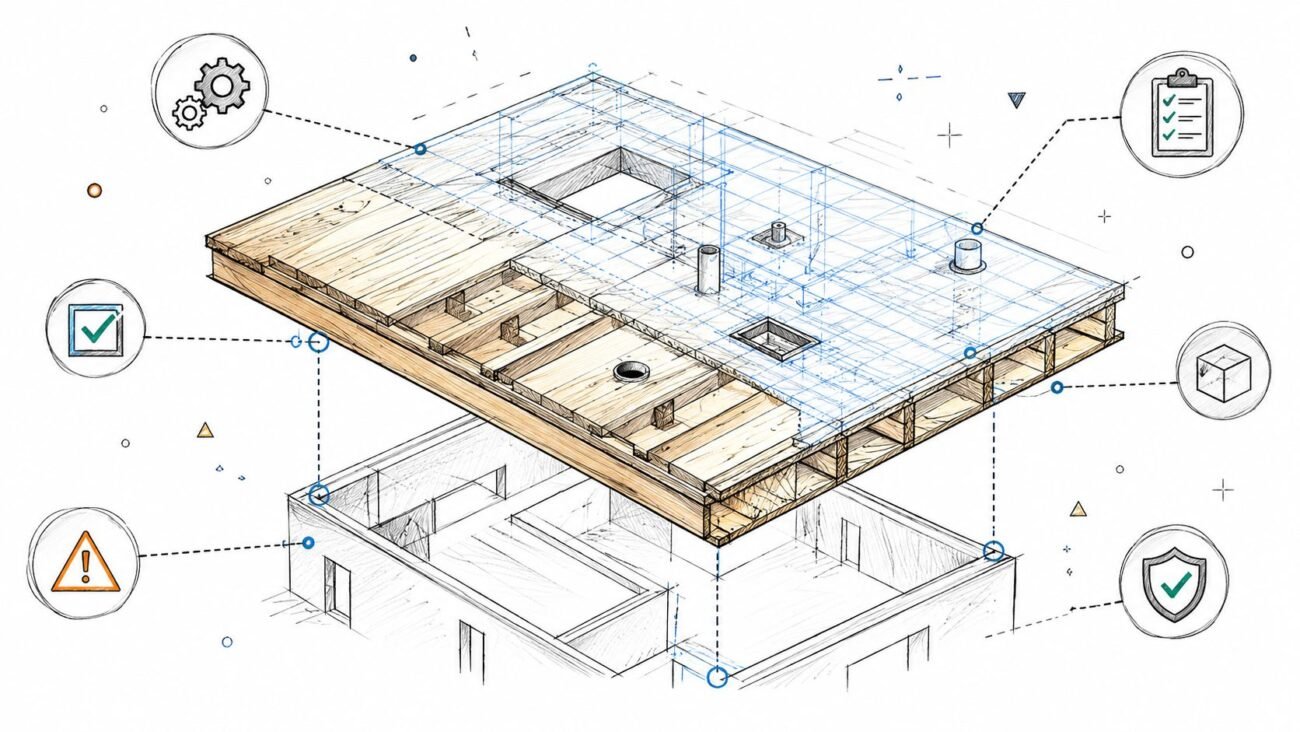
A floor slab is a good example. In a design-authoring model, one floor plate may be modeled as one large object. In construction sequencing, that same scope may need to be broken into pours, zones, or access-driven segments. The model is not wrong. It's just not structured for construction sequencing.
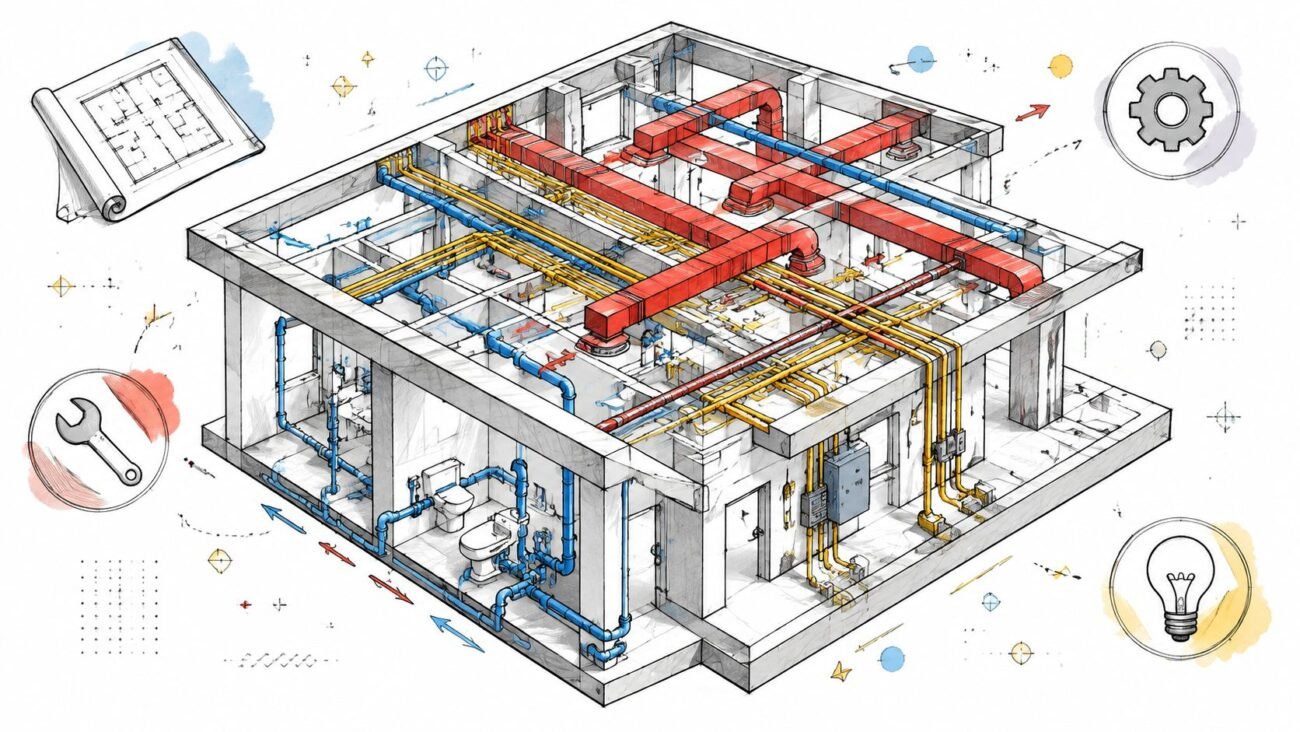
The same issue shows up in MEP. A system may be modeled continuously for coordination, while the schedule needs install packages by area, trade handoff, or ceiling closure sequence. If those groupings don't exist, someone has to build them.
The schedule changes faster than the links
Even when the first round of linking gets done, maintenance becomes the next problem. Activities get revised. Trade logic changes. Areas split. A permit delay reshuffles one wing while another moves ahead. If the model-to-activity relationship was built manually and loosely, every schedule revision creates relinking work.
That's where many teams lose confidence in 4D. The first simulation looks promising. The second update takes too long. By the third, people stop trusting whether the visual sequence is current.
A lot of this comes back to disconnected systems. True integration requires software to connect with accounting, project management, and document management systems. When platforms can't handle that data complexity across tools, scalable multi-project scheduling breaks down and teams get pushed into manual data reconciliation, as noted in Deltek's construction scheduling guidance.
The failure usually doesn't start in the animation. It starts in the naming, grouping, and handoff rules nobody locked down early.
A common GC scenario
A design-build or negotiated GC receives federated models from the design team and wants to run 4D sequencing before major field mobilization. The PM assumes the existing model can be linked directly to the schedule. Then the team opens it and finds:
- Over-modeled for design, under-structured for sequence: Elements are detailed enough to look finished, but not segmented in a way that matches install packages.
- Inconsistent naming: Zones, levels, and work areas aren't labeled consistently across disciplines.
- Missing phasing data: There's no reliable phase, area, or work-package parameter to use for mapping.
- No decision checkpoints: Nobody defined when a model package becomes “4D ready,” so the cleanup happens late.
That rework burns time in exactly the phase where teams should be protecting margin, reducing RFIs, and stabilizing handoffs.
How to Structure a BIM Model for 4D Scheduling Success
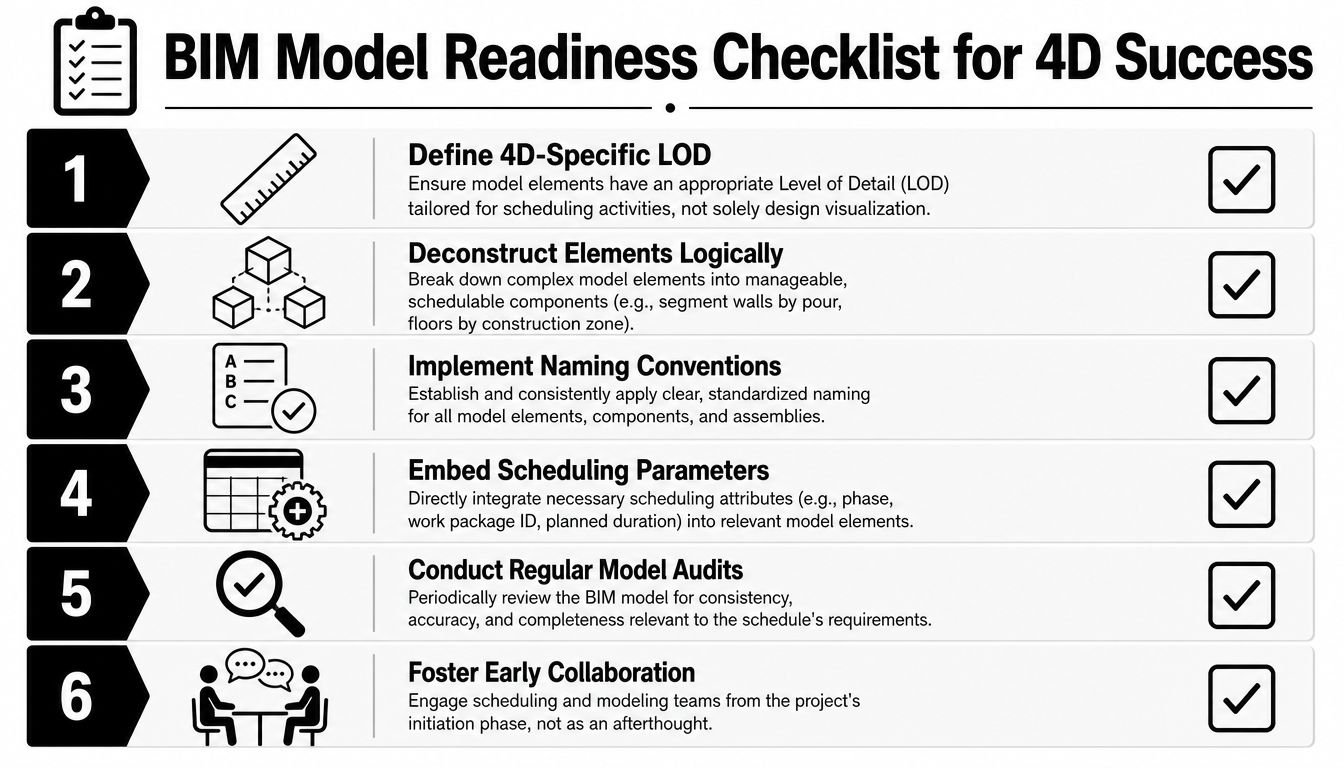
The fix is not glamorous. It's disciplined model preparation. Teams that succeed with 4D scheduling usually decide early that the model will support construction use, not just design output.
Build the model around work packages
The most useful 4D models are structured around how the project will be built. That usually means aligning geometry and metadata to zones, phases, areas, or work breakdown structure segments that the schedule already uses.
Start with a few practical questions:
| Model question | Why it matters for 4D scheduling |
|---|---|
| Does this element belong to a buildable zone? | The schedule needs sequence-ready chunks, not just design objects |
| Can this scope be released independently? | Permit and procurement checkpoints often break work into packages |
| Will a superintendent recognize this grouping? | If field teams can't map it to reality, the simulation won't help |
| Can revisions be audited quickly? | QA depends on knowing what changed and what activity it affects |
For model authors, this also ties directly to LOD decisions. A model that's too coarse won't support useful sequencing. A model that's overly detailed in the wrong places creates maintenance noise. In such situations, a clear view of BIM level of detail keeps the team from modeling the wrong things too well.
Use parameters and templates on purpose
4D BIM doesn't get stable until the model includes reliable fields for mapping. That often means shared parameters or equivalent data fields for phase, zone, work package, sequence code, or responsible trade.
Useful practice usually looks like this:
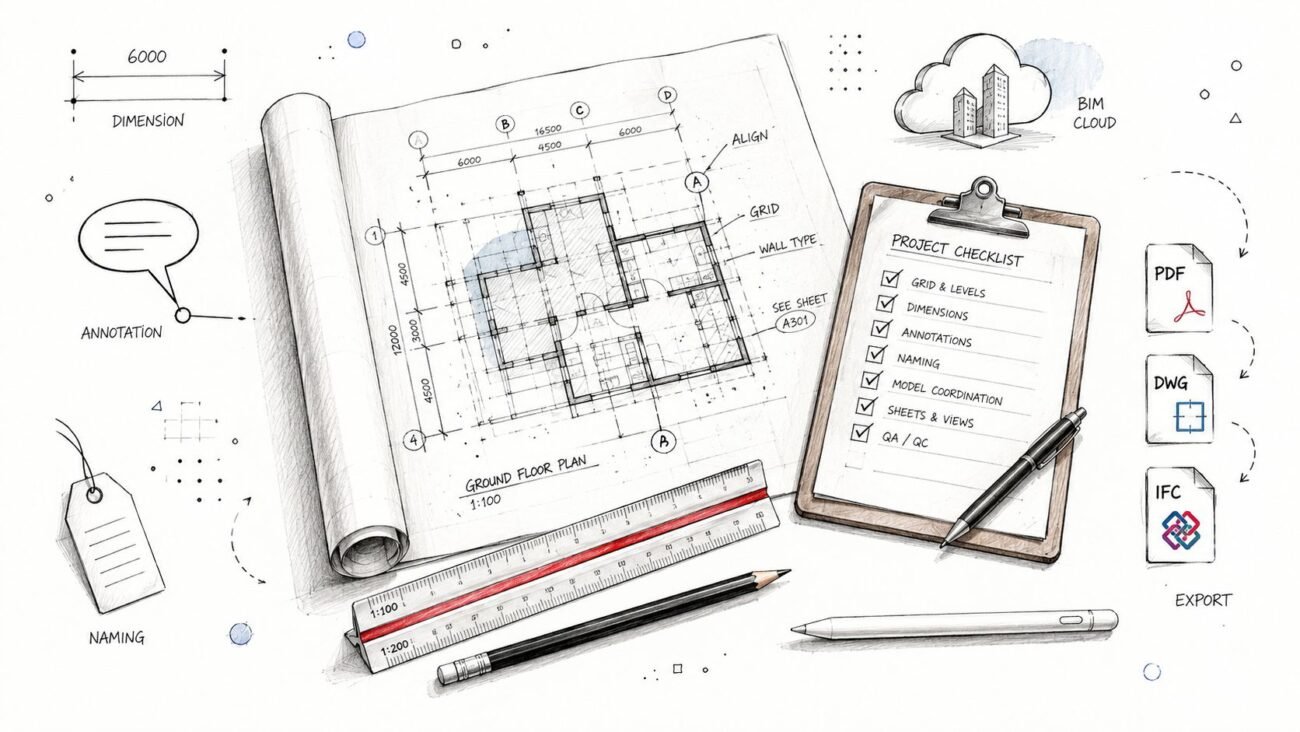
- Standardize naming: Levels, areas, systems, and package names need one accepted format across disciplines.
- Embed schedule-facing data: Add fields that allow grouped selection and repeatable linking.
- Audit regularly: QA should catch missing values, bad naming, and scope that can't map cleanly to the schedule.
- Set readiness gates: Don't wait until owner presentation week to decide whether a model is usable for 4D.
Template discipline matters here. Adopting customizable project templates within scheduling software helps save time and enforce consistency, supporting operational predictability in delivery pods, according to this construction scheduling functionality guide.
Practical rule: If your team has to invent grouping logic from scratch on every project, you don't have a 4D workflow yet. You have a recurring rescue effort.
Design-build teams have an advantage
Design-build GCs are in the best position to get this right because they can align schedule structure and model structure earlier than hard-bid teams usually can. When the same organization controls design coordination, package strategy, and construction planning, it can set decision checkpoints before the project drifts into cleanup mode.
On projects with heavy coordination load, some firms keep a dedicated production team focused on model health, parameter consistency, and package readiness. That's often more reliable than asking an already stretched PM or VDC lead to repair sequencing structure ad hoc between RFIs, meetings, and submittal pressure.
From Disconnected Data to Predictable Delivery
Construction scheduling software handles time logic. The BIM model has to be prepared to receive it. That's the key lesson.
When teams skip the model-structuring work, 4D scheduling becomes a demo instead of an operating tool. When they treat model organization, QA, template discipline, and decision checkpoints as part of production, schedule simulation becomes useful in the field. That's where predictability starts showing up. Not in the software brand, but in the reliability of the inputs.
Teams that prioritize construction project scheduling and move into dedicated software demonstrate improved productivity and efficiency, which can lead to increased profitability and margin protection, according to Oracle's construction scheduling perspective. The model side has to support that outcome. Otherwise, the schedule stays smart while the coordination workflow stays fragile.
For GCs and design teams, the practical takeaway is simple. If you want 4D BIM to work, plan for it during coordination, not after the schedule is already locked and the model is already messy. That's how you reduce avoidable rework, improve sequencing clarity, and build delivery systems that scale.
If this way of thinking matches how your team wants to run projects, BIM Heroes shares more workflow-focused resources on coordination, production standards, and BIM systems that support predictable delivery. If you need a clearer starting point, reach out for templates, checklists, or a practical framework your team can apply before the next model handoff turns into schedule cleanup.