A client sends a county parcel map at kickoff, usually as a PDF export, a screenshot from a GIS viewer, or an assessor record. The project team drops it into AutoCAD or Revit, traces a boundary, and starts laying out setbacks, parking, or a building pad. That's where avoidable mistakes begin.
For AEC teams, itasca county parcel information is useful, but only if you treat each source for what it is. County parcel records help you identify ownership, tax status, parcel references, and a working geometry for early planning. They do not automatically give you a permit-ready site boundary. If you miss that distinction on day one, the error shows up later as redesign, plan check comments, permit delay, or a field conflict no one budgeted for.
This guide is written for the project architect or PM who has a parcel map open right now and needs to know what can be trusted, what needs verification, and how to move that information into production without creating risk upstream.
Meta description: Learn how to read Itasca County parcel information correctly for AEC workflows, from parcel lookup and GIS limits to easements, right-of-way, and BIM/CAD translation.
How to Find Itasca County Parcel Information
The fastest way to get the right record is to start with the most specific identifier you have. In Itasca County, that means PIN, legal description, or property address, which is the county-recommended approach in its public property records workflow via the Itasca County property records portal.
If I'm setting up a project, I don't start with a loose map search if I can avoid it. Address searches can work, but they can also drift when parcels have changed, been combined, or been split. A PIN-based search is cleaner because it ties your review to a specific parcel record instead of an approximate location.
Use the county systems for different jobs
Itasca County parcel research is split across more than one public-facing system, so your team needs to know which tool answers which question.
- Parcel record lookup: Use it when you need parcel-level discovery, ownership, assessed values, property classification, and tax status.
- GIS viewer: Use it for spatial context, nearby parcels, road relationships, and a quick visual check.
- Recorder documents: Use them when a parcel record points you toward a recorded document that may control the actual legal configuration.
That split matters in production. One system helps you find the parcel. Another helps you visualize it. A separate document trail may still control what you can draw against.
Check the date before you trust the record
The county's public parcel workflow includes data-date stamps, and that's a detail a lot of teams overlook. Before you use parcel data for acquisition screening, takeoff, concept planning, or a base file, confirm when the record was last refreshed in the public system.
Practical rule: A parcel record without a date check is not ready for production use.
That habit protects against a common failure mode. A team grabs a parcel snapshot, assumes it's current, and later learns the ownership or parcel configuration changed after the last update cycle.
For early feasibility, parcel records are still valuable. They help frame the first pass of due diligence, especially when paired with a disciplined intake process like an architectural feasibility study workflow. The key is using county data as a verified starting point, not as an unquestioned base drawing.
Understanding Parcel Data Types and Their Accuracy
Most project mistakes don't come from missing data. They come from using the wrong data as if it were authoritative.
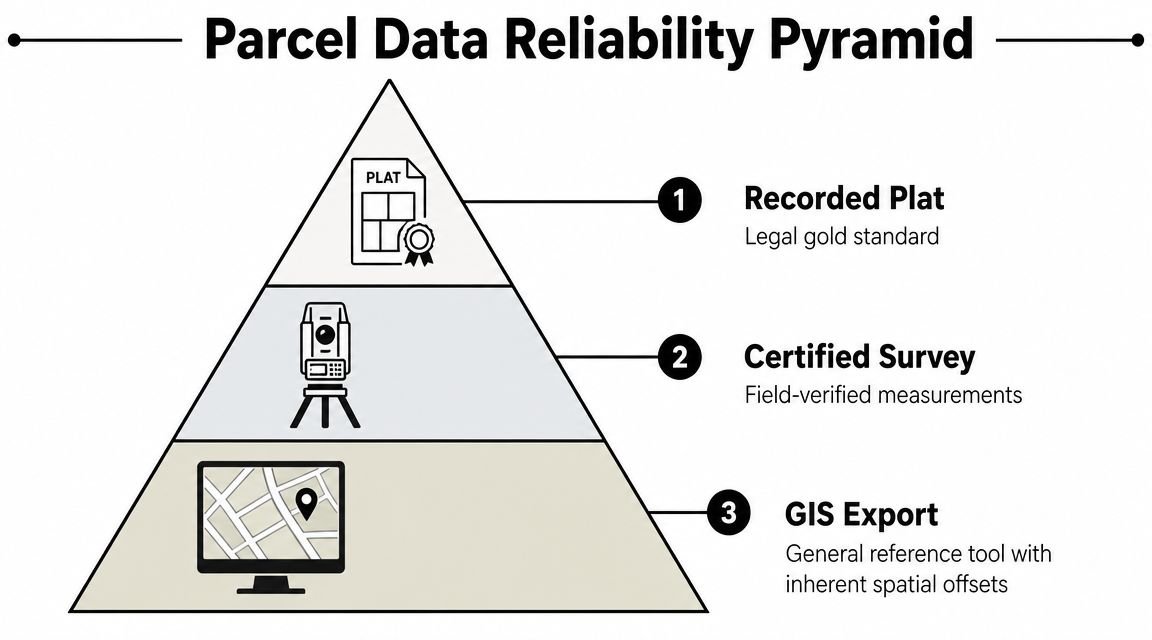
In Itasca County, parcel information is operationally split across at least two layers: the county's Parcel Information System and the Assessor/GIS stack. The county also states that its GIS viewer is not survey-grade and should not be used as a boundary replacement on the Itasca County Assessor page. For BIM and preconstruction teams, that warning should change how you build your workflow from the first day.
Read parcel data as an accuracy hierarchy
Not every parcel-related document deserves the same level of trust. In practice, I'd train a production team to think in this order:
| Data type | Best use | What it won't do |
|---|---|---|
| Recorded plat or recorded survey document | Legal configuration, lot references, formal due diligence | Doesn't replace current field verification by itself |
| Certified survey | Boundary-dependent design decisions, existing conditions control | May still need title coordination depending on the issue |
| Assessor parcel information | Ownership, classification, tax-oriented parcel review | Isn't a legal boundary instrument |
| GIS parcel layer | Context mapping, adjacency review, rough site orientation | Shouldn't be traced as a final property line |
That hierarchy is what keeps small assumptions from becoming expensive drafting errors.
Treat county parcel records as assessment snapshots
The Assessor's office describes its workflow around taxable property identification, assessment data collection, taxability, market value estimation, tax capacity calculation, certification, and annual owner notice and appeal support. Operationally, that means county parcel data is tied to an assessment and tax framework, not to the idea of a static, field-verified legal line.
For AEC work, the lesson is simple. Use county parcel information for screening and orientation. Escalate to recorded documents and survey control when the design starts depending on exact geometry.
Public parcel layers are great for finding the site. They're not enough to defend the site.
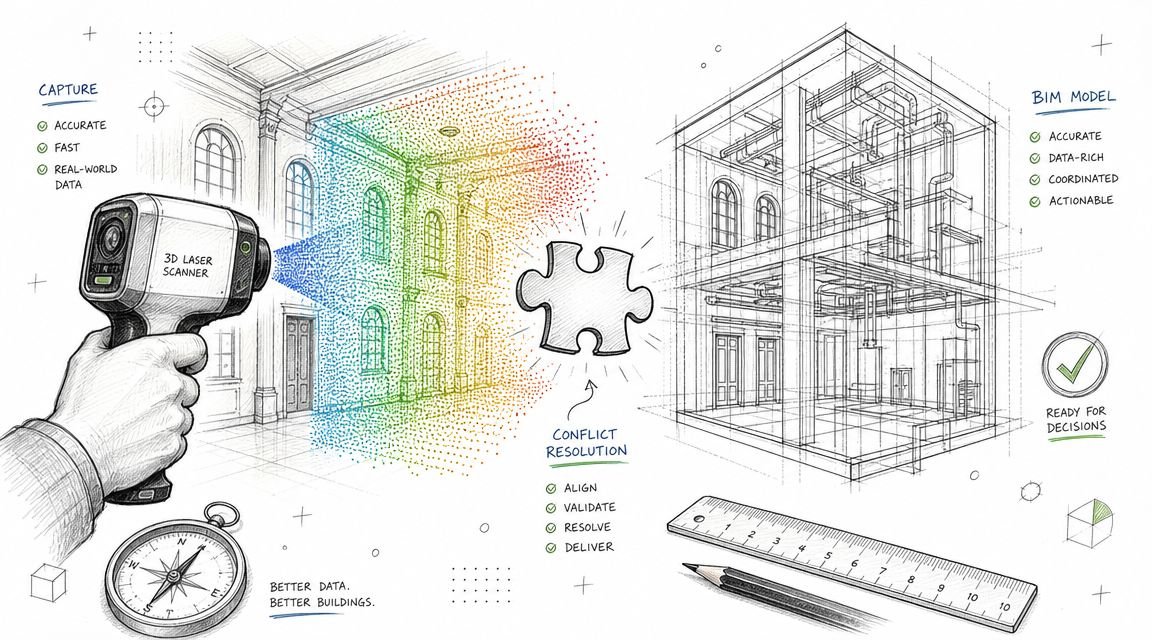
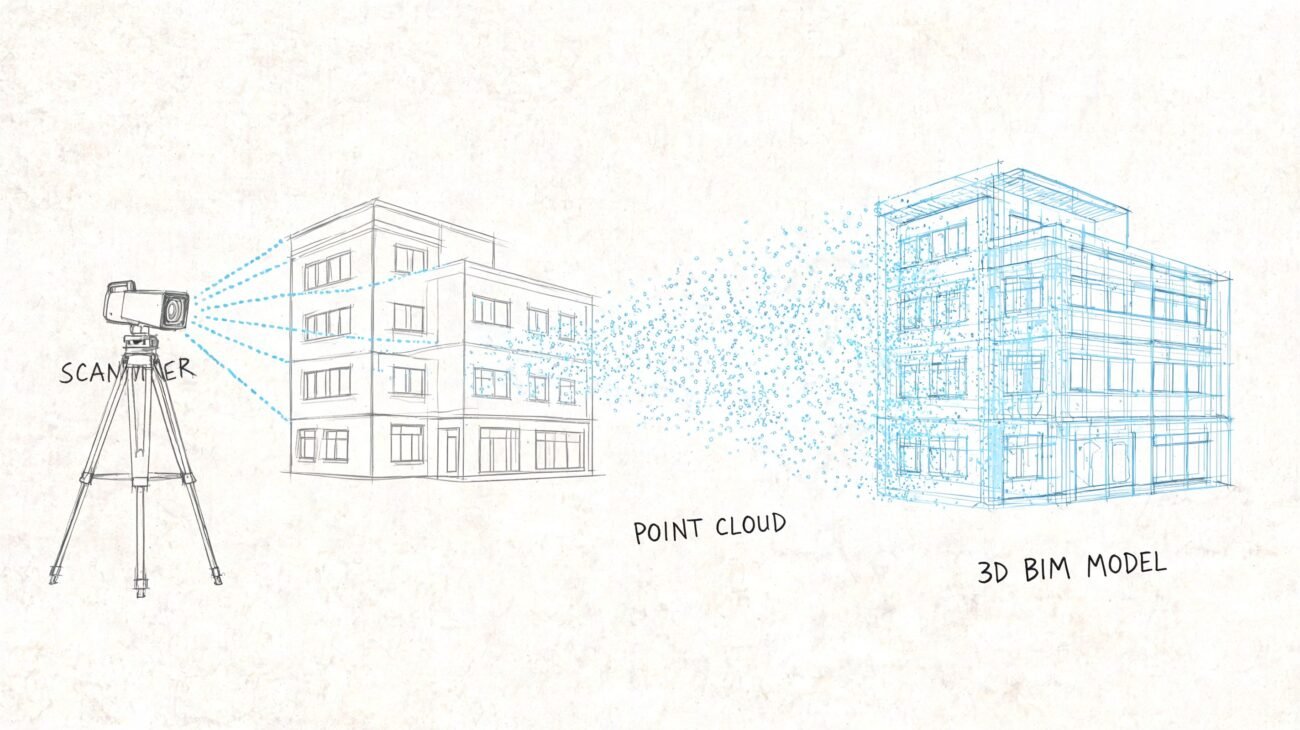
If your office is working from GIS linework, point cloud data, and consultant backgrounds together, teams benefit from stronger intake discipline in these scenarios. A clean point cloud to BIM workflow only works when every source is assigned the right level of authority from the start.
The Anatomy of a Parcel Map
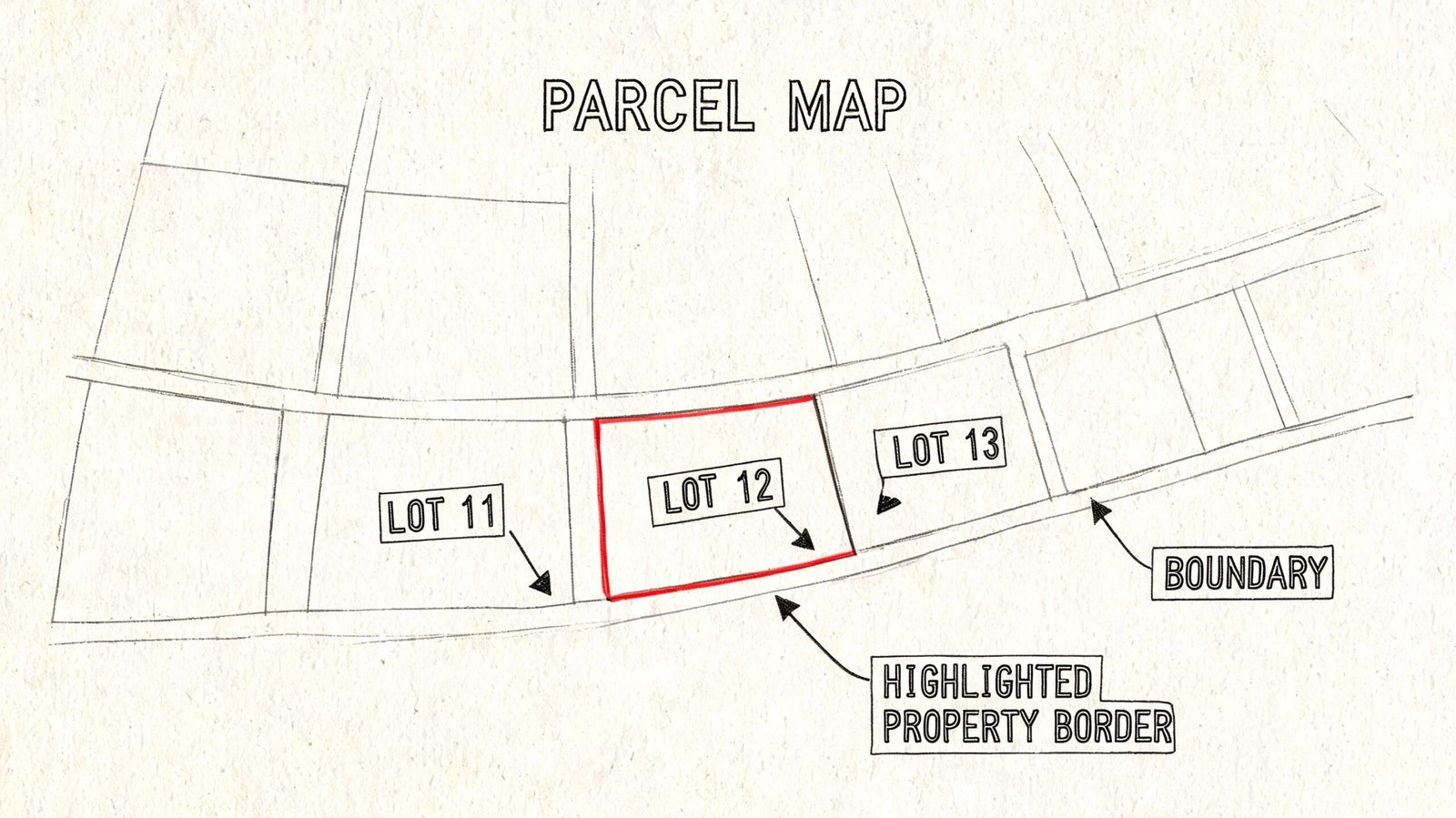
A parcel map has its own language. Once you know what each notation means, the document gets a lot easier to use and much harder to misuse.
Start with the title block
The title block is where the legal trail begins. Look for the map title, jurisdiction, recording reference, and any book or page references tied to the document. If you need to cite the parcel source in your internal due diligence notes or cover sheet backup, this is the information that matters more than a casual screenshot filename or a GIS label.
Also check the north arrow and stated scale. North matters because your base orientation affects every downstream sheet. Scale matters because teams still make the mistake of scaling dimensions from a PDF.
Don't scale from the image. Use written dimensions, bearings, and recorded references.
Know what line you're actually looking at
On a parcel map, lineweight and notation often carry more meaning than people expect.
- Parcel boundary: Usually the outer legal extent of the parcel shown.
- Interior lot line: A division between adjacent lots or parcels on the same sheet.
- Dimension strings: Often shown in decimal feet, not feet and inches.
- Curve data: May include notations such as R=50.00' and L=78.54'.
- Bearings: Written like N45°30'00"E or S12°15'30"W.
A bearing gives direction. The distance paired with that bearing gives a line segment. Read sequentially around the parcel, those calls form the basis of a metes and bounds description.
Read dimensions as drafting instructions, not decoration
A lot of architects recognize bearing notation but don't use it confidently. The rule is straightforward:
- The first letter tells you whether the angle begins from north or south
- The numbers show the angular deviation
- The last letter tells you whether the line turns toward east or west
So N45°30'00"E means the line runs from north, turning toward east by the shown angle.
Field-tested habit: If the boundary can't be reconstructed cleanly from the written calls, stop and verify before anyone builds a site plan from it.
APN is useful, but it isn't the legal description
Parcel maps and assessor systems often show a parcel number or APN/PIN. That identifier is critical for record lookup and coordination, but it's still an administrative label. It helps you pull ownership, classification, and related parcel records. It is not the same thing as the full legal description that governs the parcel itself.
That distinction matters when permit reviewers, title teams, or surveyors ask for backup. A parcel number helps you find the file. The legal description tells you what the land is.
Decoding Easements and Building Lines
The most dangerous mistake on a parcel map usually isn't the outer boundary. It's the line inside the parcel that someone ignored.
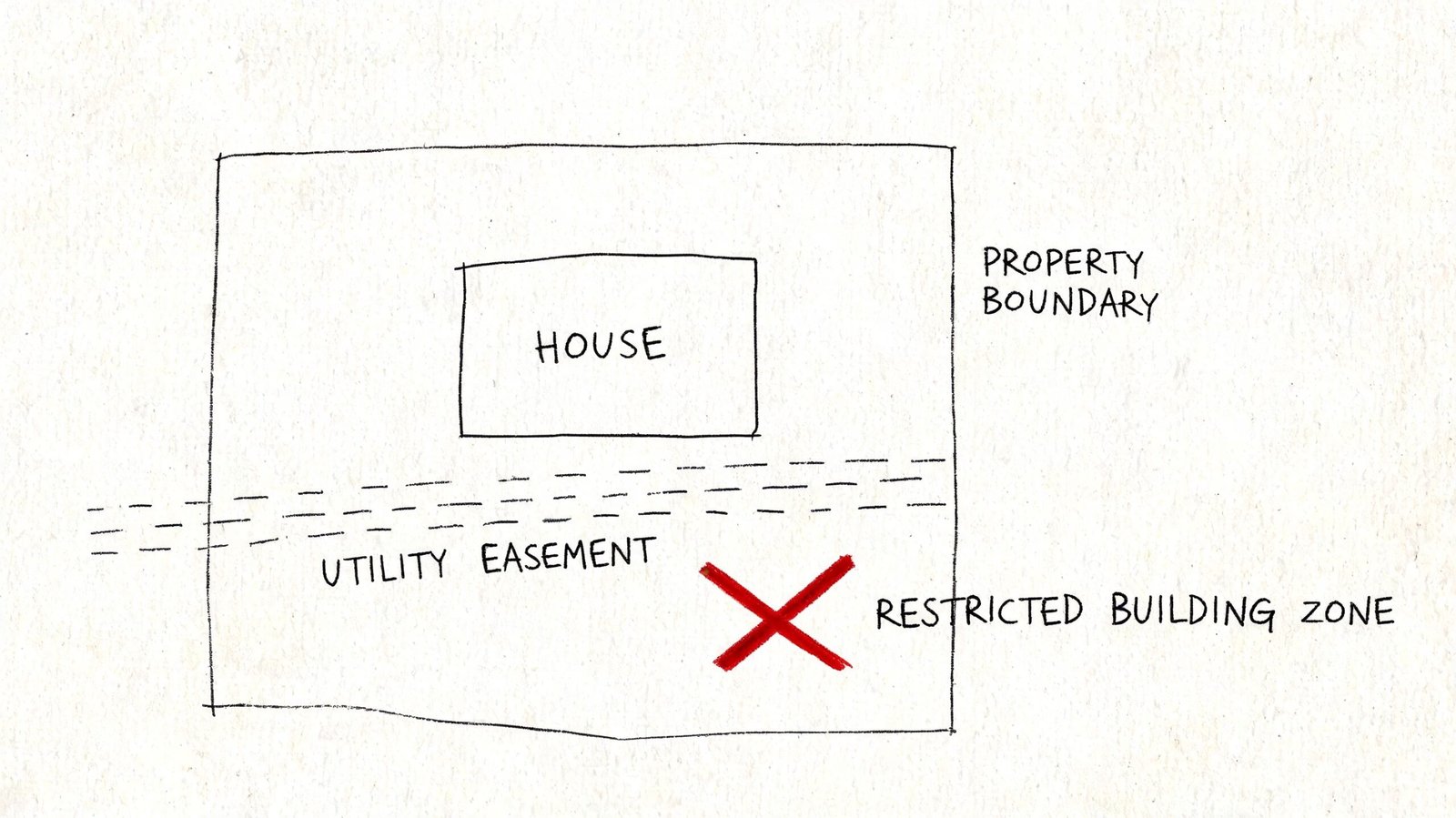
Easements are where projects get trapped. Teams see dashed lines, abbreviated notes, or a reference to a recorded document and keep drawing as if the issue is secondary. It isn't secondary. It often controls whether a structure, retaining condition, driveway, utility crossing, or grading move is even viable.
Common parcel map notations that deserve immediate attention
A few labels show up often enough that every PM and project architect should be able to recognize them at a glance:
- P.U.E. means public utility easement
- D.E. usually points to a drainage easement
- A.E. often indicates access easement
- B.L. commonly means building line
A building line can be especially tricky. Teams sometimes assume zoning setbacks are the only setback constraint that matters. Older plats may establish a building line that is more restrictive than your zoning baseline, and that can affect massing before you ever reach DD.
What to do when an easement is referenced but not fully drawn
Some parcel maps don't graphically show the full easement geometry. Instead, they refer to a recorded document. When you see that, the right move is not to guess, buffer, or “carry a note for now.”
Pull the recorded document.
Then confirm three things:
- Who holds the easement
- What uses are restricted or allowed
- Whether the easement location is clear enough for design reliance
If the map says “per document” and your team hasn't reviewed that document, the parcel review is still incomplete.
That's where projects either stay clean or start accumulating hidden risk. Utility easements can restrict structures. Access easements can affect circulation. Drainage easements can constrain grading and hardscape. A blanket easement can complicate almost everything.
Interpreting Right-of-Way and Lot Area
One of the most common site plan errors is measuring from the visible edge of pavement or back of curb instead of from the actual property line. Those aren't always the same thing.
The right-of-way, or ROW, is land dedicated to public use for streets, sidewalks, and related infrastructure. On a parcel map, the ROW line is the edge between public land and the private parcel. For setback logic, that line matters more than the curb face.
Why this affects zoning and permit risk
If your front setback is measured from the wrong line, every downstream number can be wrong. That includes building placement, parking layout, frontage improvements, and open area calculations.
Look for notations tied to street width, dedication, or roadway boundary. A map may identify a public street width and show that the parcel ends before the pavement edge your team assumed was the property line.
Gross area isn't always the area you should design from
Parcel documents may reference acreage, square footage, or both. They may also distinguish between a broader parcel area and a reduced area after ROW dedication or other exclusions. In zoning work, what matters is often the legally recognized area applicable to the review, not whatever a traced GIS polygon happens to calculate.
Use the legal area shown on the governing parcel document when it's available. Don't let an unverified digital measurement override the recorded basis your permit set will be judged against.
A useful practical conversion for site planning is that 1 acre equals 43,560 square feet. That helps when checking lot coverage, floor area assumptions, or parking logic against a parcel note. But the conversion only helps if the source area itself is correct.
Setbacks come from the property line. The property line may coincide with ROW. It is not defined by curb location.
Translating Parcel Data into Your BIM or CAD Workflow
The project doesn't become safer because someone found the parcel. It becomes safer when the team converts parcel information into a controlled base file with the right limits attached to it.
The county's public resources leave a real operational gap for AEC teams: knowing when parcel data is good enough for planning and when a survey or recorded plat is required. The county's parcel FAQ context makes that distinction important, especially where public GIS is useful for reference but design decisions still need a checkpoint for whether a licensed survey is required, as noted on the Itasca County parcel FAQ.
What to bring into the model or drawing
When building a CAD or BIM base from parcel information, transfer only the elements the parcel source can support:
- Property lines from written calls: Build them from bearings and distances, not from a traced image.
- Easement geometry and references: Carry both the linework and the document note if it affects design.
- ROW information: Include the line and the street relationship if that controls setbacks.
- Parcel identifiers: Add the parcel number and legal reference where your documentation standard requires it.
- Lot area notes: Carry the legally stated area if that will support early zoning checks.
If you're in Revit or AutoCAD, this is the moment to set a clean internal standard. Create a dedicated layer or subcategory strategy for parcel lines, easements, ROW, and source-confidence notes. That alone prevents a lot of confusion later when a model is handed between production pods.
What parcel maps do not give you
A parcel map is not a complete site base. It won't reliably give you everything needed for permit documentation.
You still need separate sources for items such as:
- Topography and grades
- Existing utilities
- Field-verified improvements
- Boundary confirmation when the building is tight to setbacks
- Title-sensitive conditions such as certain easements or access rights
That's why tracing a county export directly into a permit site plan is weak practice. It looks efficient in the first week and creates rework in the third.
Define the stop-work checkpoint
Every office should have a hard checkpoint where the PM or production lead says, “We're done using parcel data as a planning proxy. Now we need formal verification.”
That checkpoint usually appears when:
- The building sits close to a required setback
- An easement affects proposed placement
- Parcel references don't align cleanly across records
- The design depends on exact frontage or access rights
- A client wants permit drawings before survey control is in hand
CAD-to-BIM maturity matters in this context. A disciplined CAD to Revit production workflow should preserve source hierarchy, note uncertainty clearly, and prevent draft assumptions from becoming modeled facts.
Parcel literacy is a production skill. Teams that treat it casually tend to issue site plans with hidden contradictions. Teams that treat it as a QA gate protect schedule, fee, and trust.
If your team needs permit-ready site plans or architectural production support built from verified parcel data instead of rough county exports, BIM Heroes can help. We work with AEC teams that want cleaner base files, stronger QA checkpoints, and more reliable drawing delivery before parcel assumptions turn into permit problems.